
 geditLinux
vs
AtomWindows
gedit, alternative Linux à Atom
Mis à jour le
Notre avis
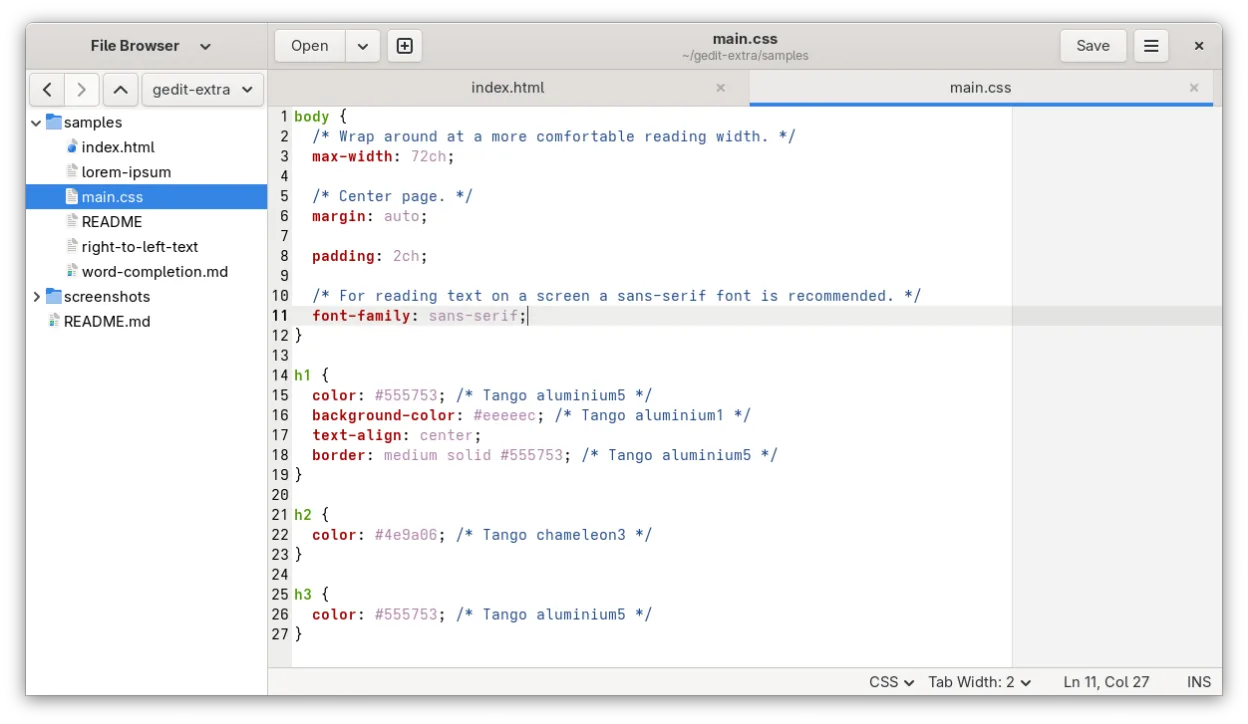
gedit is a reasonable lightweight replacement if you only need basic code editing and value low resource usage. It handles syntax highlighting and simple plugins well. However, it is not a direct substitute for heavy Atom workflows. If you relied on Atom’s extensive package ecosystem for complex project management, advanced Git integration, or heavy refactoring, gedit will feel limiting. Choose gedit for quick edits, scripts, and configuration files where speed matters. For serious development, consider VS Code or Sublime Text instead.
- Licence
- GPL-2.0+
- Prix
- Gratuit
- Dernière version
- 51.0 (15 octobre 2026)
- Note
- 5/5 (1)
Ce qui fonctionne pareil
- Free and open-source license
- Syntax highlighting for many programming languages
- Plugin system to extend functionality
- Support for multiple file tabs
- Basic code editing features like auto-indent
Ce qui change
- Lacks Atom's massive, community-driven package ecosystem
- Git integration is basic compared to Atom's built-in tools
- No built-in terminal or advanced project management
- UI is simpler and less customizable than Atom's
- Focused on general-purpose text editing rather than heavy development
Ouvrir vos fichiers Atom
gedit opens standard text files (.txt, .py, .js, .c, etc.) without issue. Since Atom primarily works with plain text files, there is no proprietary format conversion needed. You can open any code file directly in gedit. If you use Atom-specific workspace configurations or settings, those will not transfer, but your actual code files remain fully compatible.
Passer de Atom à gedit, étape par étape
- Install gedit via your package manager or Flathub
- Enable the 'Source View' plugin for better code editing
- Configure your preferred font and tab settings
- Install any necessary plugins for specific language support
- Open your project files directly in gedit
Fonctionnalités clés de gedit
- Coloration syntaxique pour de nombreux langages de programmation
- Système de plugins pour étendre les fonctionnalités
- Recherche et remplacement avec prise en charge des expressions régulières
- Police, largeur d'onglet et retour à la ligne configurables
- Numéros de ligne, appariement des accolades et indentation automatique
- Prise en charge de l'encodage de texte UTF-8
- Édition de texte par glisser-déposer
- Interface multi-documents avec onglets
Installer gedit sous Linux
flatpak install flathub org.gnome.geditsudo apt install geditsudo apt install geditsudo dnf install geditsudo pacman -S geditsudo zypper install geditQuestions fréquentes
Can gedit handle large codebases?
It can open large files, but it lacks the advanced indexing and refactoring tools found in IDEs. For very large projects, it may feel slow or limited compared to Atom or VS Code.
Is gedit better than Atom for performance?
Yes, gedit is significantly lighter and starts faster. It uses fewer system resources, making it ideal for older hardware or quick edits.
Does gedit have a package manager like Atom?
It has a plugin system, but the ecosystem is much smaller. You won't find the same breadth of community packages available for Atom.
5 autres alternatives à Atom
 Visual Studio CodeUn éditeur de code léger et extensible qui prend en charge le débogage, Git et de nombreux langages.GratuitFlatpakVisual Studio Code ou Atom
 NeovimNeovim est une version moderne de Vim qui ajoute extensibilité, support UI avancé et extensions puissantes…Open sourceGratuitFlatpakNeovim ou Atom
 GNU EmacsGNU Emacs est un éditeur de texte hautement extensible et un interpréteur Lisp qui fonctionne comme un…Open sourceGratuitFlatpakGNU Emacs ou Atom
 KateKate est un éditeur de texte riche en fonctionnalités, axé sur les programmeurs, issu de KDE, prenant en…Open sourceGratuitFlatpakKate ou Atom
 GeanyGeany est un IDE léger et rapide qui prend en charge de nombreux langages et plugins dès l'installation.Open sourceGratuitFlatpakGeany ou Atom