
 geditLinux
vs
AtomWindows
gedit as a Linux alternative to Atom
Updated
Our verdict
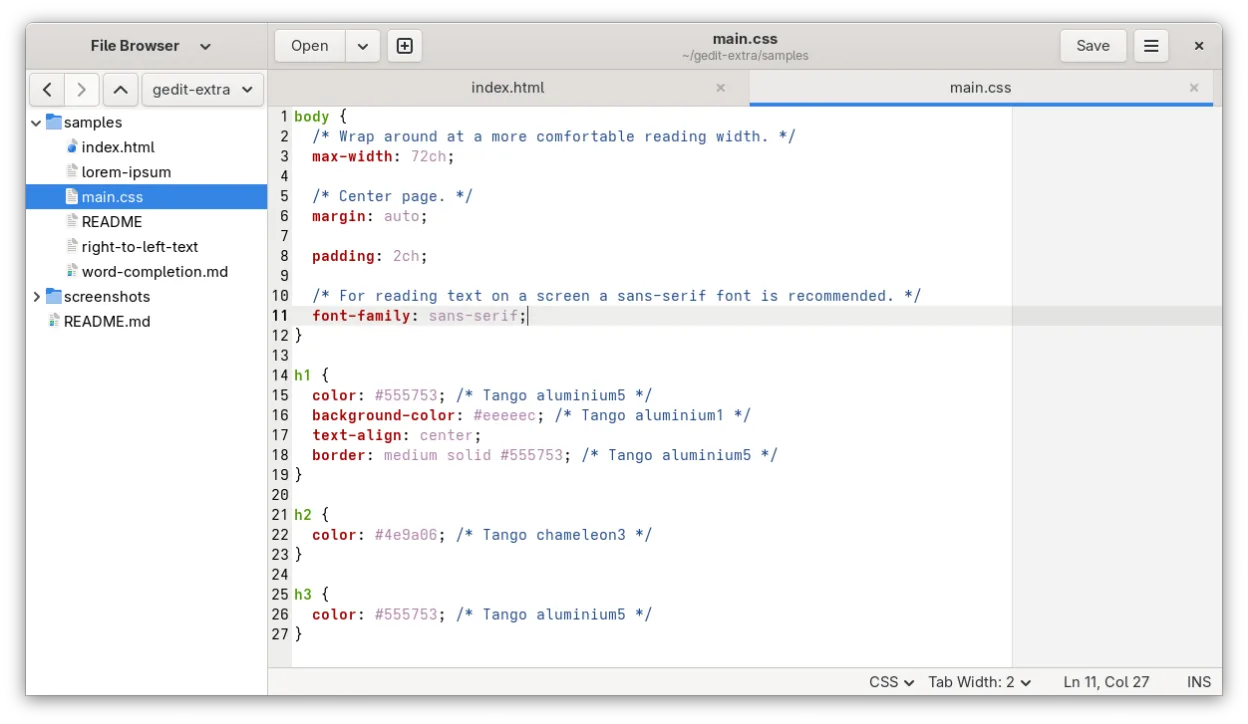
gedit is a reasonable lightweight replacement if you only need basic code editing and value low resource usage. It handles syntax highlighting and simple plugins well. However, it is not a direct substitute for heavy Atom workflows. If you relied on Atom’s extensive package ecosystem for complex project management, advanced Git integration, or heavy refactoring, gedit will feel limiting. Choose gedit for quick edits, scripts, and configuration files where speed matters. For serious development, consider VS Code or Sublime Text instead.
- License
- GPL-2.0+
- Price
- Free
- Latest version
- 51.0 (October 15, 2026)
- Rating
- 5/5 (1)
What works the same
- Free and open-source license
- Syntax highlighting for many programming languages
- Plugin system to extend functionality
- Support for multiple file tabs
- Basic code editing features like auto-indent
What is different
- Lacks Atom's massive, community-driven package ecosystem
- Git integration is basic compared to Atom's built-in tools
- No built-in terminal or advanced project management
- UI is simpler and less customizable than Atom's
- Focused on general-purpose text editing rather than heavy development
Opening your Atom files
gedit opens standard text files (.txt, .py, .js, .c, etc.) without issue. Since Atom primarily works with plain text files, there is no proprietary format conversion needed. You can open any code file directly in gedit. If you use Atom-specific workspace configurations or settings, those will not transfer, but your actual code files remain fully compatible.
Switching from Atom to gedit, step by step
- Install gedit via your package manager or Flathub
- Enable the 'Source View' plugin for better code editing
- Configure your preferred font and tab settings
- Install any necessary plugins for specific language support
- Open your project files directly in gedit
Key features of gedit
- Syntax highlighting for many programming languages
- Plugin system for extending functionality
- Search and replace with regex support
- Configurable font, tab width, and line wrapping
- Line numbers, bracket matching, and auto-indent
- UTF-8 text encoding support
- Drag-and-drop text editing
- Multiple document interface with tabs
How to install gedit on Linux
flatpak install flathub org.gnome.geditsudo apt install geditsudo apt install geditsudo dnf install geditsudo pacman -S geditsudo zypper install geditFrequently asked questions
Can gedit handle large codebases?
It can open large files, but it lacks the advanced indexing and refactoring tools found in IDEs. For very large projects, it may feel slow or limited compared to Atom or VS Code.
Is gedit better than Atom for performance?
Yes, gedit is significantly lighter and starts faster. It uses fewer system resources, making it ideal for older hardware or quick edits.
Does gedit have a package manager like Atom?
It has a plugin system, but the ecosystem is much smaller. You won't find the same breadth of community packages available for Atom.
5 other alternatives to Atom
 Visual Studio CodeA lightweight, extensible code editor that supports debugging, Git, and many languages.FreeFlatpakVisual Studio Code vs Atom
 NeovimNeovim is a modern Vim fork that adds extensibility, advanced UI support, and powerful extensions while…Open sourceFreeFlatpakNeovim vs Atom
 GNU EmacsGNU Emacs is a highly extensible text editor and Lisp interpreter that functions as a complete development…Open sourceFreeFlatpakGNU Emacs vs Atom
 KateKate is a feature-rich, programmer-focused text editor from KDE with support for 300+ languages and advanced…Open sourceFreeFlatpakKate vs Atom
 GeanyGeany is a lightweight, fast IDE that supports many languages and plugins out of the box.Open sourceFreeFlatpakGeany vs Atom