
 KDevelopLinux
vs
Microsoft Visual Studio 2022Windows
KDevelopLinux
vs
Microsoft Visual Studio 2022Windows
KDevelop, alternative Linux à Microsoft Visual Studio 2022
Mis à jour le
Notre avis
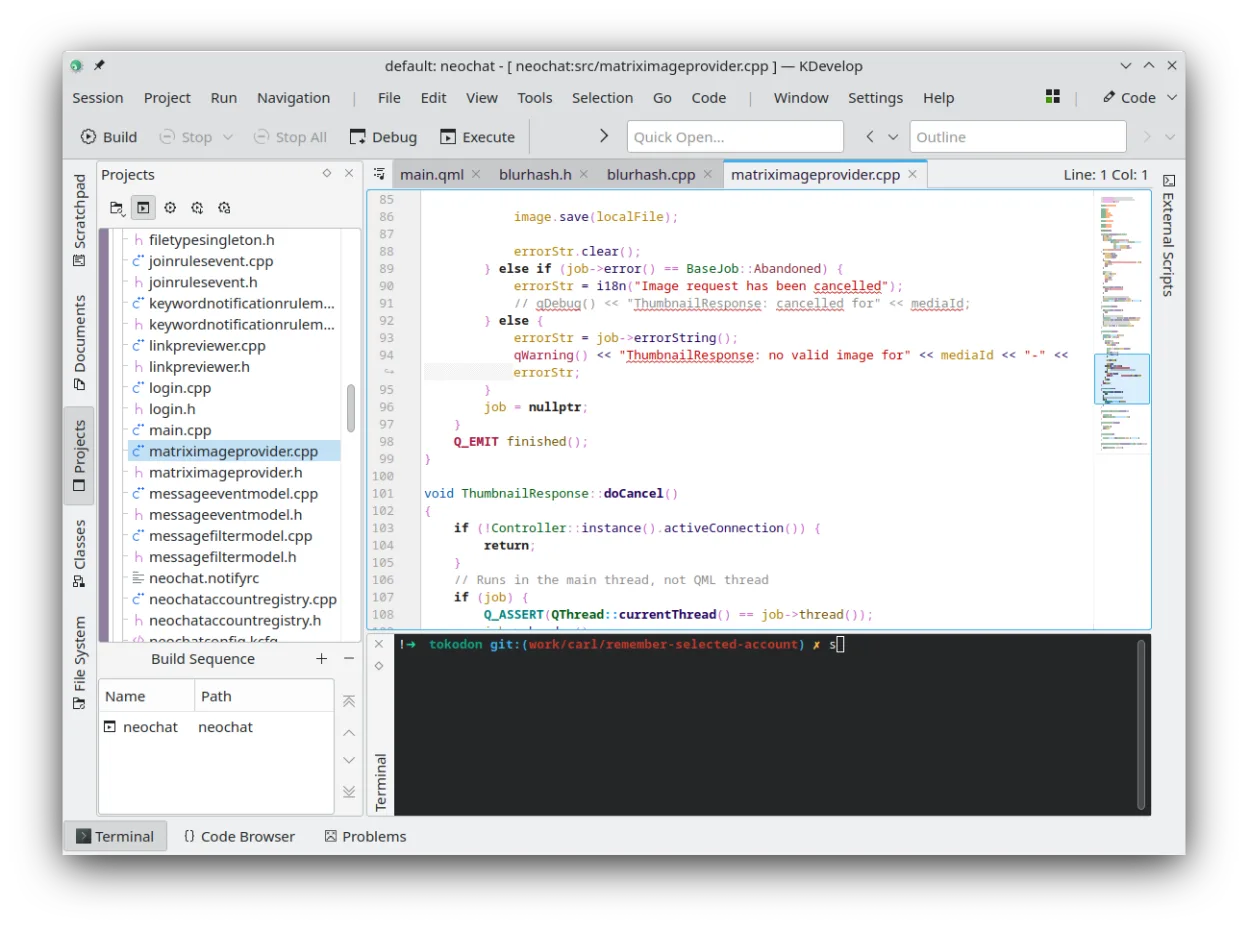
KDevelop can serve as a Linux replacement for Visual Studio 2022 for developers who work mainly with C++, Python, PHP or JavaScript and need a free, plugin‑based IDE. It lacks first‑class .NET and C# support, and its UI is less polished than Visual Studio, so it fits well for open‑source or cross‑platform projects but not for heavy Windows‑only .NET development.
- Licence
- GPL-2.0-or-later
- Prix
- Gratuit
- Dernière version
- 6.5.260403 (2 juillet 2026)
- Note
- —
Ce qui fonctionne pareil
- Both provide integrated debugging for C/C++
- Both support multiple languages via extensions or plugins
- Both integrate with Git and other version‑control systems
- Both manage projects and support external build systems
Ce qui change
- KDevelop does not support .NET/C# out of the box, whereas Visual Studio is the primary IDE for those languages
- Visual Studio includes advanced profiling, performance diagnostics and Windows‑specific tooling that KDevelop lacks
- KDevelop’s UI and project templates are geared toward KDE/Linux workflows, not the Windows‑centric experience of Visual Studio
- Visual Studio offers extensive marketplace extensions and a richer ecosystem for web development frameworks
Ouvrir vos fichiers Microsoft Visual Studio 2022
KDevelop cannot directly open Visual Studio solution (.sln) or project files. You can import source files and manually recreate the build configuration using CMake or other supported systems, but there is no automated conversion tool.
Passer de Microsoft Visual Studio 2022 à KDevelop, étape par étape
- Install KDevelop from your distribution’s repository or via Flathub.
- Install the required language plugins (e.g., CMake, Python, PHP).
- Create a new KDevelop project and point it to your existing source directories.
- Configure the build system (CMake, Make, etc.) to match your Visual Studio project settings.
- Set up Git integration and any additional tools you need.
- Test building and debugging; adjust include paths and compiler flags as necessary.
Fonctionnalités clés de KDevelop
- Débogueur intégré pour C/C++ et d'autres langages
- Système de modules pour ajouter la prise en charge de langages
- Intégration intégrée du contrôle de version (Git, SVN)
- Gestion de projet pour plusieurs systèmes de compilation
- Coloration syntaxique et complétion de code
- Outils de refactorisation pour C/C++
Installer KDevelop sous Linux
flatpak install flathub org.kde.kdevelopsudo apt install kdevelopsudo apt install kdevelopsudo dnf install kdevelopsudo pacman -S kdevelopsudo zypper install kdevelopQuestions fréquentes
Can KDevelop compile .NET projects?
No, KDevelop does not include a .NET compiler or the MSBuild system required for C# projects.
Is there a way to import Visual Studio extensions?
KDevelop uses its own plugin system; Visual Studio extensions are not compatible.
Will my existing Git history be preserved?
Yes, KDevelop works with any Git repository, so your commit history remains intact.
4 autres alternatives à Microsoft Visual Studio 2022
 Visual Studio CodeUn éditeur de code léger et extensible qui prend en charge le débogage, Git et de nombreux langages.GratuitFlatpakVisual Studio Code ou Microsoft Visual Studio 2022Eclipse CDTEclipse CDT est un IDE mature et open source pour le développement en C et C++, offrant des outils de gestion…Open sourceGratuitEclipse CDT ou Microsoft Visual Studio 2022
 Qt CreatorQt Creator est un IDE multiplateforme conçu pour développer des applications Qt sous Linux, Windows et macOS.Open sourceGratuitFlatpakQt Creator ou Microsoft Visual Studio 2022
 NetBeansNetBeans est un IDE open source d'Apache qui prend en charge Java, JavaScript, PHP, C/C++ et bien plus encore.Open sourceGratuitFlatpakNetBeans ou Microsoft Visual Studio 2022