
 KDevelopLinux
vs
Microsoft Visual Studio 2022Windows
KDevelopLinux
vs
Microsoft Visual Studio 2022Windows
KDevelop as a Linux alternative to Microsoft Visual Studio 2022
Updated
Our verdict
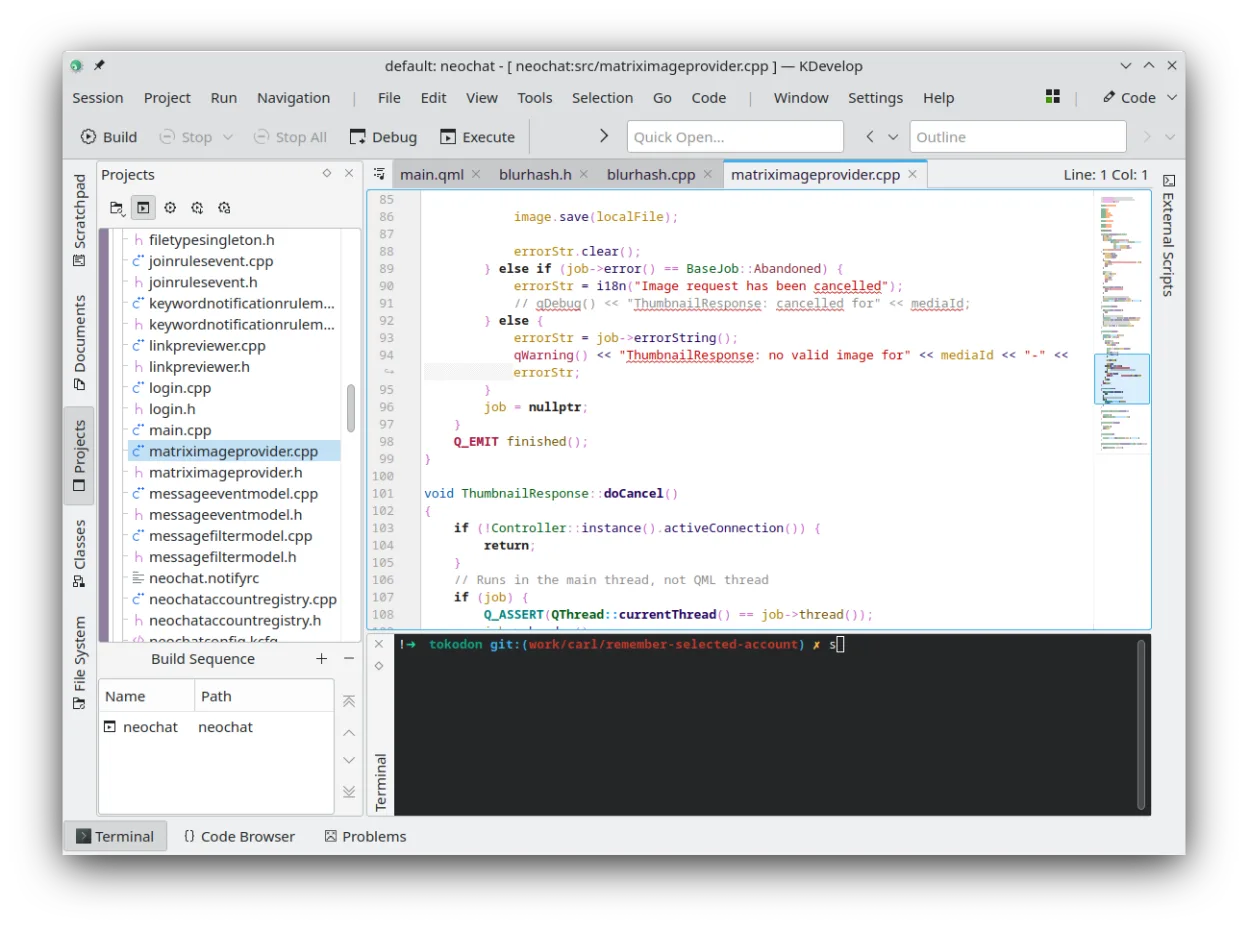
KDevelop can serve as a Linux replacement for Visual Studio 2022 for developers who work mainly with C++, Python, PHP or JavaScript and need a free, plugin‑based IDE. It lacks first‑class .NET and C# support, and its UI is less polished than Visual Studio, so it fits well for open‑source or cross‑platform projects but not for heavy Windows‑only .NET development.
- License
- GPL-2.0-or-later
- Price
- Free
- Latest version
- 6.5.260403 (July 2, 2026)
- Rating
- —
What works the same
- Both provide integrated debugging for C/C++
- Both support multiple languages via extensions or plugins
- Both integrate with Git and other version‑control systems
- Both manage projects and support external build systems
What is different
- KDevelop does not support .NET/C# out of the box, whereas Visual Studio is the primary IDE for those languages
- Visual Studio includes advanced profiling, performance diagnostics and Windows‑specific tooling that KDevelop lacks
- KDevelop’s UI and project templates are geared toward KDE/Linux workflows, not the Windows‑centric experience of Visual Studio
- Visual Studio offers extensive marketplace extensions and a richer ecosystem for web development frameworks
Opening your Microsoft Visual Studio 2022 files
KDevelop cannot directly open Visual Studio solution (.sln) or project files. You can import source files and manually recreate the build configuration using CMake or other supported systems, but there is no automated conversion tool.
Switching from Microsoft Visual Studio 2022 to KDevelop, step by step
- Install KDevelop from your distribution’s repository or via Flathub.
- Install the required language plugins (e.g., CMake, Python, PHP).
- Create a new KDevelop project and point it to your existing source directories.
- Configure the build system (CMake, Make, etc.) to match your Visual Studio project settings.
- Set up Git integration and any additional tools you need.
- Test building and debugging; adjust include paths and compiler flags as necessary.
Key features of KDevelop
- Integrated debugger for C/C++ and other languages
- Plugin system for adding language support
- Built-in version control integration (Git, SVN)
- Project management for multiple build systems
- Syntax highlighting and code completion
- Refactoring tools for C/C++
How to install KDevelop on Linux
flatpak install flathub org.kde.kdevelopsudo apt install kdevelopsudo apt install kdevelopsudo dnf install kdevelopsudo pacman -S kdevelopsudo zypper install kdevelopFrequently asked questions
Can KDevelop compile .NET projects?
No, KDevelop does not include a .NET compiler or the MSBuild system required for C# projects.
Is there a way to import Visual Studio extensions?
KDevelop uses its own plugin system; Visual Studio extensions are not compatible.
Will my existing Git history be preserved?
Yes, KDevelop works with any Git repository, so your commit history remains intact.
4 other alternatives to Microsoft Visual Studio 2022
 Visual Studio CodeA lightweight, extensible code editor that supports debugging, Git, and many languages.FreeFlatpakVisual Studio Code vs Microsoft Visual Studio 2022Eclipse CDTEclipse CDT is a mature, open-source IDE for C and C++ development, offering project management, debugging…Open sourceFreeEclipse CDT vs Microsoft Visual Studio 2022
 Qt CreatorQt Creator is a cross‑platform IDE for developing Qt applications on Linux, Windows, and macOS.Open sourceFreeFlatpakQt Creator vs Microsoft Visual Studio 2022
 NetBeansNetBeans is an open‑source IDE from Apache that supports Java, JavaScript, PHP, C/C++ and more.Open sourceFreeFlatpakNetBeans vs Microsoft Visual Studio 2022