
 KRDCLinux
vs
Microsoft Remote DesktopWindows
KRDCLinux
vs
Microsoft Remote DesktopWindows
KRDC, alternative Linux à Microsoft Remote Desktop
Mis à jour le
Notre avis
KRDC is a solid replacement for Microsoft Remote Desktop for Linux users who need to connect to Windows machines via RDP. It covers most everyday tasks: connecting, full‑screen mode, keyboard/mouse integration, and encryption. It is ideal for KDE users who want a native, open‑source client. However, it lacks some advanced features that Windows users might expect, such as multi‑session handling and built‑in file transfer. Overall, KRDC works well for standard remote‑desktop use cases.
- Licence
- GPL-2.0+
- Prix
- Gratuit
- Dernière version
- 26.04.3 (2 juillet 2026)
- Note
- —
Ce qui fonctionne pareil
- Both use the RDP protocol to connect to Windows machines
- Support full‑screen and windowed display modes
- Provide keyboard and mouse integration
- Encrypt connections (TLS for KRDC, optional in Microsoft Remote Desktop)
- Allow remote control of the desktop
Ce qui change
- KRDC does not support simultaneous multiple RDP sessions from a single client
- No native file‑transfer feature (VNC can be used but requires separate setup)
- KRDC lacks the Windows‑specific authentication options like NTLM/kerberos integration out of the box
- No built‑in clipboard sync between local and remote
- KRDC is KDE‑centric and may not integrate with non‑KDE desktop environments as tightly as Microsoft Remote Desktop does in Windows
Ouvrir vos fichiers Microsoft Remote Desktop
Microsoft Remote Desktop does not use a standard file format that KRDC can import or export. Users cannot directly open or export connection files from the Windows client into KRDC. Connection details must be entered manually or saved as bookmarks within KRDC.
Passer de Microsoft Remote Desktop à KRDC, étape par étape
- Open KRDC from the application menu.
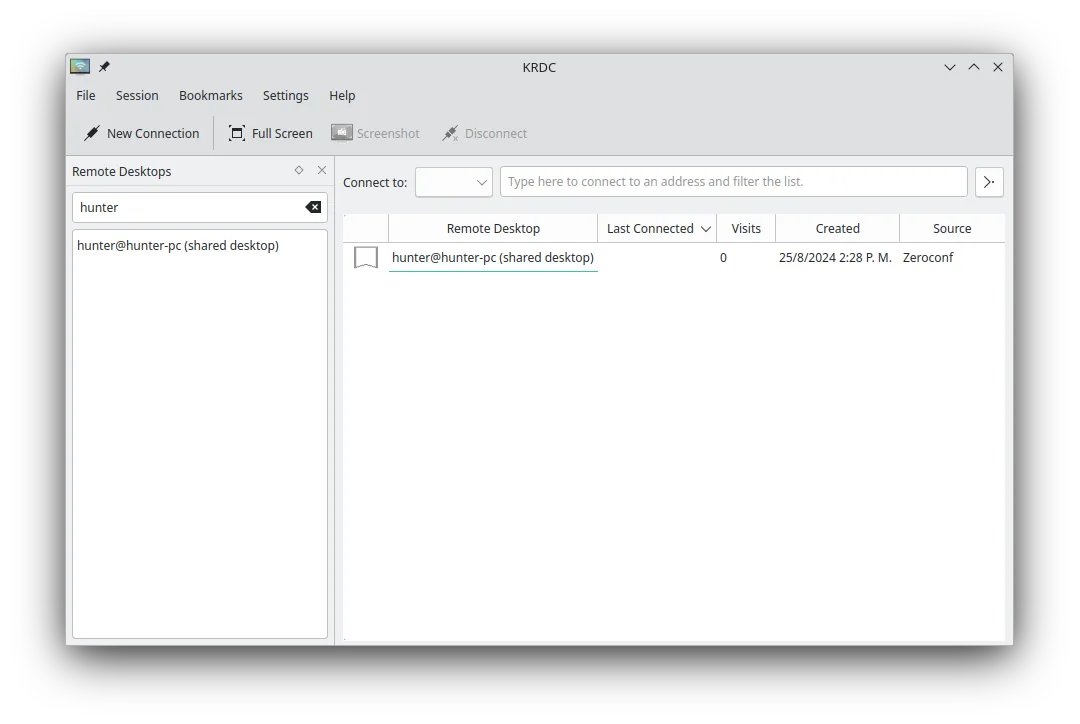
- Select "New Connection" and choose "Remote Desktop (RDP)".
- Enter the Windows machine’s IP address or hostname, and provide credentials (use KDE Wallet if desired).
- Click "Connect" to establish the session. If needed, enable full‑screen or adjust scaling from the view menu.
Fonctionnalités clés de KRDC
- Prend en charge les protocoles RDP et VNC
- Interface graphique stylée KDE
- Gestion des signets pour les connexions fréquentes
- Modes plein écran et fenêtré
- Prise en charge des raccourcis clavier (Ctrl+Alt+Shift pour la saisie distante)
- Mise à l'échelle dynamique de l'affichage distant
- Chiffrement TLS pour les sessions RDP
- Intégration avec KDE Wallet pour le stockage des mots de passe
Installer KRDC sous Linux
flatpak install flathub org.kde.krdcsudo apt install krdcsudo apt install krdcsudo dnf install krdcsudo pacman -S krdcsudo zypper install krdcQuestions fréquentes
Does KRDC support file transfer?
KRDC itself does not provide a built‑in file‑transfer feature. You can use a separate tool like WinSCP or an SFTP client to transfer files to/from the remote Windows machine.
Can I use KRDC on a non‑KDE desktop?
Yes. KRDC runs on any Linux desktop that has the required dependencies, but its appearance and some integration features are optimized for KDE.
Is KRDC free?
KRDC is released under the GPL‑2.0+ license and is available in major Linux distributions free of charge.
4 autres alternatives à Microsoft Remote Desktop
 RemminaRemmina est un client de bureau à distance Linux prenant en charge RDP, VNC, SSH et X2Go pour se connecter à…Open sourceGratuitFlatpakRemmina ou Microsoft Remote DesktopFreeRDPFreeRDP est une implémentation open-source du protocole Remote Desktop Protocol, vous permettant de vous…Open sourceGratuitFreeRDP ou Microsoft Remote Desktoprdesktoprdesktop est un client gratuit et open source qui permet aux utilisateurs de Linux de se connecter aux…rdesktop ou Microsoft Remote Desktop
 VinagreVinagre est un outil GNOME de visualisation de bureau distant pour VNC, RDP, SSH et SPICE, désormais…Open sourceGratuitAbandonnéVinagre ou Microsoft Remote Desktop