
 KRDCLinux
vs
Quick AssistWindows
KRDCLinux
vs
Quick AssistWindows
KRDC, alternative Linux à Quick Assist
Mis à jour le
Notre avis
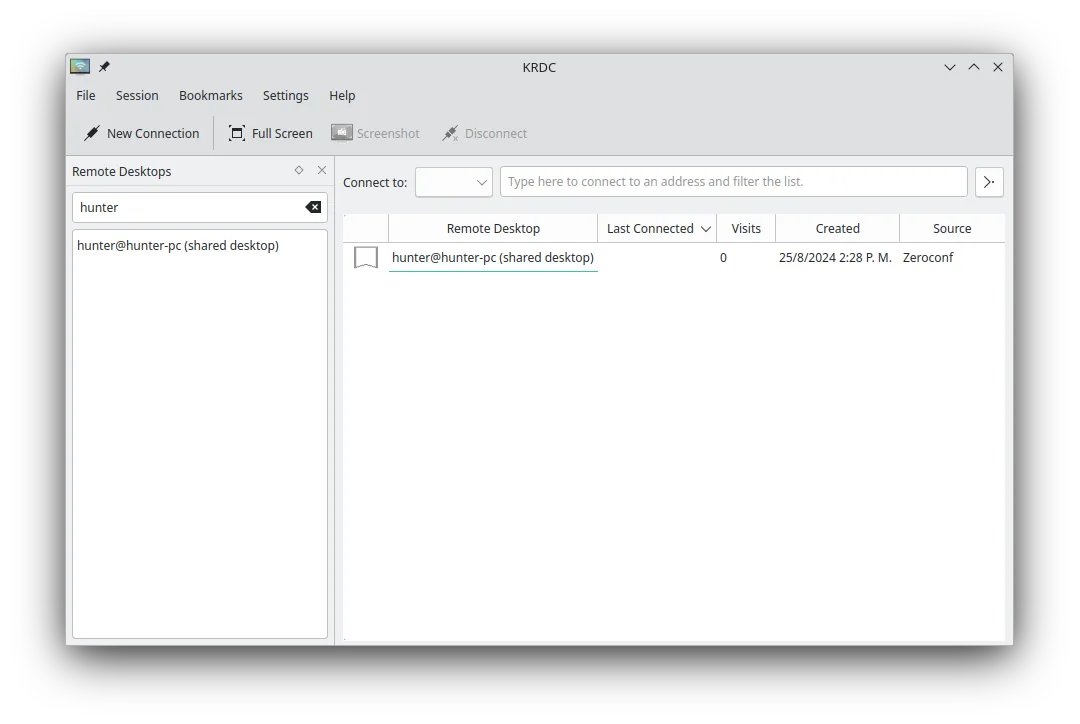
KRDC is a solid replacement for Quick Assist if you're on Linux and need to connect *to* remote machines using RDP or VNC. It supports encrypted connections, remote control, and has a clean interface. However, it's a client only — unlike Quick Assist, it can't let others connect *to* your Linux machine easily. So while it's great for providing support *from* Linux to Windows, it doesn't support incoming sessions the way Quick Assist does. Best for Linux users supporting others remotely via RDP/VNC, not for hosting.
- Licence
- GPL-2.0+
- Prix
- Gratuit
- Dernière version
- 26.04.3 (2 juillet 2026)
- Note
- —
Ce qui fonctionne pareil
- Supports remote desktop viewing and input control via RDP and VNC
- Provides encrypted connections (TLS for RDP)
- Allows full remote desktop interaction including keyboard and mouse
- Free and open-source with no licensing restrictions
- Cross-platform: can connect to Windows, Linux, or other systems
Ce qui change
- KRDC is a client only — cannot host incoming remote sessions like Quick Assist
- No built-in session sharing via link or code; requires manual IP/port sharing
- Lacks integration with Windows authentication and Microsoft accounts
- No built-in helper mode for unattended support or easy user consent flow
- Requires manual setup of VNC/RDP servers on target machines
Ouvrir vos fichiers Quick Assist
Quick Assist does not generate files for import or export, and KRDC does not support session codes or links used by Quick Assist. There is no direct file or session transfer between the two. Connection details in KRDC must be manually entered or bookmarked. No compatibility exists between Quick Assist session tokens and KRDC.
Passer de Quick Assist à KRDC, étape par étape
- Install KRDC via your package manager or Flatpak
- Set up an RDP or VNC server on the target machine (Windows or Linux)
- Open KRDC and enter the remote machine's IP address and protocol
- Save connection details as a bookmark for future use
- Use Ctrl+Alt+Shift to toggle keyboard capture when needed
Fonctionnalités clés de KRDC
- Prend en charge les protocoles RDP et VNC
- Interface graphique stylée KDE
- Gestion des signets pour les connexions fréquentes
- Modes plein écran et fenêtré
- Prise en charge des raccourcis clavier (Ctrl+Alt+Shift pour la saisie distante)
- Mise à l'échelle dynamique de l'affichage distant
- Chiffrement TLS pour les sessions RDP
- Intégration avec KDE Wallet pour le stockage des mots de passe
Installer KRDC sous Linux
flatpak install flathub org.kde.krdcsudo apt install krdcsudo apt install krdcsudo dnf install krdcsudo pacman -S krdcsudo zypper install krdcQuestions fréquentes
Can KRDC let someone help me like Quick Assist does?
No. KRDC is a client — it lets you connect *to* other machines, but doesn't allow others to connect *to* your Linux machine. You'd need a separate VNC or RDP server for that.
Is KRDC secure for remote support?
Yes, when used with TLS-encrypted RDP or secure VNC setups. However, security depends on proper server configuration and password protection.
Can I use KRDC without KDE?
Yes, KRDC runs on any Linux desktop, though it integrates best with KDE Plasma. On other environments, it may pull in KDE libraries.
3 autres alternatives à Quick Assist
 RemminaRemmina est un client de bureau à distance Linux prenant en charge RDP, VNC, SSH et X2Go pour se connecter à…Open sourceGratuitFlatpakRemmina ou Quick Assist
 RustDeskRustDesk est un outil de bureau à distance open-source qui vous permet de contrôler des ordinateurs sur…Open sourceGratuitFlatpakRustDesk ou Quick Assist
 VinagreVinagre est un outil GNOME de visualisation de bureau distant pour VNC, RDP, SSH et SPICE, désormais…Open sourceGratuitAbandonnéVinagre ou Quick Assist