
 LogseqLinux
vs
ObsidianWindows
LogseqLinux
vs
ObsidianWindows
Logseq, alternative Linux à Obsidian
Mis à jour le
Notre avis
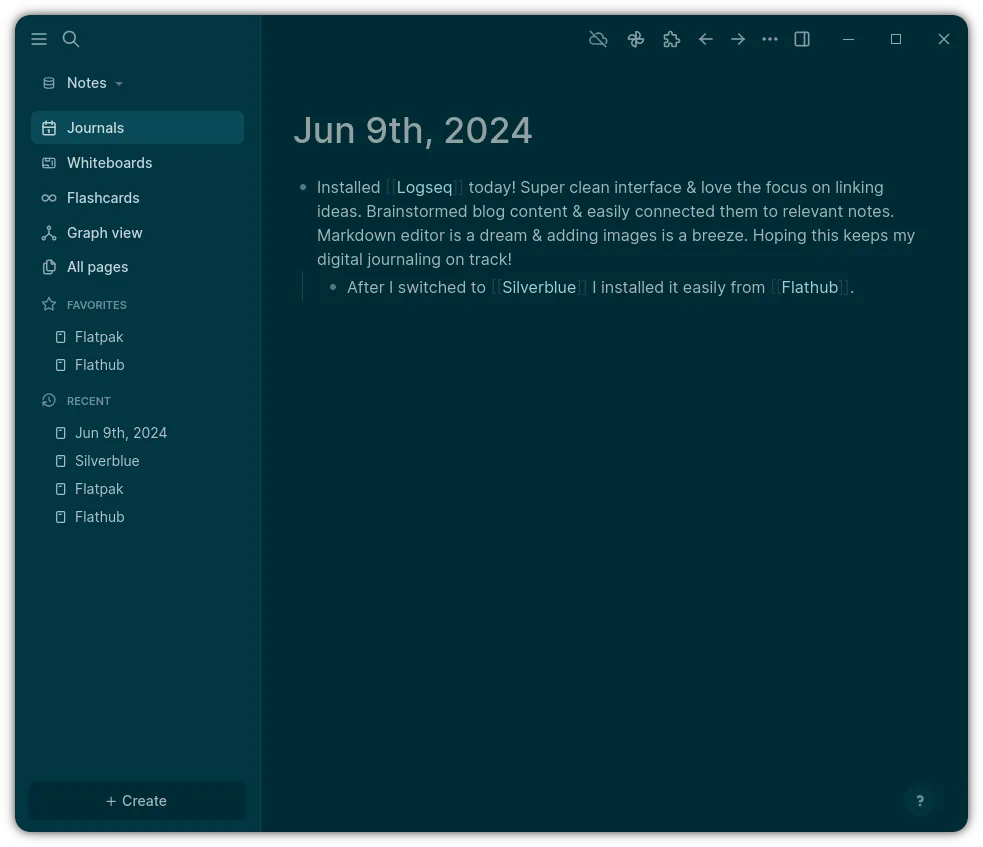
Logseq is a solid replacement for Obsidian if you prioritize local storage, keyboard-driven workflows, and task-oriented note-taking. It handles bidirectional links and graph visualization well, and stores data in plain Markdown files, matching Obsidian’s core philosophy. However, it leans more toward daily notes and outlining, which may feel restrictive to users focused on long-form, deeply linked articles. Power users relying on a rich plugin ecosystem may find Logseq’s offerings less mature. It’s best for those wanting a privacy-first, open-source alternative with strong linking and graph features, especially if you value Org mode or daily journaling.
- Licence
- AGPL-3.0-or-later
- Prix
- Gratuit
- Dernière version
- 0.10.15 (5 décembre 2025)
- Note
- —
Ce qui fonctionne pareil
- Both store notes as local Markdown files by default
- Support bidirectional linking between notes
- Include a visual graph view to map connections
- Run offline with full functionality
- Allow interface customization via themes and plugins
Ce qui change
- Logseq emphasizes outliner-style, block-based editing; Obsidian uses free-form Markdown
- Obsidian has a larger, more mature plugin ecosystem
- Logseq includes built-in daily notes and task management; Obsidian requires plugins
- Logseq supports Org mode natively; Obsidian does not
- Graph view in Logseq is less customizable than in Obsidian
Ouvrir vos fichiers Obsidian
Logseq can open Markdown files created in Obsidian, as both use plain text. Basic content, links, and frontmatter usually import without issues. However, Obsidian-specific syntax like dataview queries or certain plugin metadata may not be recognized. Internal links using double brackets work in both, but Logseq interprets them at the block level, which can affect behavior. If your Obsidian vault uses standard Markdown and wiki-style links, migration is straightforward. Custom formats or advanced plugins may require manual cleanup.
Passer de Obsidian à Logseq, étape par étape
- Export your Obsidian vault as plain Markdown if needed
- Open Logseq and create a new graph pointing to your notes folder
- Review link syntax—ensure [[wikilinks]] are used for bidirectional linking
- Use daily notes or journals if desired, or disable them in settings
- Install themes or plugins in Logseq to match your preferred look and workflow
Fonctionnalités clés de Logseq
- Stockage local privilégié dans des fichiers Markdown/Org
- Vue graphique pour visualiser les connexions
- Notes quotidiennes et intégration agenda
- Navigation centrée sur le clavier
- Collaboration via Git ou dossiers partagés
- Thèmes et plugins personnalisables
Installer Logseq sous Linux
flatpak install flathub com.logseq.LogseqQuestions fréquentes
Can I use Logseq with my existing Obsidian vault?
Yes, you can point Logseq to your Obsidian vault folder. It will read Markdown files and wikilinks, but avoid folders with Obsidian-specific plugins or databases.
Does Logseq support plugins like Obsidian?
Logseq has a plugin system, but the library is smaller and less mature. Core features are built-in, but advanced automation or niche tools may be missing.
Is the graph view in Logseq as detailed as Obsidian’s?
No. Logseq’s graph view shows connections clearly but offers fewer customization options for layout, filtering, or node styling compared to Obsidian.
5 autres alternatives à Obsidian
 JoplinJoplin est une application open source et multiplateforme de prise de notes et de gestion de tâches qui…Open sourceGratuitFlatpakJoplin ou Obsidian
 ZettlrZettlr est un éditeur Markdown rapide et open‑source avec prise en charge du Zettelkasten et des citations.Open sourceGratuitFlatpakZettlr ou Obsidian
 CherryTreeCherryTree est une application de prise de notes hiérarchique offrant du texte enrichi, la coloration…Open sourceGratuitFlatpakCherryTree ou Obsidian
 Standard NotesStandard Notes est une application de prise de notes sécurisée, chiffrée de bout en bout, qui synchronise vos…Open sourceGratuitFlatpakStandard Notes ou Obsidian
 QOwnNotesQOwnNotes est un éditeur Markdown en texte brut avec prise en charge des listes de tâches, pouvant se…Open sourceGratuitFlatpakQOwnNotes ou Obsidian