
 NetBeansLinux
vs
JetBrains IntelliJ IDEAWindows
NetBeans, alternative Linux à JetBrains IntelliJ IDEA
Mis à jour le
Notre avis
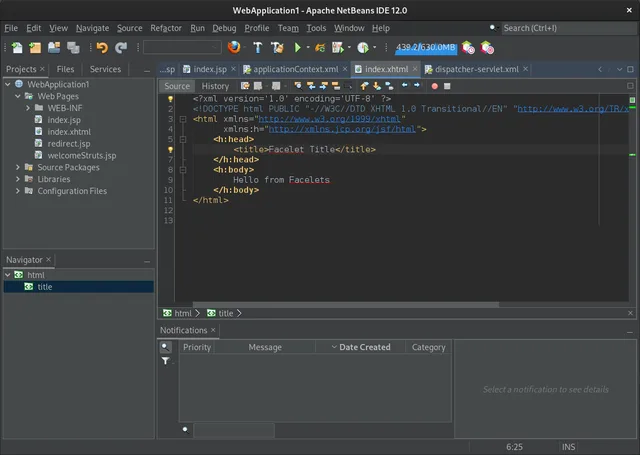
NetBeans is a solid, free alternative for pure Java and Kotlin development, especially if you value a lightweight, modular IDE without subscription fees. It handles Maven, Gradle, and Git well. However, it lacks the deep Kotlin-specific features and advanced refactoring tools found in IntelliJ IDEA Ultimate. If you rely heavily on Spring Boot, Android, or complex enterprise frameworks, IntelliJ remains superior. For standard Java applications, web backends, or educational use, NetBeans covers the core needs effectively and runs natively on Linux without licensing friction.
- Licence
- Apache-2.0
- Prix
- Gratuit
- Dernière version
- 32 (16 novembre 2026)
- Note
- —
Ce qui fonctionne pareil
- Native support for Java and Kotlin with integrated debuggers
- Git version control integration with visual diff and merge tools
- Maven and Gradle build system support
- Code completion, refactoring, and static analysis capabilities
- Plugin architecture for extending IDE functionality
Ce qui change
- NetBeans lacks IntelliJ's advanced Kotlin-specific IDE features and deep language integration
- IntelliJ Ultimate offers superior Spring Boot, database, and web framework support
- NetBeans has a different UI paradigm and project structure that may feel less intuitive to IntelliJ users
- IntelliJ's profiler and performance tools are generally more advanced and integrated
- NetBeans does not include the extensive enterprise-grade plugins available in IntelliJ's ecosystem
Ouvrir vos fichiers JetBrains IntelliJ IDEA
NetBeans can import Maven and Gradle projects directly from their build files, so you do not need to convert IntelliJ project files. However, NetBeans does not read or write IntelliJ's .idea directory or .iml files. You will need to reconfigure run configurations, code styles, and library paths manually in NetBeans. Source code files (.java, .kt) are fully compatible and open without issue.
Passer de JetBrains IntelliJ IDEA à NetBeans, étape par étape
- Install NetBeans via your package manager or Flathub
- Open your existing Maven or Gradle project root in NetBeans
- Let NetBeans import the build configuration and download dependencies
- Reconfigure run configurations for your main application classes
- Adjust code style settings to match your team's standards
- Test the debugger and verify Git integration works as expected
Fonctionnalités clés de NetBeans
- Système de plug-ins modulaire pour Java, JavaScript, PHP, C/C++
- Profilageur et débogueur intégrés
- Prise en charge des projets Maven, Gradle et Ant
- Constructeurs d'interface graphique JavaFX et Swing
- Intégration du contrôle de version (Git, SVN, Mercurial)
- Aide à la saisie, refactorisation et analyse statique
- Interface utilisateur multiplateforme
- Documentation communautaire riche
Installer NetBeans sous Linux
flatpak install flathub org.apache.netbeanssudo apt install netbeanssudo apt install netbeanssudo pacman -S netbeansQuestions fréquentes
Does NetBeans support Kotlin as well as IntelliJ?
NetBeans has basic Kotlin support, but it is not as mature or feature-rich as IntelliJ's. Complex Kotlin projects may require more manual configuration or may lack certain IDE hints.
Can I use NetBeans for Android development?
NetBeans has limited Android support compared to Android Studio or IntelliJ. For serious Android development, Android Studio is the recommended tool, while NetBeans is better suited for desktop or backend Java.
Is NetBeans free for commercial use?
Yes, NetBeans is licensed under Apache-2.0, which allows free use, modification, and distribution for both personal and commercial purposes without any fees.