
 NetBeansLinux
vs
XcodeWindows
NetBeans, alternative Linux à Xcode
Mis à jour le
Notre avis
NetBeans can replace Xcode for developers who build cross‑platform Java, C/C++, or web applications but not for iOS/macOS app development. It offers a full IDE with editor, build, debugger, profiler, VCS, and GUI builder, but it lacks Apple‑specific SDKs, Swift support, and the iOS simulator. Linux users who need a native IDE for Java or C/C++ projects will find NetBeans sufficient, while iOS developers must stay on Xcode or use cross‑platform frameworks like Flutter or React Native.
Couverture fonctionnelle
- Licence
- Apache-2.0
- Prix
- Gratuit
- Dernière version
- 32 (16 novembre 2026)
- Note
- —
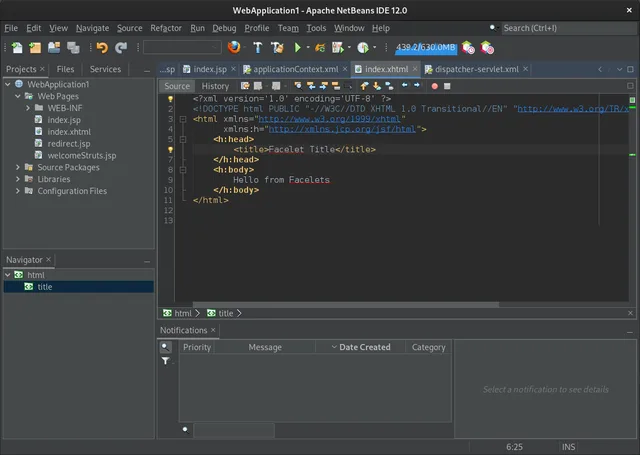
Ce qui fonctionne pareil
- Integrated editor and build system
- Debugger and profiler support
- Version control integration (Git, SVN, Mercurial)
- Extensible via plugins
- Cross‑platform project management
Ce qui change
- No Apple SDKs or iOS simulator
- No Swift or Objective‑C language support
- No Xcode‑specific UI designer for iOS interfaces
- Cannot open Xcode project (.xcodeproj) files
- Missing Apple‑specific build tools (xcodebuild, clang for iOS)
Ouvrir vos fichiers Xcode
NetBeans cannot open Xcode project files (.xcodeproj) or workspace files (.xcworkspace). To migrate, you would need to rewrite the project using NetBeans’ supported build systems (Maven, Ant, CMake).
Passer de Xcode à NetBeans, étape par étape
- Export your source code from Xcode into a plain directory tree.
- Create a new NetBeans project matching the language (Java, C/C++, etc.).
- Copy source files into the NetBeans project structure.
- Configure build tools (Maven, Ant, or CMake) and dependencies manually.
- Add any required libraries or frameworks that were linked in Xcode.
- Test the build and run the application within NetBeans.
- faq
Fonctionnalités clés de NetBeans
- Système de plug-ins modulaire pour Java, JavaScript, PHP, C/C++
- Profilageur et débogueur intégrés
- Prise en charge des projets Maven, Gradle et Ant
- Constructeurs d'interface graphique JavaFX et Swing
- Intégration du contrôle de version (Git, SVN, Mercurial)
- Aide à la saisie, refactorisation et analyse statique
- Interface utilisateur multiplateforme
- Documentation communautaire riche
Installer NetBeans sous Linux
Flatpak (Flathub)
flatpak install flathub org.apache.netbeansUbuntu / Mint
sudo apt install netbeansDebian
sudo apt install netbeansArch / Manjaro
sudo pacman -S netbeans2 autres alternatives à Xcode
Eclipse CDTEclipse CDT est un IDE mature et open source pour le développement en C et C++, offrant des outils de gestion…Open sourceGratuitEclipse CDT ou Xcode KDevelopKDevelop est un IDE gratuit et basé sur des modules complémentaires pour KDE, prenant en charge C++, Python…Open sourceGratuitFlatpakKDevelop ou Xcode
Notez NetBeans
Soyez le premier à noter
Bon remplaçant de Xcode ?
6