
 NetBeansLinux
vs
XcodeWindows
NetBeans as a Linux alternative to Xcode
Updated
Our verdict
NetBeans can replace Xcode for developers who build cross‑platform Java, C/C++, or web applications but not for iOS/macOS app development. It offers a full IDE with editor, build, debugger, profiler, VCS, and GUI builder, but it lacks Apple‑specific SDKs, Swift support, and the iOS simulator. Linux users who need a native IDE for Java or C/C++ projects will find NetBeans sufficient, while iOS developers must stay on Xcode or use cross‑platform frameworks like Flutter or React Native.
Feature parity
- License
- Apache-2.0
- Price
- Free
- Latest version
- 32 (November 16, 2026)
- Rating
- —
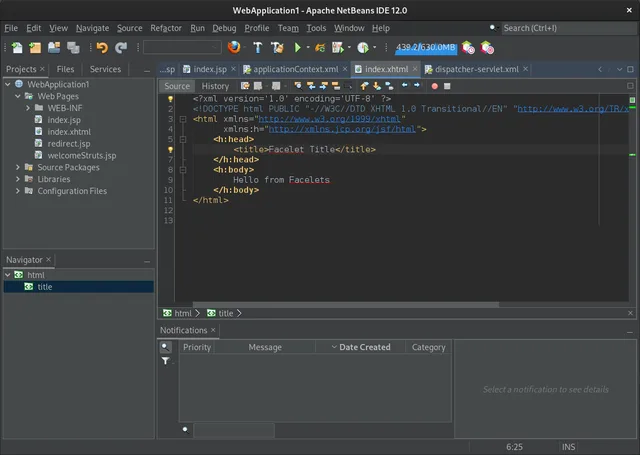
What works the same
- Integrated editor and build system
- Debugger and profiler support
- Version control integration (Git, SVN, Mercurial)
- Extensible via plugins
- Cross‑platform project management
What is different
- No Apple SDKs or iOS simulator
- No Swift or Objective‑C language support
- No Xcode‑specific UI designer for iOS interfaces
- Cannot open Xcode project (.xcodeproj) files
- Missing Apple‑specific build tools (xcodebuild, clang for iOS)
Opening your Xcode files
NetBeans cannot open Xcode project files (.xcodeproj) or workspace files (.xcworkspace). To migrate, you would need to rewrite the project using NetBeans’ supported build systems (Maven, Ant, CMake).
Switching from Xcode to NetBeans, step by step
- Export your source code from Xcode into a plain directory tree.
- Create a new NetBeans project matching the language (Java, C/C++, etc.).
- Copy source files into the NetBeans project structure.
- Configure build tools (Maven, Ant, or CMake) and dependencies manually.
- Add any required libraries or frameworks that were linked in Xcode.
- Test the build and run the application within NetBeans.
- faq
Key features of NetBeans
- Multi-language support: Java, JavaScript, PHP, C/C++, HTML5, CSS
- Integrated GUI builder for Swing and JavaFX
- Maven and Ant project integration
- Code completion, refactoring, and debugging tools
- Git, Mercurial, and SVN version control
- Web and mobile app templates
- Modular plugin architecture
- Cross-platform: runs on Linux, macOS, Windows
How to install NetBeans on Linux
Flatpak (Flathub)
flatpak install flathub org.apache.netbeansUbuntu / Mint
sudo apt install netbeansDebian
sudo apt install netbeansArch / Manjaro
sudo pacman -S netbeans2 other alternatives to Xcode
Eclipse CDTEclipse CDT is a mature, open-source IDE for C and C++ development, offering project management, debugging…Open sourceFreeEclipse CDT vs Xcode KDevelopKDevelop is a free, plugin-based IDE for KDE supporting C++, Python, PHP, and other languages with strong…Open sourceFreeFlatpakKDevelop vs Xcode
Rate NetBeans
Be the first to rate
Is it a good replacement for Xcode?
6