
 Nextcloud Desktop ClientLinux
vs
Resilio SyncWindows
Nextcloud Desktop ClientLinux
vs
Resilio SyncWindows
Nextcloud Desktop Client, alternative Linux à Resilio Sync
Mis à jour le
Notre avis
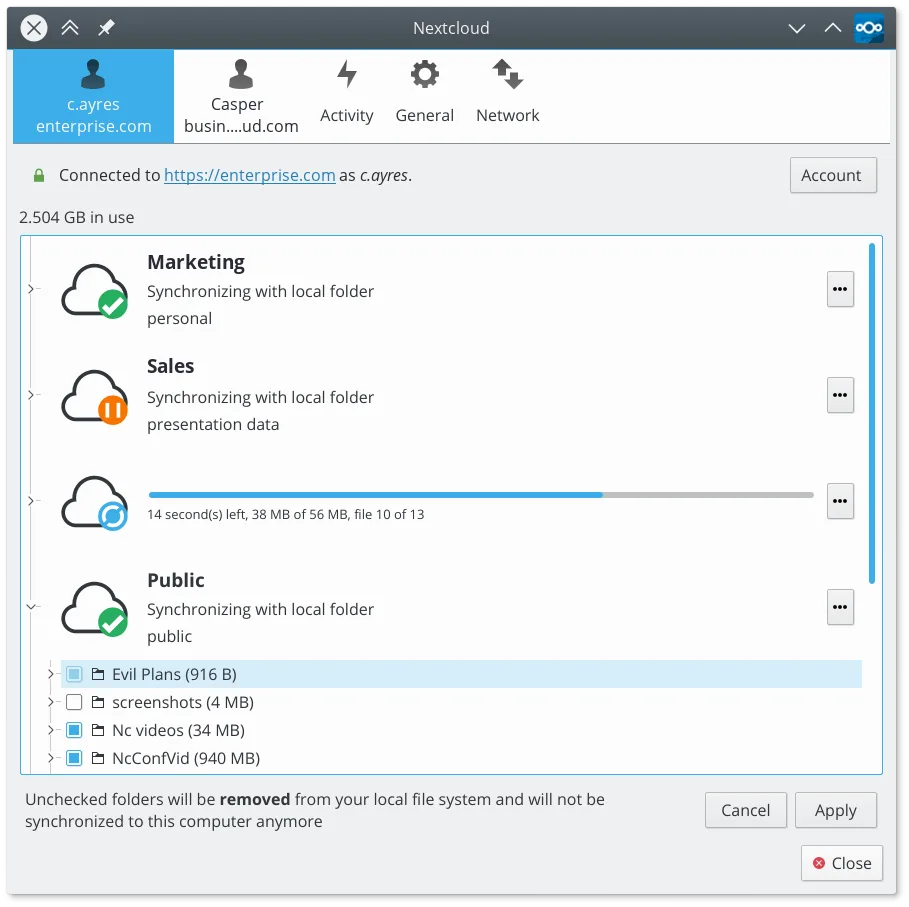
Nextcloud Desktop Client is a good replacement for Resilio Sync if you're okay with using a central server instead of direct peer-to-peer syncing. It reliably syncs folders across devices, supports versioning and file recovery, and works well on Linux with native packages and Flatpak. While it doesn’t replicate Resilio’s decentralized model, it offers stronger collaboration and sharing features. Best for users who prioritize file history, access control, and self-hosted cloud integration over direct device-to-device transfers.
- Licence
- GPL-2.0+
- Prix
- Gratuit
- Dernière version
- 35.0.0 (12 octobre 2026)
- Note
- —
Ce qui fonctionne pareil
- Both sync folders automatically between devices
- Support selective sync of specific folders
- Work across multiple platforms including Linux, Windows, and macOS
- Handle large files and continuous background sync
- Allow offline access to local copies of synced files
Ce qui change
- Nextcloud requires a central server; Resilio Sync uses direct P2P without one
- Nextcloud supports file versioning and trash recovery; Resilio has limited versioning
- Nextcloud enables sharing and permissions via web interface; Resilio sharing is link-based with less control
- Resilio Sync can sync over LAN without internet; Nextcloud needs server access
- Nextcloud depends on server availability and maintenance; Resilio does not
Ouvrir vos fichiers Resilio Sync
You cannot directly open Resilio Sync folders with the Nextcloud Desktop Client. Resilio stores data in its own format within synced directories, but the actual files are plain copies. You can manually copy files out of Resilio-synced folders and import them into Nextcloud. No conversion is needed since both tools sync regular filesystem files. However, Resilio-specific sync states, device lists, or metadata won’t transfer.
Passer de Resilio Sync à Nextcloud Desktop Client, étape par étape
- Install and set up a Nextcloud server or choose a hosted provider
- Install the Nextcloud Desktop Client from your distro’s repo or Flathub
- Log in to your Nextcloud account and choose folders to sync
- Copy files from your Resilio-synced directories into the Nextcloud local folder
- Verify sync status and adjust sharing or versioning settings as needed
Fonctionnalités clés de Nextcloud Desktop Client
- Synchronisation bidirectionnelle des fichiers entre les dossiers locaux et le serveur
- Prise en charge du versionnage des fichiers et de la récupération des fichiers supprimés
- Intégration avec le serveur Nextcloud pour le partage et la collaboration
- Disponible en Flatpak et en paquets natifs pour les principales distributions
- Fonctionne avec tout backend compatible Nextcloud, y compris les instances auto-hébergées
- Fonctionnement en arrière-plan avec une utilisation minimale des ressources
- Prise en charge des fichiers volumineux et des opérations de synchronisation à haut volume
Installer Nextcloud Desktop Client sous Linux
flatpak install flathub com.nextcloud.desktopclient.nextcloudsudo apt install nextcloud-desktopsudo apt install nextcloud-desktopsudo dnf install nextcloud-clientsudo pacman -S nextcloud-clientsudo zypper install nextcloud-desktopQuestions fréquentes
Can I sync without an internet connection using Nextcloud?
No, Nextcloud requires access to the server. Local changes sync once the connection is restored, but unlike Resilio, it can’t sync directly over LAN when offline.
Does Nextcloud support real-time sync like Resilio?
Yes, the client syncs changes quickly, though not as instantly as Resilio’s P2P model. Delays depend on server performance and network.
Can I use Nextcloud Desktop Client with any WebDAV server?
No, it’s designed specifically for Nextcloud and ownCloud servers. Generic WebDAV servers aren’t supported.
5 autres alternatives à Resilio Sync
 SyncThingySyncThingy est une icône de barre système légère qui contrôle Syncthing, vous permettant de consulter l'état…Open sourceGratuitFlatpakSyncThingy ou Resilio Syncrsyncrsync est un outil en ligne de commande permettant de synchroniser efficacement des fichiers et des…Open sourceGratuitrsync ou Resilio Sync
 UnisonUnison est un outil de synchronisation de fichiers multiplateforme qui maintient deux répertoires…Open sourceGratuitFlatpakUnison ou Resilio SyncLsyncdLsyncd synchronise des répertoires localement ou en réseau à l'aide de rsync, idéal pour la synchronisation…Open sourceGratuitLsyncd ou Resilio Sync
 FreeFileSyncFreeFileSync est un outil visuel permettant de comparer et synchroniser des dossiers, idéal pour maintenir la…Open sourceGratuitFlatpakFreeFileSync ou Resilio Sync