
 Xournal++Linux
vs
SketchBookWindows
Xournal++, alternative Linux à SketchBook
Mis à jour le
Notre avis
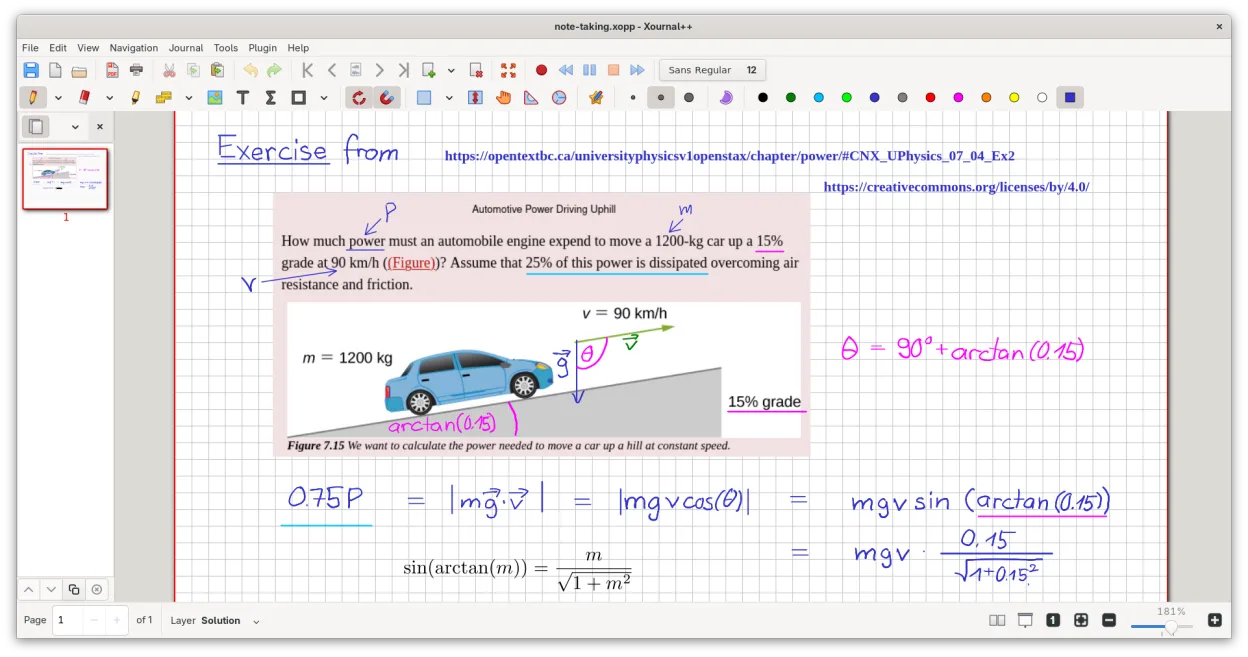
Xournal++ is a solid replacement for SketchBook if your workflow centers on vector-like sketching, annotation, or technical drawing. It handles pressure-sensitive input well and offers a clean, minimal interface. However, it is not a raster painting engine. If you rely on complex brush dynamics, blending modes, or heavy digital painting, you will hit a wall. For concept artists needing layers and PDF export, it works. For illustrators needing wet-in-wet effects, it does not. Choose it for notes and line art, not for full digital painting.
- Licence
- GPL-2.0
- Prix
- Gratuit
- Dernière version
- 1.3.8 (25 septembre 2026)
- Note
- —
Ce qui fonctionne pareil
- Supports pressure-sensitive styluses from major brands like Wacom, Huion, and XP-Pen
- Provides a clean, minimal interface focused on the canvas
- Includes layer management for organizing different parts of a drawing
- Offers basic drawing tools like pens, highlighters, and shape tools
- Exports to common formats like PNG and PDF
Ce qui change
- Xournal++ is vector-based for strokes, while SketchBook is a raster engine
- Lacks advanced raster brush dynamics, blending modes, and alpha channel manipulation
- No support for complex image editing filters or color management typical in raster apps
- Focused on annotation and note-taking rather than pure artistic painting
- Does not support loading proprietary SketchBook .skb files directly
Ouvrir vos fichiers SketchBook
Xournal++ cannot open SketchBook's native .sfb or .sfbx files. You must export your work from SketchBook as a raster image (PNG or JPG) or vector format (SVG) if available. Once exported to a standard image format, you can import it into Xournal++ as a background image to annotate or trace over. Direct file compatibility does not exist between the two formats.
Passer de SketchBook à Xournal++, étape par étape
- Export your current SketchBook projects as high-resolution PNG or JPG files
- Install Xournal++ via your package manager or Flathub
- Create a new document in Xournal++ and set the page size to match your original
- Insert the exported image as a background layer in Xournal++
- Lock the background layer to prevent accidental editing
- Begin tracing or annotating on top of the imported image using the pen tool
Fonctionnalités clés de Xournal++
- Support des stylets sensibles à la pression pour les tablettes Wacom, Huion et XP-Pen
- Annotation, surlignage et barrage du texte sur les fichiers PDF
- Export des notes vers PDF, PNG et SVG via l'interface graphique ou la ligne de commande
- Outils de dessin incluant le stylo, le surligneur, les formes et le support de LaTeX
- Stabilisation de la saisie pour une écriture manuscrite plus fluide
- Barre d'outils personnalisable et association des outils aux boutons du stylet
- Barre latérale avec aperçus des pages, signets PDF et gestion des calques
Installer Xournal++ sous Linux
flatpak install flathub com.github.xournalpp.xournalppsudo apt install xournalppsudo apt install xournalppsudo dnf install xournalppsudo pacman -S xournalppsudo zypper install xournalppQuestions fréquentes
Can I use Xournal++ for digital painting?
It is not ideal for traditional digital painting. It lacks raster brush dynamics and blending modes. It excels at line art, sketching, and annotation, but not for creating textured, painted artworks.
Does it support custom brushes?
Xournal++ does not support custom raster brush files. You can adjust stroke width, color, and opacity, and use different tool types like pen or highlighter, but you cannot import .abr or similar brush packs.
Is the interface similar to SketchBook?
Both are minimal, but Xournal++ is more utility-focused. It has a sidebar for pages and PDFs, which SketchBook lacks. The tool palette is simpler in Xournal++, reflecting its focus on writing and basic drawing rather than complex art tools.
4 autres alternatives à SketchBook
 KritaKrita est un programme de peinture numérique et d'illustration open‑source complet.Open sourceGratuitFlatpakKrita ou SketchBook
 MyPaintMyPaint est un programme de peinture raster rapide, gratuit et open‑source, axé sur la dynamique des pinceaux…Open sourceGratuitFlatpakMyPaint ou SketchBook
 GIMPGIMP est un éditeur de graphiques raster gratuit et open source, conçu pour la retouche photo, la peinture…Open sourceGratuitFlatpakGIMP ou SketchBook
 PintaPinta est un éditeur de bitmap gratuit et open source qui imite Paint.NET avec une interface simple et la…Open sourceGratuitFlatpakPinta ou SketchBook