
 ZulipLinux
vs
SlackWindows
ZulipLinux
vs
SlackWindows
Zulip, alternative Linux à Slack
Mis à jour le
Notre avis
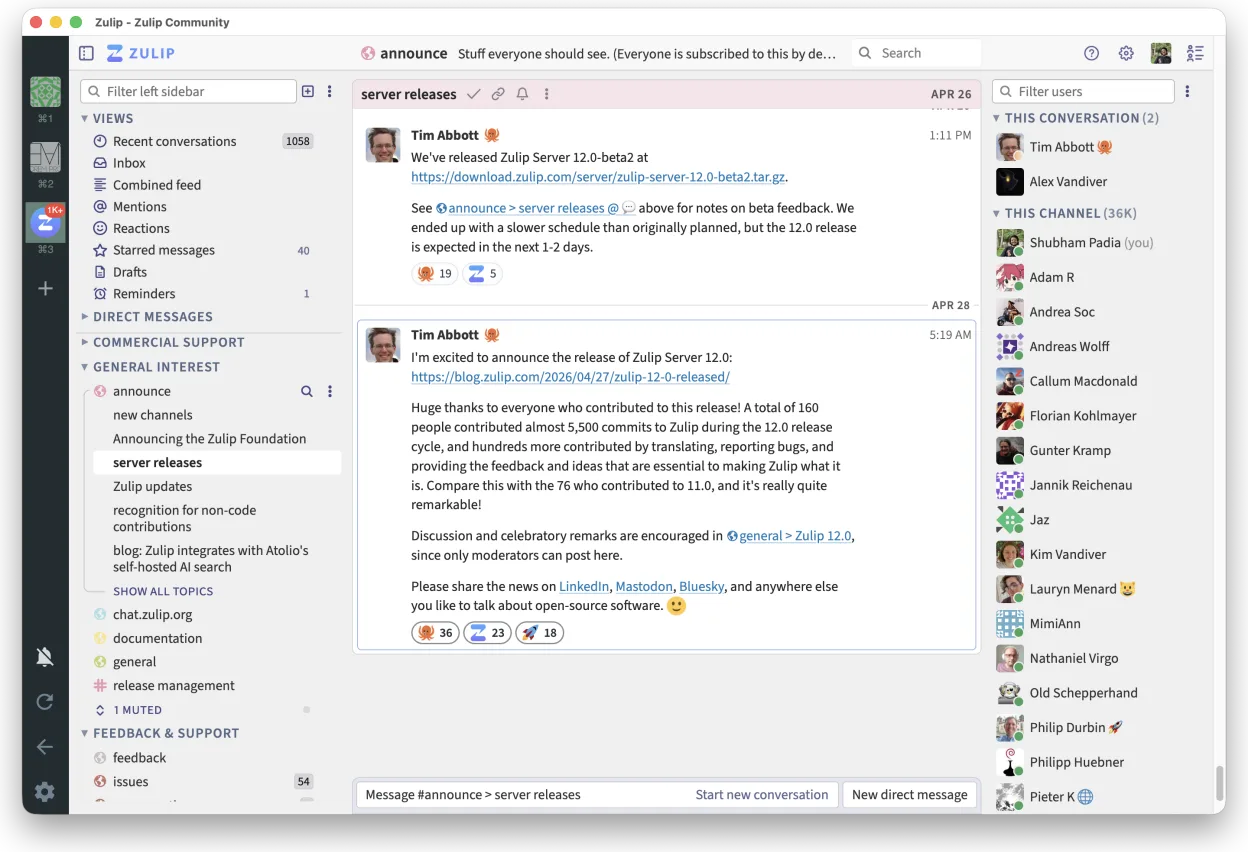
Zulip is a strong, honest replacement for Slack, particularly for teams that find Slack’s flat message streams chaotic. It excels at organizing high-volume discussions through mandatory threading, which keeps context intact. While it lacks some of Slack’s polished integrations out of the box, its open-source nature allows for deep customization and self-hosting. If your team values structured conversation over quick, fragmented pings, Zulip will feel like an upgrade. It is less suitable for casual, low-volume chat where immediate, unthreaded responses are preferred.
- Licence
- Apache-2.0
- Prix
- Gratuit
- Dernière version
- 5.13.2 (21 septembre 2026)
- Note
- —
Ce qui fonctionne pareil
- Real-time group and private messaging
- Channel-based organization with threaded replies
- File sharing and comprehensive search capabilities
- Support for SSO and MFA security features
Ce qui change
- Zulip enforces threaded conversations, whereas Slack allows flat streams
- Zulip is open-source and self-hostable, while Slack is a proprietary cloud service
- Slack has a larger ecosystem of pre-built integrations; Zulip requires more manual setup for third-party tools
- Zulip’s interface is more text-heavy and focused on readability, unlike Slack’s visual-heavy design
Ouvrir vos fichiers Slack
Zulip does not natively open Slack-specific file formats or archive structures. You will need to export data from Slack using their built-in export tools (usually CSV or JSON) and then manually import or reference those files within Zulip. There is no direct, one-click migration path for file attachments; you must re-upload or link them to the new environment.
Passer de Slack à Zulip, étape par étape
- Export user lists and channel structures from Slack via the admin console
- Set up a Zulip server (self-hosted or hosted) and create corresponding realms and channels
- Import user accounts and assign roles using Zulip’s admin API or CSV import tools
- Migrate historical messages using third-party scripts or manual export/import if necessary
- Configure SSO and MFA settings to match your existing security policies
- Communicate the switch to the team and provide a brief guide on threaded conversation etiquette
Fonctionnalités clés de Zulip
- Conversations en fil pour des discussions organisées
- Open source et auto-hébergeable
- Disponible en tant que client bureau natif pour Linux
- Prend en charge les grands groupes et les forts volumes de messages
- Compatibilité multiplateforme
- Fonctionnalité de recherche puissante dans l'historique
Installer Zulip sous Linux
flatpak install flathub org.zulip.ZulipQuestions fréquentes
Does Zulip work offline?
The desktop client allows you to read cached messages offline, but sending new messages requires an internet connection.
Can I self-host Zulip?
Yes, Zulip is designed to be self-hostable. You can run it on your own infrastructure using Docker or manual installation, giving you full control over data and updates.
Is there a free plan?
The open-source software is free to use. If you self-host, you only pay for server costs. Hosted instances may have paid tiers for enterprise features.
4 autres alternatives à Slack
 DiscordUne application de messagerie, voix et vidéo multiplateforme pour les communautés, les jeux et les rencontres…FlatpakDiscord ou Slack
 MattermostMattermost est une plateforme de collaboration open source et auto-hébergée, conçue pour les équipes de…Open sourceGratuitFlatpakMattermost ou Slack
 Rocket.ChatPlateforme open source de communication d'équipe pour le chat, la vidéo et la collaboration, souvent utilisée…Open sourceGratuitFlatpakRocket.Chat ou Slack
 ElementElement est un client de messagerie et de visioconférence basé sur Matrix, open source, pour Linux.Open sourceGratuitFlatpakElement ou Slack