
Gaming on Linux in 2026: Launchers, Proton, and Essential Tools
Updated
Moving from Windows to Linux doesn’t mean giving up gaming — it just means rethinking how you play. Many Windows games run perfectly on Linux thanks to Valve’s Proton, a compatibility layer based on Wine that works seamlessly through Steam. You don’t need to dual-boot anymore; with modern tools, most of your library will run with little or no setup.
This guide covers the core tools that replace Windows gaming apps and how to use them. We’ll focus on real solutions: Steam for Proton support, Lutris for non-Steam games, and open-source titles you can install today. No hype, just what actually works when you switch.
Steam and Proton: Your Windows game library, working
Steam is the backbone of gaming on Linux. It includes Proton by default, which automatically translates Windows-only games to run on Linux. You don’t need to configure anything — if a game is marked 'Playable' or 'Native' on ProtonDB, it will likely work. Counter-Strike: Source runs natively, but even non-native titles like World of Warcraft (WoW) can work through Proton when launched via Steam or Lutris.
Enable Proton for any game in your Steam library by right-clicking > Properties > Compatibility > Force the use of Proton. Valve’s ongoing investment means game support keeps improving. Don’t expect 100% compatibility, but the majority of titles work well, especially post-2018.
Lutris: The launcher for everything Steam can't run
Lutris fills the gaps Steam leaves. It’s a game launcher that supports Wine, Proton, native Linux games, and emulators. Install it from your distro’s repo or Flathub. Use it for games from GOG, Battle.net, or standalone installers — including World of Warcraft (WoW), which runs reliably through Lutris thanks to community installers.
Lutris simplifies setup. It downloads Wine versions, applies patches, and configures settings automatically. It’s essential for managing non-Steam games without manual Wine configuration. Think of it as the Swiss Army knife of Linux gaming — not flashy, but indispensable.
0 A.D.: A full RTS experience, built for Linux
 0 A.D.Open sourceFreeFlatpakDetails →
 If you miss games like Age of Empires, 0 A.D. delivers a polished, historically themed real-time strategy experience. It’s fully open-source, actively developed, and runs natively on Linux. The art, sound, and gameplay are all community-built, and it scales well on older hardware. Install it via Flathub or your distro’s package manager.
It’s not just a tech demo — 0 A.D. has full multiplayer, AI opponents, and regular updates. It proves that open-source games can match commercial titles in depth. Runs great out of the box, no compatibility layers needed.
OpenArena: Fast-paced FPS action without restrictions
 OpenArenaOpen sourceFreeFlatpakDetails →
 OpenArena gives you a Quake III Arena-style experience with modern controls and netcode. Built on the idTech 3 engine, it’s free, open-source, and fully playable on Linux. The game features fast movement, weapon variety, and community maps. It supports multiplayer over LAN or online, and works well even on older machines.
Unlike proprietary shooters, you’re not locked out by servers or licenses. Install it once, play forever. It’s a solid choice for pick-up-and-play FPS action when you don’t want to rely on Proton or online services.
SuperTuxKart: Fun racing for all skill levels
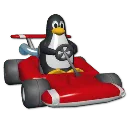 SuperTuxOpen sourceFreeFlatpakDetails →
 SuperTuxKart is a polished 3D racing game with karts, power-ups, and whimsical tracks. It’s not just for kids — the gameplay includes stunts, combat, and challenging AI. The game is actively maintained, supports controllers, and includes online multiplayer. Install it via Flathub with one click.
It’s a great example of what open-source gaming can be: accessible, fun, and fully functional. If you liked Mario Kart, this is your go-to alternative. Runs smoothly on most systems, and updates are frequent.
Bottom line
Start with Steam and Proton for your existing game library, then add Lutris for everything else. Install open-source titles like 0 A.D., OpenArena, and SuperTuxKart for instant, no-hassle gaming. These tools and games give you a solid foundation — no Windows needed.
Frequently asked questions
Can I play World of Warcraft on Linux?
Yes, using Lutris with a community-provided Wine configuration. World of Warcraft (WoW) isn’t native, but runs reliably through compatibility layers. Performance is comparable to Windows with proper setup.
Do I need to install Wine myself?
Not usually. Steam uses Proton (based on Wine) automatically. Lutris manages Wine versions for you. Only tweak settings if a game doesn’t work out of the box.
Are there native alternatives to popular Windows games?
Yes. 0 A.D. replaces Age of Empires, OpenArena fills in for Quake III, and SuperTuxKart is a solid Mario Kart alternative. All are free, open-source, and run natively.
Is multiplayer supported in these Linux games?
Yes. 0 A.D., OpenArena, and SuperTuxKart all support online multiplayer. Matchmaking is community-run, so servers may vary in uptime, but games are playable.