
 K-3DLinux
vs
 3D Studio MaxWindows
K-3D as a Linux alternative to 3D Studio Max
Updated
Our verdict
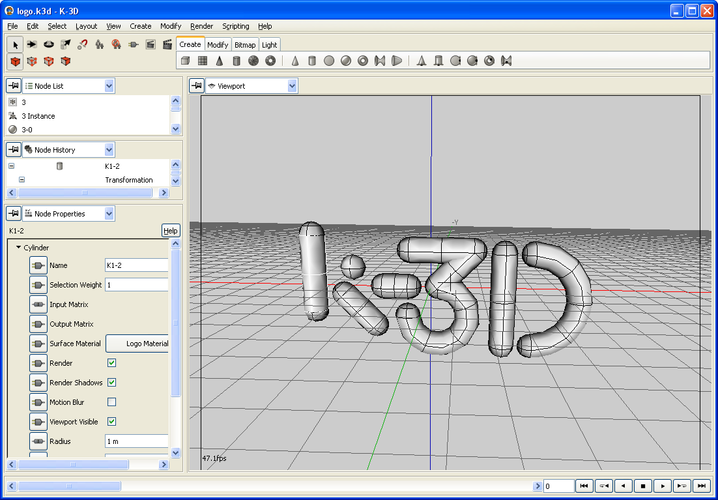
K-3D is not a practical replacement for 3ds Max. While it handles basic polygonal modeling and animation, it lacks the professional rigging, physics, and rendering pipelines required for VFX or game production. Its node-based workflow is distinct from 3ds Max’s modifier stack, forcing a significant learning curve. Since the project is discontinued, it receives no updates or bug fixes. It is suitable only for hobbyists or students needing a lightweight, free tool for simple OBJ/STL exports, not for professionals relying on 3ds Max’s industry-standard features.
- License
- GPL-3.0
- Price
- Free
- Latest version
- —
- Rating
- —
What works the same
- Supports polygonal and spline-based modeling
- Includes animation and keyframe tools
- Offers UV mapping capabilities
- Allows scripting for automation
- Exports common formats like OBJ
What is different
- Lacks advanced rigging and skinning tools found in 3ds Max
- No built-in global illumination or high-end shader systems
- Missing physics and particle simulation engines
- Node-based procedural workflow differs from 3ds Max’s modifier stack
- Project is discontinued, meaning no future updates or support
Opening your 3D Studio Max files
K-3D does not natively open .max files. You must export your 3ds Max scenes as .obj or .fbx. Note that .fbx support in open-source tools can be inconsistent with complex rigs or animations. If you rely on 3ds Max-specific materials or modifiers, they will not translate. For simple geometry, .obj is the safest bet, but you will lose all animation and rigging data unless you use a compatible intermediate format and manually rebuild the setup in K-3D.
Switching from 3D Studio Max to K-3D, step by step
- Export your 3ds Max scene as .obj for static geometry or .fbx for animated assets.
- Install K-3D via your Linux distribution’s package manager or build from source.
- Import the exported file into K-3D and verify geometry integrity.
- Rebuild any materials using K-3D’s node-based shader system, as 3ds Max materials will not import.
- Recreate any animation or rigging manually, as these elements are rarely preserved in standard export formats.
- Test your workflow with a small project before migrating large-scale assets.
Key features of K-3D
- Node-based procedural modeling workflow
- Free and open-source software
- Supports common 3D file formats like OBJ and STL
- Integrated UV mapping tools
- Scripting support for automation
- Cross-platform availability (Linux, Windows, macOS)
- Lightweight compared to commercial DCCs
- Active community and documentation
Frequently asked questions
Can I use K-3D for professional game development?
No. It lacks the rigging, physics, and rendering tools required for professional game pipelines. It is best for simple modeling tasks.
Is K-3D still being updated?
No. The project is discontinued. You will not receive new features, security patches, or bug fixes.
Does K-3D support 3ds Max scripts?
No. K-3D has its own scripting language. You cannot run MAXScript or Python scripts written for 3ds Max.
