
 KylixLinux
vs
KylixLinux
vs
 Turbo DelphiWindows
Kylix as a Linux alternative to Turbo Delphi
Updated
Our verdict
Kylix can serve as a rough substitute for Turbo Delphi if you are comfortable with an older, unmaintained tool and your projects are simple Delphi/Object Pascal code that targets Linux only. It will appeal to hobbyists or legacy‑code maintainers who need a native Linux IDE and can tolerate missing modern features, limited component libraries, and lack of official support. For most current Turbo Delphi users—especially those needing VCL/FireMonkey cross‑platform builds, up‑to‑date debugging, or recent language features—it is not a practical replacement.
- License
- —
- Price
- paid
- Latest version
- —
- Rating
- 5/5 (1)
What works the same
- Object Pascal compiler for Linux
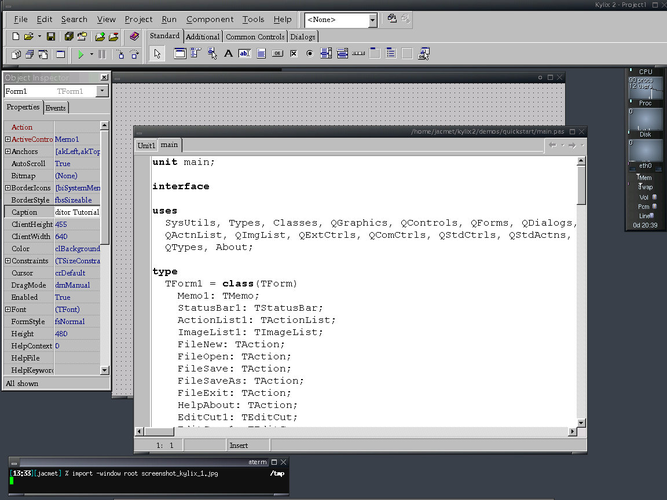
- Visual form designer with drag‑and‑drop components
- Integrated debugger
- Project‑based workflow (dpr/.dproj style)
- Command‑line build tools
What is different
- No support for modern FireMonkey UI framework
- Limited or no compatibility with newer .dproj formats
- No official updates or bug fixes (discontinued)
- Missing integrated cross‑platform deployment (macOS, Windows)
- Component library is outdated compared with current VCL/RTL
Opening your Turbo Delphi files
Kylix can open classic Delphi project files (.dpr) and older .dproj structures, but compatibility with projects created by recent Turbo Delphi versions is uncertain. Complex projects that rely on newer VCL components, FireMonkey, or recent language extensions will likely require manual adjustments or cannot be opened at all. Exporting to a more neutral format (e.g., plain .pas units) is the safest route when moving code to Kylix.
Switching from Turbo Delphi to Kylix, step by step
- Install a supported Linux distribution (e.g., Debian or Fedora)
- Download the last available Kylix installer and run it under Wine if the native installer fails
- Create a new Kylix project and add your existing .pas source files
- Attempt to open the original .dpr/.dproj; resolve any missing units or component references manually
- Build the project using the Kylix IDE or the command‑line compiler
- Test the resulting executable on the target Linux system
Key features of Kylix
- Object Pascal compiler for Linux
- Visual form designer with drag‑and‑drop components
- Integrated debugger
- VCL‑like component library
- Project and package management
- Command‑line build tools
Frequently asked questions
Can Kylix compile Windows VCL applications?
No. Kylix only produces native Linux binaries; it does not generate Windows executables.
Is there a free, actively maintained alternative?
Yes. Lazarus with the Free Pascal compiler offers good Delphi compatibility and is actively maintained on Linux.
Will my existing Turbo Delphi debugging setup work in Kylix?
Kylix provides its own debugger, but it lacks many of the modern debugging features found in Turbo Delphi, such as advanced watch expressions and integrated profiling.