

Linux · Programming
Lazarus
Lazarus is a free, open‑source Delphi‑style IDE for Free Pascal, enabling rapid cross‑platform application development.
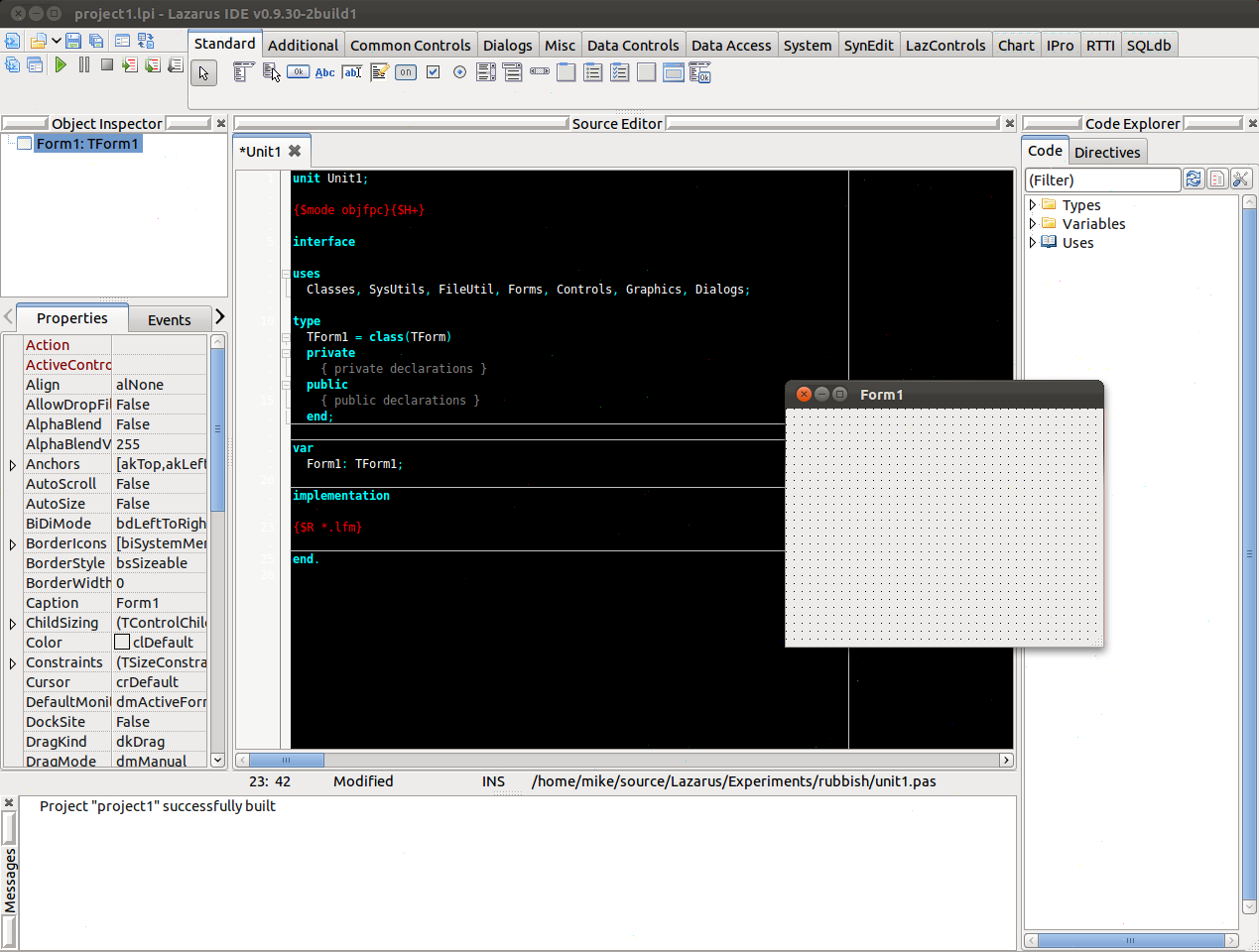
What is Lazarus?
Lazarus was created in 2001 as a fork of the old Lazarus project, bringing a modern IDE to the Free Pascal community. It has matured over two decades, now supporting Windows, macOS, Linux, and mobile platforms with a stable release cycle.
The IDE targets developers who prefer a visual, component‑driven workflow similar to Delphi but want the freedom of open‑source tools. Its design is intentionally familiar to those who have used Embarcadero’s RAD Studio.
Compared to the Windows‑only IDEs, Lazarus feels lightweight yet powerful. It lacks some of the polished UI polish of commercial products, but its component library and cross‑platform output are reliable and well‑documented.
Best for: Developers who need a Delphi‑like IDE on Linux for cross‑platform desktop and mobile apps.
Key features of Lazarus
- Delphi‑compatible Pascal language support
- Form designer with drag‑and‑drop components
- Cross‑platform compilation (Windows, macOS, Linux, iOS, Android)
- Integrated debugger and profiler
- Package manager for third‑party libraries
- Version control integration (Git, SVN)
- Extensible via plugins
Pros
- Free and open‑source
- Cross‑platform output
- Large community and documentation
- Regular updates
- No licensing cost
Cons
- UI can feel dated compared to commercial IDEs
- Learning curve for non‑Delphi users
- Limited native mobile UI components
How to install Lazarus on Linux
sudo apt install lazarussudo apt install lazarussudo dnf install lazarussudo pacman -S lazarus-qt6sudo zypper install lazarusTips for Windows users
If you come from a Windows Delphi environment, most project files (.lpi, .pas) open directly. Keyboard shortcuts differ: use Ctrl+F9 to compile, F9 to run, and Ctrl+Shift+F9 to debug. The form designer uses the same component palette, but some third‑party components may need recompilation. Workflow changes: the build system is command‑line based (lazbuild) but the IDE provides a GUI build button. Remember to install the Free Pascal compiler for your target platform before building.
Lazarus: frequently asked questions
Can Lazarus build Android apps?
Yes, by installing the Android SDK and configuring the Android target in Lazarus, you can compile APKs. The process is similar to other platforms but requires additional setup steps.
Is Lazarus compatible with Embarcadero Delphi projects?
Most .pas and .dproj files are readable, but some advanced Delphi features or third‑party components may not translate perfectly. Manual adjustments are often required.
What is the difference between Lazarus and Free Pascal?
Free Pascal is the compiler; Lazarus is the IDE that provides a visual development environment on top of the compiler.
How do I install Lazarus on Ubuntu?
Use the package manager: sudo apt install lazarus. The repository contains a recent stable release.
Updated