

Linux · Games
KBlocks
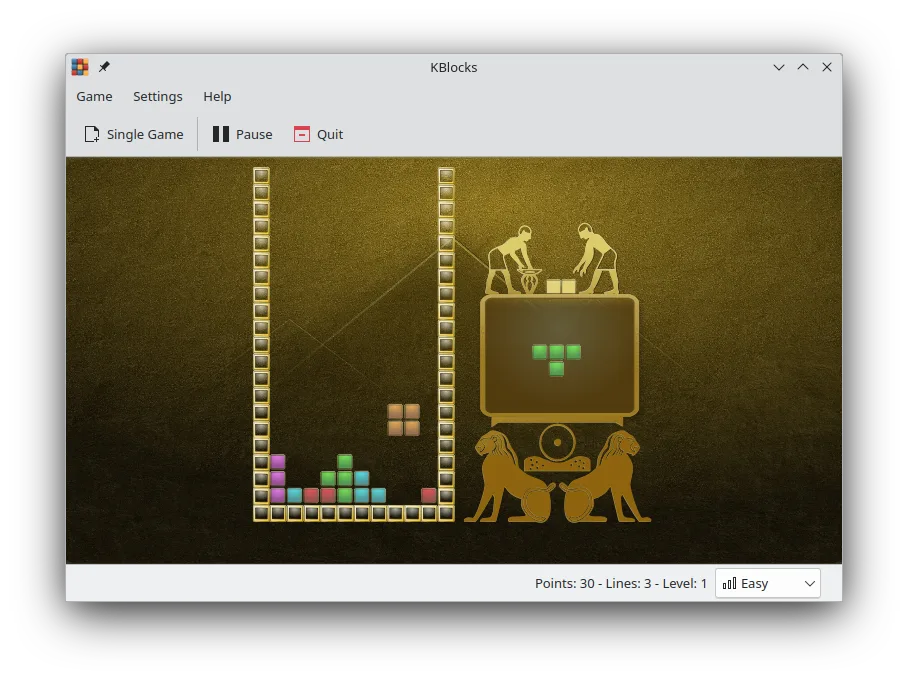
KBlocks is a KDE falling‑block puzzle game, a faithful Tetris clone for Linux.
- License
- GPL-2.0+
- Latest version
- 26.08.2 (October 8, 2026)
- Developer
- KDE
- Installs
- 567 (Flathub, 30 days)
What is KBlocks?
KBlocks has been part of KDE since the early 2000s, offering a clean, classic Tetris experience without the clutter of modern UI overlays. It runs on all major distributions and is updated regularly, with the latest release 26.08.2 on 2026‑10‑08.
The game is aimed at casual players who enjoy quick, addictive sessions. Its controls are simple: arrow keys for movement, space for hard drop, and shift for rotation, matching the standard Tetris layout.
Compared to Windows Tetris versions, KBlocks feels more responsive and integrates nicely with KDE’s look and feel. It lacks the online leaderboards of some Windows clones, but its pure gameplay is a solid replacement for those who prefer a lightweight, open‑source option.
Best for: Casual players looking for a lightweight, no‑frills Tetris clone on Linux.
Key features of KBlocks
- Classic falling‑block gameplay
- Keyboard controls: arrow keys, space, shift
- No ads or background services
- Cross‑platform via Flatpak, AppImage, and native packages
- Simple, clean UI
- Supports high‑resolution displays
Pros
- Free and open source
- Regular updates
- Runs on all major distros
- No ads or telemetry
- Consistent performance
- Easy to install via package manager or Flatpak
Cons
- No online multiplayer or leaderboards
- Limited customization of shapes
- No sound effects in default build
- No auto‑save of high scores
Windows programs KBlocks replaces
 Windows Tetris
How to install KBlocks on Linux
flatpak install flathub org.kde.kblockssudo apt install kblockssudo apt install kblockssudo dnf install kblockssudo pacman -S kblockssudo zypper install kblocksTips for Windows users
KBlocks uses the same keyboard layout as Windows Tetris: arrow keys move, space drops, shift rotates. There are no file formats to import or export; each game session is self‑contained. If you’re used to Windows Tetris with saved high scores, note that KBlocks does not persist scores across sessions, so you’ll need to rely on external tools or screenshots if you want to track progress.
Recent releases
- 26.08.2 —
- 26.08.1 —
- 26.08.0 —
- 26.04.3 —
KBlocks: frequently asked questions
Is KBlocks free to use?
Yes, it is released under GPL‑2.0+ and is free to download and use.
Can I install KBlocks on Ubuntu?
Yes, it is available in the Ubuntu repositories and can be installed with apt or via Flatpak.
Does KBlocks support custom key bindings?
Not out of the box; you can change key bindings through KDE’s System Settings if you prefer.
Is there a mobile version of KBlocks?
No, KBlocks is a desktop application only.
Updated