

Linux · Science & Education
QGIS Desktop
QGIS Desktop is an open‑source Geographic Information System for creating, visualising and analysing spatial data.
- License
- GPL-2.0+
- Latest version
- 4.2.3 (September 25, 2026)
- Developer
- QGIS Development Team
- Installs
- 4,769 (Flathub, 30 days)
What is QGIS Desktop?
QGIS started in 2002 as a community project under the Open Source Geospatial Foundation and has grown into a mature GIS platform used worldwide. It supports a wide range of vector, raster and database formats, and its plugin architecture lets users extend functionality without leaving the core program. Regular releases keep the software up‑to‑date, and the latest stable version is 4.2.3.
The application targets anyone who needs to work with maps or spatial analysis – from university students and researchers to municipal planners and hobbyist cartographers. Its interface mirrors traditional desktop GIS tools, offering toolbars, panels and a map canvas that feel familiar to users coming from commercial products. Documentation and community forums are extensive, making the learning curve manageable.
Compared with ArcGIS Pro on Windows, QGIS feels lighter and more configurable. While it may lack some of the deep enterprise integration of ArcGIS, it provides comparable core capabilities for layer styling, geoprocessing and spatial queries. The open‑source nature means you can script in Python, add custom plugins, and avoid licensing fees, which is a decisive factor for many organisations.
Best for: Users who need a full‑featured GIS on Linux without paying for proprietary licenses.
Key features of QGIS Desktop
- Support for numerous vector, raster and database formats
- Extensive plugin ecosystem for specialised tasks
- Python console and PyQGIS for automation
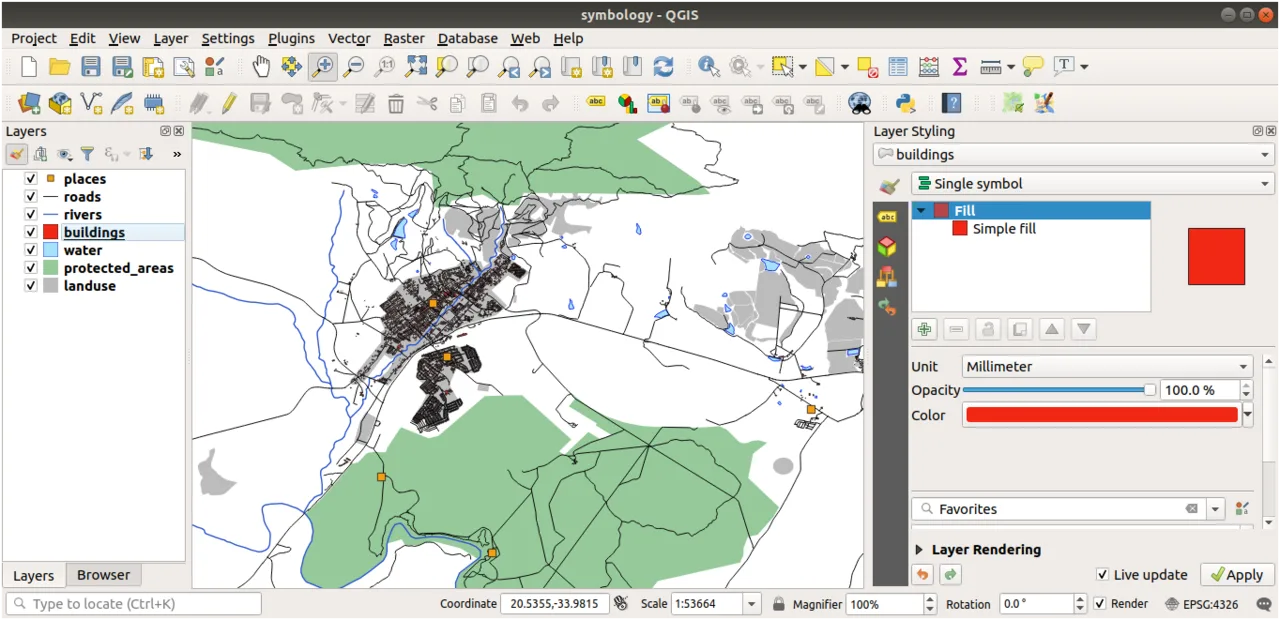
- Advanced symbology and labeling options
- Built‑in geoprocessing tools (buffer, intersect, raster analysis)
- Project files are plain‑text .qgz for easy version control
- Cross‑platform: Linux, Windows, macOS, Android
- Integration with PostGIS and other spatial databases
Pros
- Free and open‑source with no licensing cost
- Active development and frequent releases
- Large community and many tutorials
- Highly extensible via plugins and Python
- Runs natively on most Linux distributions
Cons
- Some advanced ArcGIS extensions have no direct equivalents
- Occasional plugin quality varies
- Performance can lag with very large datasets
- User interface may feel less polished than commercial counterparts
Windows programs QGIS Desktop replaces
How to install QGIS Desktop on Linux
flatpak install flathub org.qgis.qgissudo apt install qgissudo apt install qgissudo dnf install qgissudo pacman -S qgissudo zypper install qgisTips for Windows users
When moving from ArcGIS Pro, start by opening your existing shapefiles, GeoJSON or File Geodatabase layers directly in QGIS – the formats are natively supported. Familiarise yourself with the Processing Toolbox, which groups many geoprocessing tools similar to ArcGIS ModelBuilder. Keyboard shortcuts differ (e.g., Ctrl + Shift + S for saving a project), so consider customizing them in Settings → Keyboard Shortcuts to match your workflow. Finally, explore the QGIS plugins repository for tools that replace ArcGIS extensions you relied on.
Recent releases
- 4.2.3 —
- 4.2.2 —
- 4.2.1 —
- 4.2.0 —
QGIS Desktop: frequently asked questions
How do I install QGIS on Ubuntu?
Use the official Ubuntu repository: sudo apt install qgis qgis-plugin-grass, or add the OSGeo PPA for newer versions.
Can QGIS read ArcGIS .lyrx layer files?
QGIS cannot open .lyrx directly, but you can export the symbology to SLD from ArcGIS and import it into QGIS.
Is there a way to automate tasks in QGIS?
Yes, QGIS includes a Python console and supports PyQGIS scripts; the Processing Toolbox also allows batch processing.
Does QGIS support 3D visualisation?
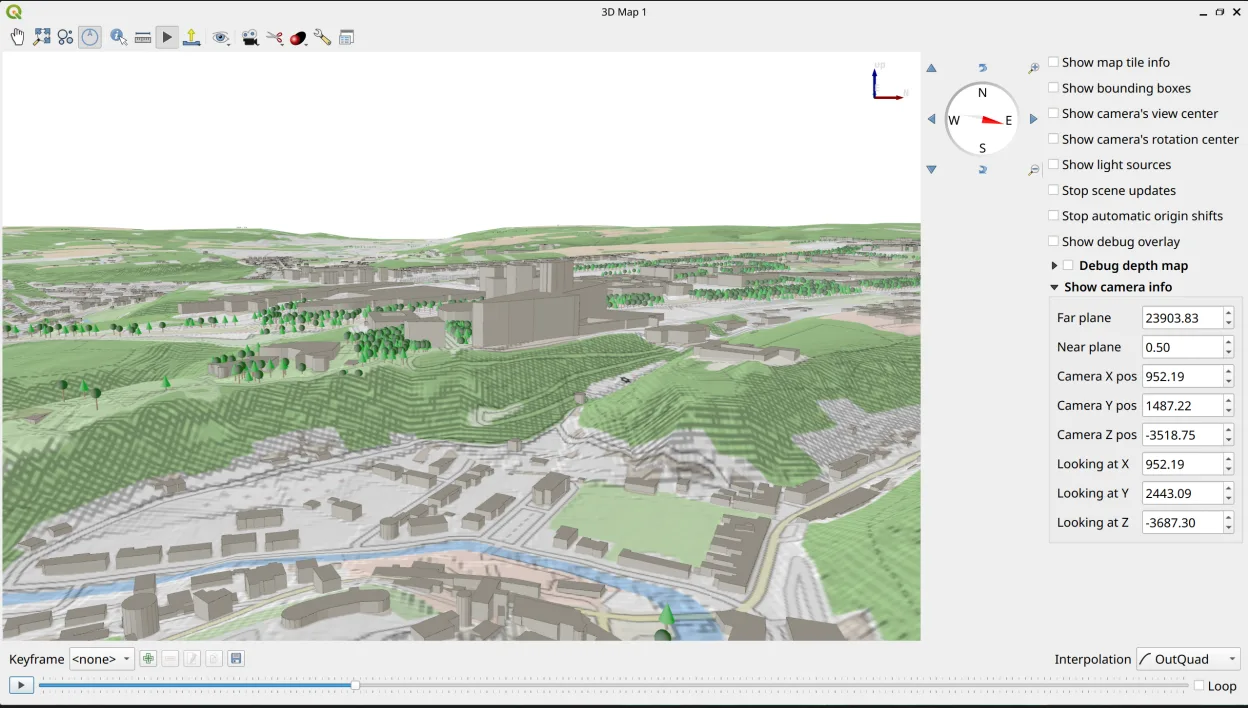
QGIS provides a 3D map view for terrain and vector data, though it is less feature‑rich than ArcGIS Pro's 3D tools.
Updated