

Linux · Programming
Visual Studio Code
Visual Studio Code is a cross‑platform code editor with built‑in debugging and Git support.
- License
- LicenseRef-proprietary=https://code.visu…
- Latest version
- 1.139.1 (September 25, 2026)
- Developer
- Microsoft Corporation
- Installs
- 57,225 (Flathub, 30 days)
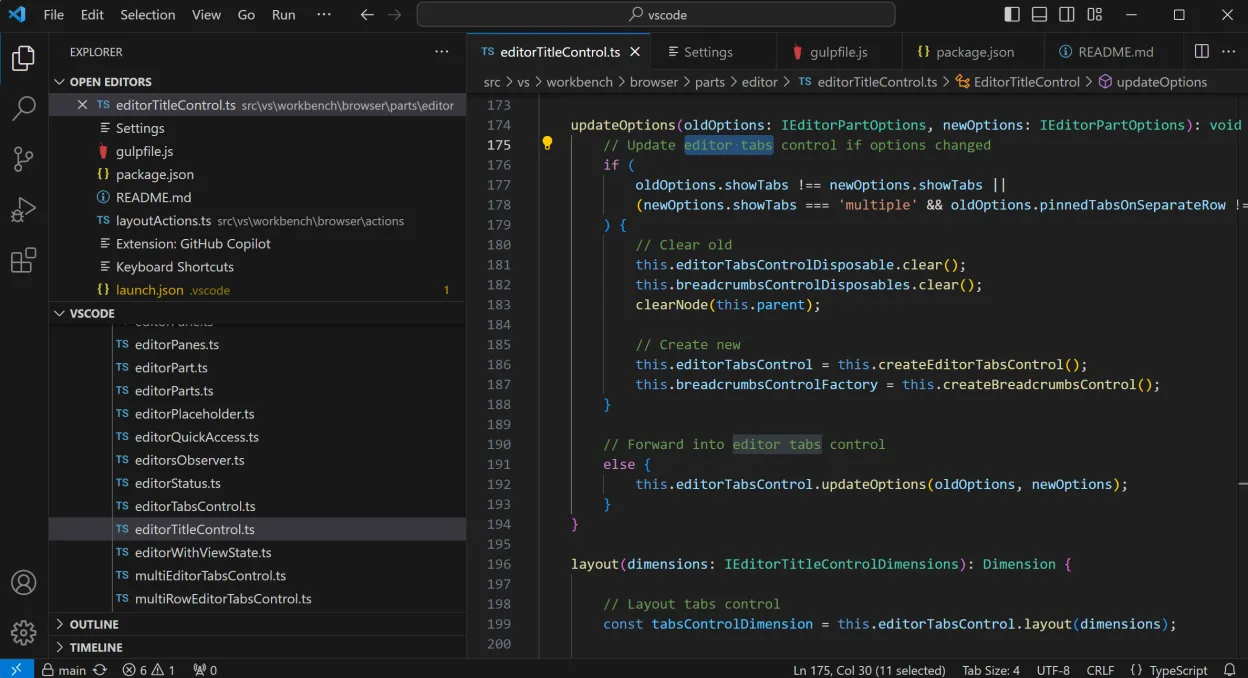
What is Visual Studio Code?
Visual Studio Code, released by Microsoft in 2015, started as a lightweight editor and grew into a full IDE with extensions. It runs on Windows, macOS, Linux, and even mobile through community builds. The Linux Flatpak version is a proprietary repackaging that adds the same features but requires extra steps for terminal integration.
It targets developers who need a fast, extensible editor for languages like JavaScript, Python, C++, and many others. VS Code’s extension marketplace is vast, covering linting, formatting, language servers, and UI themes.
Compared to PowerShell ISE, VS Code feels more modern: it offers a split‑view editor, integrated terminal, and a rich command palette. The learning curve is steeper than ISE’s simple GUI, but once you master the shortcuts, the workflow is more efficient and consistent across platforms.
Best for: Developers who need a lightweight yet powerful editor with a huge extension library.
Key features of Visual Studio Code
- Extensible via a large marketplace
- Integrated terminal and debugger
- Git source control integration
- Customizable keybindings and themes
- Language server protocol support
- Built‑in task runner and extensions
Pros
- Fast startup and low memory footprint
- Rich ecosystem of extensions
- Cross‑platform consistency
- Strong community support
- Regular updates
Cons
- Proprietary license on Flatpak
- Some extensions require Node.js or other runtimes
- Integrated terminal may need extra setup on Flatpak
- Occasional performance hiccups on large files
Windows programs Visual Studio Code replaces
How to install Visual Studio Code on Linux
flatpak install flathub com.visualstudio.codeTips for Windows users
When moving from PowerShell ISE, remember VS Code uses VS Code shortcuts (e.g., Ctrl+Shift+P for the command palette, Ctrl+` for terminal). File formats like .ps1 are opened as plain text; you can install the PowerShell extension for syntax highlighting and IntelliSense. Workflow shifts from a single‑window GUI to a multi‑pane editor; use the Explorer sidebar to navigate projects and the Source Control panel for Git operations.
Recent releases
- 1.139.1 —
- 1.138.0 —
- 1.137.0 —
- 1.130.0 —
Visual Studio Code: frequently asked questions
Is VS Code free on Linux?
Yes, the Flatpak build is free to download and use, but it is proprietary. The open‑source version, VS Code Open, is also available as a Snap or deb package.
Can I use the integrated terminal in the Flatpak?
Yes, but you need to enable it in the Flatpak documentation. It may require additional permissions or a separate terminal application.
Does VS Code support PowerShell scripts?
Install the PowerShell extension to get syntax highlighting, IntelliSense, and debugging for .ps1 files.
How often is VS Code updated?
Microsoft releases a new version roughly every 30 days; the Flatpak mirrors the latest official release.
Updated