
 BraseroLinux
vs
WinX DVD AuthorWindows
Brasero como alternativa Linux ao WinX DVD Author
Atualizado em
Nossa avaliação
Brasero is not a good replacement if you need to author video DVDs with custom menus, chapters, or subtitles. It is a simple tool for burning data files or audio CDs. If you just want to put MP4 files on a disc to play on a standalone player, Brasero works but offers no menu customization. For full DVD authoring with themes and navigation, you need different software like K3b or Xfburn. Brasero is suitable only for users who strictly need basic data or audio disc burning and do not care about video menu structures.
- Licença
- GPL-2.0-or-later
- Preço
- Grátis
- Versão mais recente
- 3.12.4 (28 de setembro de 2026)
- Avaliação
- —
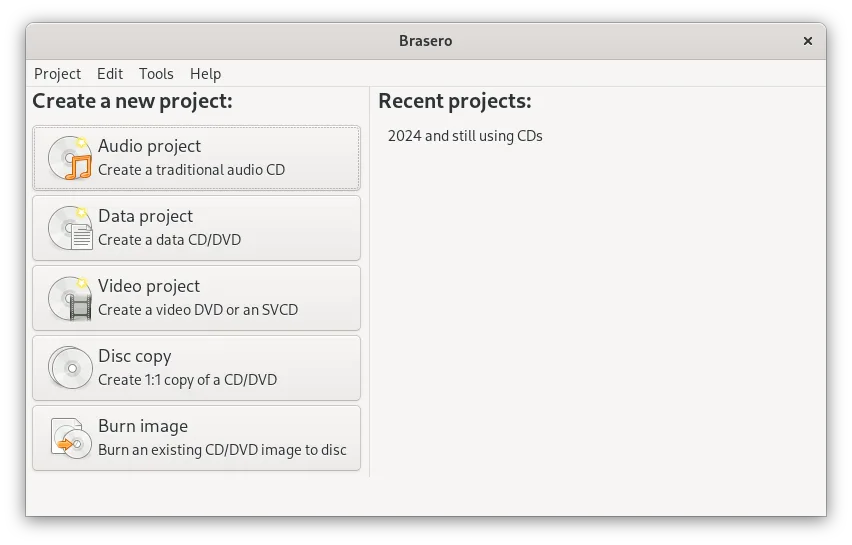
O que funciona igual
- Can burn DVD-R and DVD+R media
- Supports burning video files like MP4 or MKV as data discs
- Open-source and free to use
- Available on major Linux distributions
- Simple interface for disc creation
O que muda
- Lacks DVD-Video authoring capabilities (no menu creation)
- Cannot add chapters or subtitles to video files
- No support for Blu-ray disc authoring
- Does not preview menu navigation
- Focused on data and audio, not complex video structures
Abrindo seus arquivos do WinX DVD Author
Brasero does not open or edit project files created by WinX DVD Author. It treats video files as generic data items. If you have a finished DVD-Video folder structure (VIDEO_TS) from WinX, Brasero can burn that folder as a data disc, but it cannot recreate the menu or modify the video content within the project.
Trocando o WinX DVD Author pelo Brasero, passo a passo
- Install Brasero from your distribution's package manager
- Open Brasero and select 'Data Disc' mode
- Drag and drop your video files (MP4, MKV) into the burn list
- Ensure the disc type is set to DVD-R or DVD+R
- Click Burn to write the files to the disc
- Test the disc on a standalone player to verify playback
Principais recursos do Brasero
- Gravar CDs e DVDs de dados
- Criar CDs de áudio
- Copiar CDs e DVDs existentes
- Suporte a CD-TEXT
- Suporte a discos multisessão
- Suporte a extensão Joliet
- Gravação de arquivos via arrastar e soltar
- Integração com o desktop GNOME
Como instalar o Brasero no Linux
flatpak install flathub org.gnome.Braserosudo apt install braserosudo apt install braserosudo dnf install braserosudo pacman -S braserosudo zypper install braseroPerguntas frequentes
Can Brasero create a DVD with a menu that looks like a commercial movie?
No. Brasero cannot create DVD-Video menus. It only burns files as a data disc. You need dedicated authoring software for that.
Will my MP4 files play on a standard DVD player if burned with Brasero?
It depends on the player. Many modern players support MP4 data discs, but older players may not. For guaranteed compatibility, you need to convert videos to DVD-Video format using other tools.
Does Brasero support Blu-ray burning?
Brasero is primarily designed for CD and DVD. While some versions may handle Blu-ray data discs, it is not a robust tool for Blu-ray authoring or burning compared to specialized software.
Outras 3 alternativas ao WinX DVD Author
 K3bK3b é a ferramenta completa do KDE para gravação de CD/DVD/Blu‑ray no Linux.Código abertoGrátisK3b vs WinX DVD AuthorDeVeDeDeVeDe creates playable video DVDs from video files, suitable for burning to disc and playing on standard DVD…Código abertoGrátisDeVeDe vs WinX DVD AuthorDVDStylerDVDStyler is an open-source DVD authoring tool for creating video DVDs with menus and chapters.Código abertoGrátisDVDStyler vs WinX DVD Author