
 GeanyLinux
vs
PowerShell ISEWindows
Geany como alternativa Linux ao PowerShell ISE
Atualizado em
Nossa avaliação
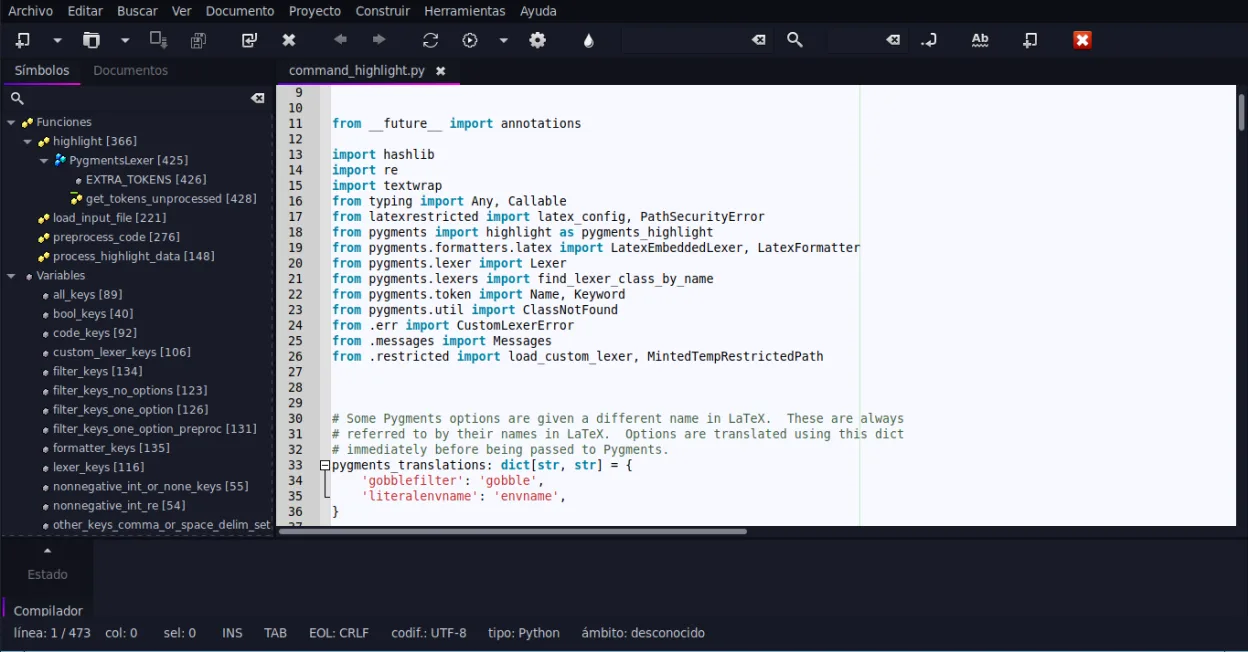
Geany is a decent lightweight replacement for PowerShell ISE if you primarily need syntax highlighting, tabbed editing, and an embedded terminal. It supports PowerShell syntax and includes code folding, line numbers, and basic auto-completion. However, it lacks PowerShell-specific debugging tools and IntelliSense, making it less suitable for advanced script development. Geany works well for writing and running scripts in a terminal, especially for users comfortable with manual debugging and external tools. It’s best for beginners or those who value simplicity over deep integration with PowerShell.
- Licença
- GPL-2.0+
- Preço
- Grátis
- Versão mais recente
- 2.1.0 (6 de julho de 2025)
- Avaliação
- —
O que funciona igual
- Syntax highlighting for PowerShell scripts
- Embedded terminal for running scripts
- Tabbed editing and line numbering
- Code folding and symbol list support
- Plugin system for extending functionality
O que muda
- No built-in PowerShell debugger
- No IntelliSense or advanced auto-completion for PowerShell cmdlets
- Lacks integrated help system for PowerShell modules
- Less tailored for Windows-style line endings and encoding by default
Abrindo seus arquivos do PowerShell ISE
Geany can open .ps1 files created in PowerShell ISE without issues, as they are plain text. Line endings (CRLF vs LF) may need adjustment depending on the system, but Geany handles both. File encoding is generally preserved, though saving as UTF-8 without BOM is default. No special import or conversion steps are needed. Compatibility with .iseconfig files or other ISE-specific formats is not supported, as Geany does not recognize them.
Trocando o PowerShell ISE pelo Geany, passo a passo
- Install Geany from your distribution’s repository or Flathub
- Enable the embedded terminal plugin if not already active
- Set file types to recognize .ps1 files as PowerShell scripts
- Adjust line ending settings to match target environment (Windows or Linux)
- Use external PowerShell (pwsh) in the terminal for execution and testing
Principais recursos do Geany
- Destaque de sintaxe para mais de 30 linguagens
- Autocompletar de código e conclusão automática de estruturas comuns
- Emulador de terminal integrado
- Gerenciador de plugins com plugins pré-instalados
- Dobra de código e listas de símbolos
- Suporte a preenchimento automático de tags XML/HTML
Como instalar o Geany no Linux
flatpak install flathub org.geany.Geanysudo apt install geanysudo apt install geanysudo dnf install geanysudo pacman -S geanysudo zypper install geanyPerguntas frequentes
Can Geany debug PowerShell scripts like PowerShell ISE?
No, Geany does not include a PowerShell debugger. You’ll need to use command-line debugging with Write-Debug, Write-Verbose, or run scripts step-by-step in the embedded terminal.
Does Geany support IntelliSense for PowerShell?
No, Geany offers basic auto-completion for language constructs, but not PowerShell-specific IntelliSense or cmdlet suggestions like ISE.
Is Geany suitable for developing PowerShell modules?
Yes, for basic editing and file management, but without built-in module debugging or testing tools. You’ll rely on external PowerShell sessions and manual testing.
Outras 5 alternativas ao PowerShell ISE
 KateKate é um editor de texto rico em recursos, focado em programadores, da KDE, com suporte a mais de 300…Código abertoGrátisFlatpakKate vs PowerShell ISE
 geditgedit is a lightweight, GNOME-integrated text editor suitable for notes, documents, and basic programming…Código abertoGrátisFlatpakgedit vs PowerShell ISEVS CodeA lightweight, extensible source code editor supporting many languages, built on Electron and open-source…Código abertoGrátisVS Code vs PowerShell ISE
 GNU EmacsGNU Emacs é um editor de texto altamente extensível e um interpretador Lisp que funciona como um ambiente de…Código abertoGrátisFlatpakGNU Emacs vs PowerShell ISE
 VimVim is a highly configurable, keyboard-driven text editor popular among programmers and system administrators…Código abertoGrátisFlatpakVim vs PowerShell ISE