
 GeanyLinux
vs
Visual StudioWindows
GeanyLinux
vs
Visual StudioWindows
Geany como alternativa Linux ao Visual Studio
Atualizado em
Nossa avaliação
Geany is not a direct replacement for Visual Studio if you rely on .NET, C#, or complex C++ project management. It is a lightweight IDE suited for scripting, C, and C++ without heavy build systems. For professional .NET development, Geany lacks the necessary tooling. However, for simple C/C++ projects or quick edits, it offers a fast, low-resource alternative. Choose Geany only if you are abandoning Visual Studio's specific ecosystem and moving to simpler, standalone code files.
- Licença
- GPL-2.0+
- Preço
- Grátis
- Versão mais recente
- 2.1.0 (6 de julho de 2025)
- Avaliação
- —
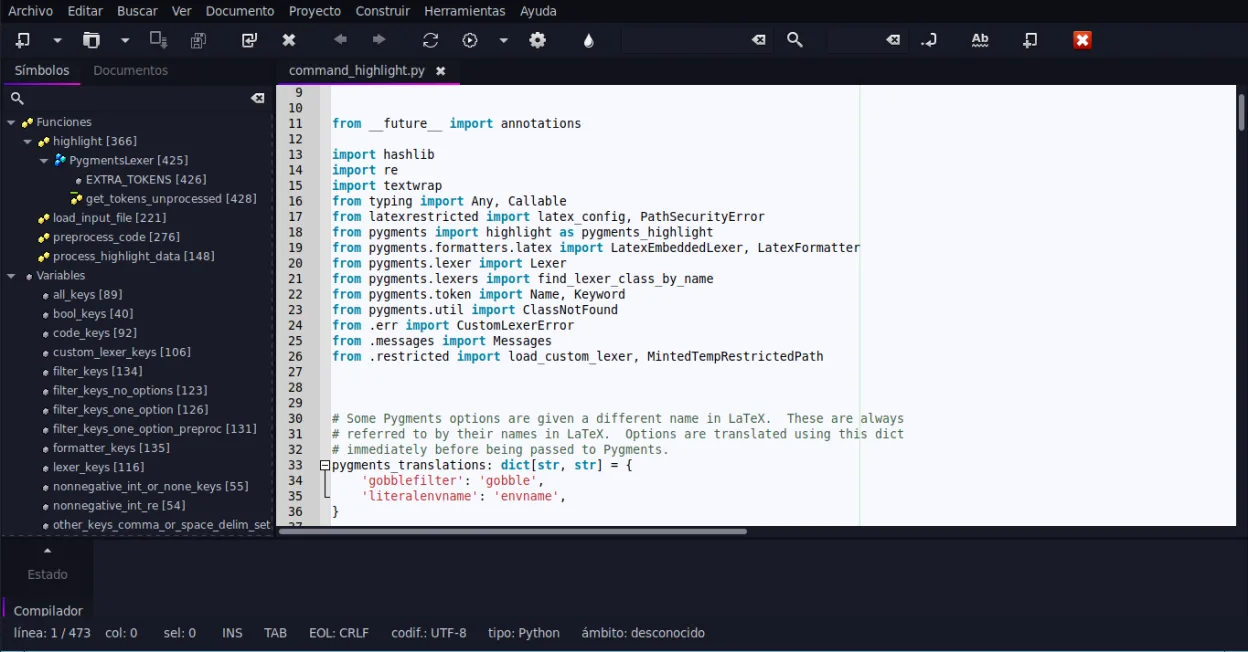
O que funciona igual
- Supports C and C++ syntax highlighting and basic editing
- Includes an integrated terminal for running commands
- Offers code completion and auto-completion for common constructs
- Extensible via a plugin system
- Customizable interface with multiple panes
O que muda
- No native support for .NET, C#, or ASP.NET
- Lacks Visual Studio's advanced debugging capabilities and memory profilers
- No built-in project management for complex multi-file solutions
- Missing the vast extension marketplace comparable to Visual Studio
- Does not handle NuGet package management or .sln files natively
Abrindo seus arquivos do Visual Studio
Geany does not natively open Visual Studio solution (.sln) or project (.csproj) files. You can open individual source code files (.c, .cpp, .h, .py, etc.) directly, but you must manually manage the build process and dependencies outside of Geany. There is no automatic conversion of Visual Studio project structures into Geany workspace files.
Trocando o Visual Studio pelo Geany, passo a passo
- Identify which source code files you need to edit directly
- Install Geany via your package manager
- Open individual source files in Geany
- Configure external build tools like Make or CMake for compilation
- Set up Git integration via the terminal or external GUI client
- Install necessary plugins for specific language support if needed
Principais recursos do Geany
- Destaque de sintaxe para mais de 30 linguagens
- Autocompletar de código e conclusão automática de estruturas comuns
- Emulador de terminal integrado
- Gerenciador de plugins com plugins pré-instalados
- Dobra de código e listas de símbolos
- Suporte a preenchimento automático de tags XML/HTML
Como instalar o Geany no Linux
flatpak install flathub org.geany.Geanysudo apt install geanysudo apt install geanysudo dnf install geanysudo pacman -S geanysudo zypper install geanyPerguntas frequentes
Can Geany run .NET applications?
No. Geany does not have built-in support for the .NET runtime, C# compiler, or project files required to build and run .NET applications.
Is Geany suitable for large C++ projects?
It depends. For simple projects, yes. For large, complex C++ projects with heavy dependency management, Geany may feel limited compared to Visual Studio's project management tools.
Does Geany support Git?
Geany does not have a built-in Git GUI, but you can use the embedded terminal to run Git commands or integrate with external Git clients.
Outras 5 alternativas ao Visual Studio
 Visual Studio CodeUm editor de código leve e extensível que oferece depuração, Git e suporte a muitas linguagens.GrátisFlatpakVisual Studio Code vs Visual StudioMonoDevelopMonoDevelop is an open‑source IDE for .NET and C# development on Linux.Código abertoGrátisMonoDevelop vs Visual Studio
 EclipseEclipse é um IDE gratuito e centrado em Java que roda nativamente no Linux.Código abertoGrátisFlatpakEclipse vs Visual Studio
 NetBeansNetBeans é um IDE de código aberto da Apache que suporta Java, JavaScript, PHP, C/C++ e muito mais.Código abertoGrátisFlatpakNetBeans vs Visual Studio
 KDevelopKDevelop é um IDE gratuito, baseado em plugins, para KDE que suporta C++, Python, PHP e outras linguagens…Código abertoGrátisFlatpakKDevelop vs Visual Studio