
 GeanyLinux
vs
Visual StudioWindows
GeanyLinux
vs
Visual StudioWindows
Geany as a Linux alternative to Visual Studio
Updated
Our verdict
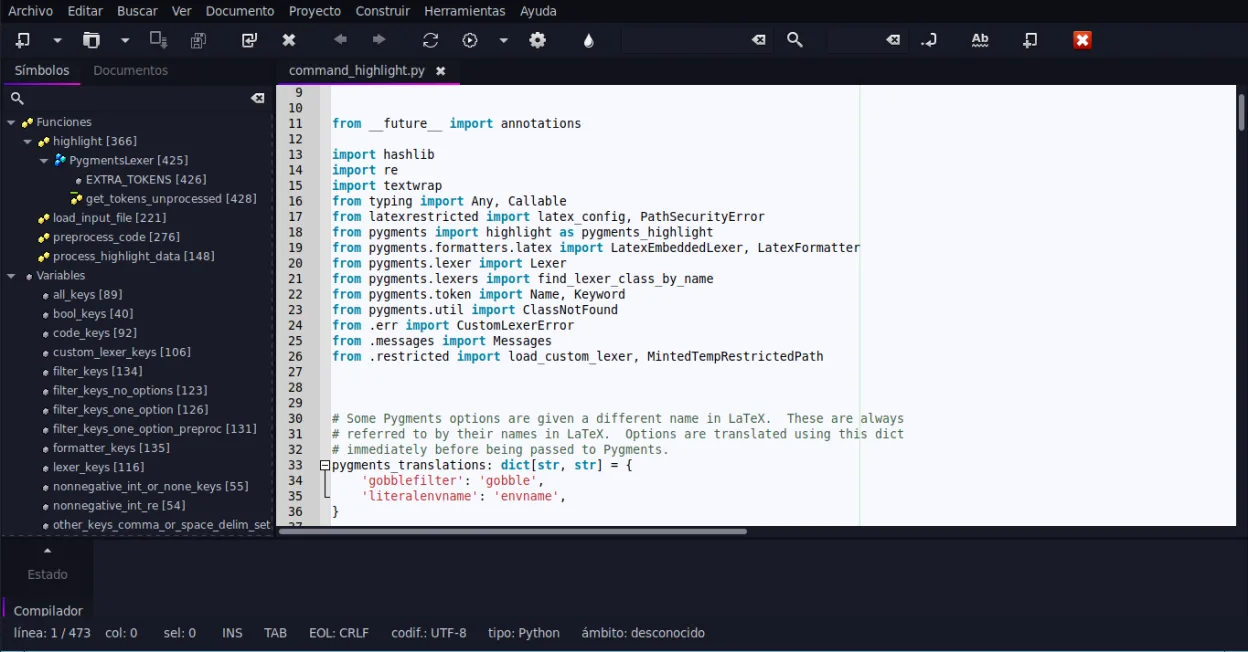
Geany is not a direct replacement for Visual Studio if you rely on .NET, C#, or complex C++ project management. It is a lightweight IDE suited for scripting, C, and C++ without heavy build systems. For professional .NET development, Geany lacks the necessary tooling. However, for simple C/C++ projects or quick edits, it offers a fast, low-resource alternative. Choose Geany only if you are abandoning Visual Studio's specific ecosystem and moving to simpler, standalone code files.
- License
- GPL-2.0+
- Price
- Free
- Latest version
- 2.1.0 (July 6, 2025)
- Rating
- —
What works the same
- Supports C and C++ syntax highlighting and basic editing
- Includes an integrated terminal for running commands
- Offers code completion and auto-completion for common constructs
- Extensible via a plugin system
- Customizable interface with multiple panes
What is different
- No native support for .NET, C#, or ASP.NET
- Lacks Visual Studio's advanced debugging capabilities and memory profilers
- No built-in project management for complex multi-file solutions
- Missing the vast extension marketplace comparable to Visual Studio
- Does not handle NuGet package management or .sln files natively
Opening your Visual Studio files
Geany does not natively open Visual Studio solution (.sln) or project (.csproj) files. You can open individual source code files (.c, .cpp, .h, .py, etc.) directly, but you must manually manage the build process and dependencies outside of Geany. There is no automatic conversion of Visual Studio project structures into Geany workspace files.
Switching from Visual Studio to Geany, step by step
- Identify which source code files you need to edit directly
- Install Geany via your package manager
- Open individual source files in Geany
- Configure external build tools like Make or CMake for compilation
- Set up Git integration via the terminal or external GUI client
- Install necessary plugins for specific language support if needed
Key features of Geany
- Syntax highlighting for over 30 languages
- Code completion and auto‑completion of common constructs
- Embedded terminal emulator
- Plugin manager with pre‑installed plugins
- Code folding and symbol lists
- Support for XML/HTML tag completion
How to install Geany on Linux
flatpak install flathub org.geany.Geanysudo apt install geanysudo apt install geanysudo dnf install geanysudo pacman -S geanysudo zypper install geanyFrequently asked questions
Can Geany run .NET applications?
No. Geany does not have built-in support for the .NET runtime, C# compiler, or project files required to build and run .NET applications.
Is Geany suitable for large C++ projects?
It depends. For simple projects, yes. For large, complex C++ projects with heavy dependency management, Geany may feel limited compared to Visual Studio's project management tools.
Does Geany support Git?
Geany does not have a built-in Git GUI, but you can use the embedded terminal to run Git commands or integrate with external Git clients.
5 other alternatives to Visual Studio
 Visual Studio CodeA lightweight, extensible code editor that supports debugging, Git, and many languages.FreeFlatpakVisual Studio Code vs Visual StudioMonoDevelopMonoDevelop is an open‑source IDE for .NET and C# development on Linux.Open sourceFreeMonoDevelop vs Visual Studio
 EclipseEclipse is a free, Java‑centric integrated development environment that runs natively on Linux.Open sourceFreeFlatpakEclipse vs Visual Studio
 NetBeansNetBeans is an open‑source IDE from Apache that supports Java, JavaScript, PHP, C/C++ and more.Open sourceFreeFlatpakNetBeans vs Visual Studio
 KDevelopKDevelop is a free, plugin-based IDE for KDE supporting C++, Python, PHP, and other languages with strong…Open sourceFreeFlatpakKDevelop vs Visual Studio