

Linux · Acessórios
Gnote
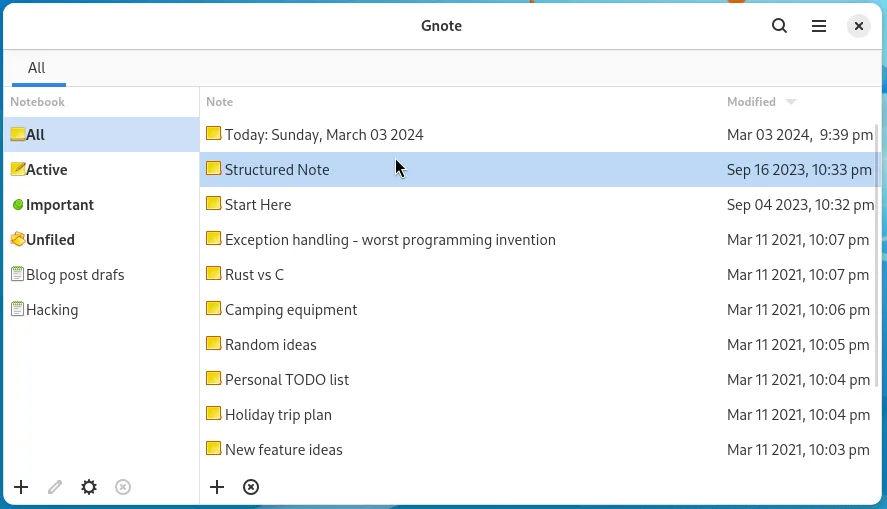
Gnote is a lightweight GNOME note‑taking app that lets you create, link, and organize notes with wiki‑style links and notebooks, and export them as HTML.
- Licença
- GPL-3.0-only
- Versão mais recente
- 51.0 (26 de setembro de 2026)
- Desenvolvedor
- The Gnote Team
- Instalações
- 702 (Flathub, 30 dias)
O que é o Gnote?
Gnote started as a simple clone of the Windows Sticky Notes, but over the years it added notebook support, wiki links, and HTML export, making it a more capable note manager for the GNOME desktop. The latest stable release, 50.1, came out in April 2026 and continues to receive updates on Arch, Debian, Fedora, openSUSE, and Ubuntu. The project is maintained by the Gnote Team under a GPL‑3.0 license.
The app is aimed at users who want a quick, lightweight way to jot down ideas without the overhead of a full office suite. It works well for developers, students, or anyone who needs a simple place to store notes that can be linked together.
Compared to Microsoft Sticky Notes, Google Keep, or the Windows Sticky Notes app, Gnote feels more like a traditional text editor with a notebook hierarchy. It lacks the cloud‑first sync of Keep but offers local sync via GNOME Online Accounts and a simple HTML export for sharing.
Ideal para: Users who need a simple, GNOME‑native note app with notebook support and HTML export, especially those who prefer open source and local storage.
Principais recursos do Gnote
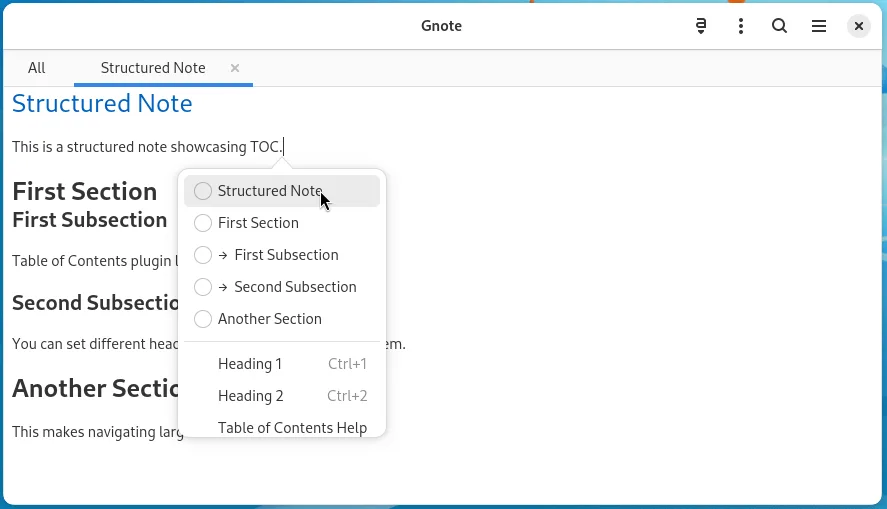
- Wiki‑style links between notes
- Notebook organization
- HTML export and printing
- Local sync via GNOME Online Accounts
- Keyboard shortcuts for common actions
- Plain‑text storage with optional Markdown support
Prós
- Very lightweight and fast
- Open source and free
- Cross‑distribution packaging
- Supports notebook hierarchy
- Good export options
Contras
- No native cloud sync beyond local sync
- Limited formatting options compared to Keep
- No mobile app
- Learning curve for wiki links
Programas do Windows que o Gnote substitui
Como instalar o Gnote no Linux
flatpak install flathub org.gnome.Gnotesudo apt install gnotesudo apt install gnotesudo dnf install gnotesudo pacman -S gnotesudo zypper install gnoteDicas para quem vem do Windows
If you’re coming from Sticky Notes or Keep, you’ll notice Gnote stores notes as plain text files in ~/.local/share/gnote. You can import existing notes by copying them into that folder. Keyboard shortcuts differ: Ctrl+N creates a new note, Ctrl+S saves, and Ctrl+Shift+N creates a new notebook. The app uses WikiWiki‑style links (double brackets) to connect notes, which is a new workflow compared to the simple copy‑paste links in Keep. Exporting to HTML is done via the File menu, which can then be shared or printed.
Versões recentes
- 51.0 —
- Highlight menu item will be highlighted using the same color - Added Norwegian Nynorsk (nn) translation - Added Norwegian Nynorsk (nn) manual
- 51~beta —
- Allow renaming notebooks with case-only changes - Replace Title plugin now has a setting to use clipboard instead of selection - Move to start of text when Home is pressed inside bullet list (#126) - Bring back shortcut to replace title - Bring back…
- 51~alpha —
- libadwaita 1.6 or later required - Colors for title, links and highlight are accent color based now by default - Fix opening in new window not allways opens in new - Fix link activation when auto-linking is disabled - Fix notebook names lowercased after…
- 50.1 —
- Fix shell search opening Gnote window - Translation updates
Gnote: perguntas frequentes
Does Gnote sync across devices?
Gnote can sync notes locally using GNOME Online Accounts, but it does not offer built‑in cloud sync like Google Keep. You can set up your own sync solution such as Dropbox or rsync.
Can I use Markdown in Gnote?
Gnote stores notes as plain text; you can write Markdown, but the editor does not render it. Exporting to HTML will preserve the Markdown syntax as text.
Is Gnote available on Ubuntu?
Yes, Gnote is available in the official Ubuntu repositories and can be installed with apt.
What file format does Gnote use?
Notes are stored as plain text files in the ~/.local/share/gnote directory, one file per note.
Atualizado em