
 MyPaintLinux
vs
ProcreateWindows
MyPaintLinux
vs
ProcreateWindows
MyPaint como alternativa Linux ao Procreate
Atualizado em
Nossa avaliação
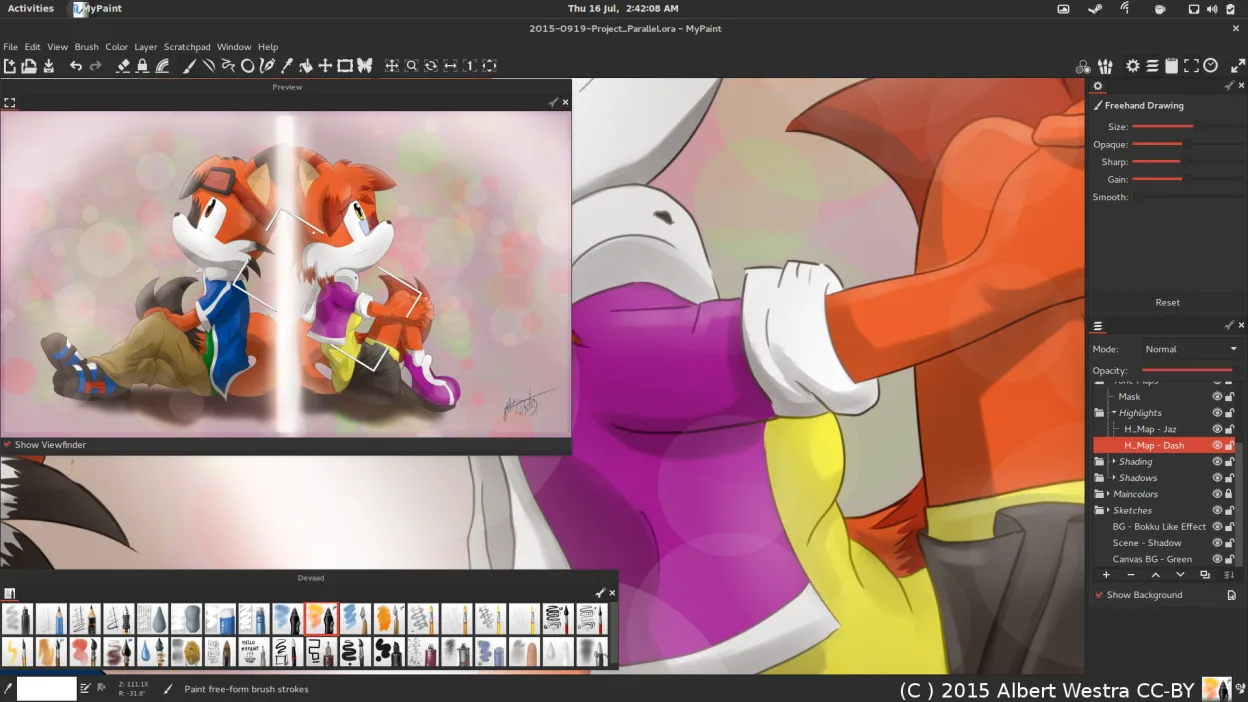
MyPaint can replace Procreate for users who need a free, open‑source raster painting tool on Linux and who are comfortable with a minimal interface. It offers robust brush dynamics, pressure sensitivity, layers, and export to common formats, making it suitable for illustrators, concept artists, and hobbyists who prefer a lightweight canvas‑only workflow. However, it lacks Procreate’s extensive brush library, advanced animation tools, and the polished iPad touch interface, so power users accustomed to Procreate’s ecosystem may find it limiting.
- Licença
- GPL-2.0+
- Preço
- Grátis
- Versão mais recente
- 2.0.1 (29 de maio de 2020)
- Avaliação
- —
O que funciona igual
- Both provide pressure‑sensitive brush painting with configurable parameters
- Both support layers and basic blending modes
- Both export to standard image formats like PNG and JPEG
- Both allow custom brush creation and use of pre‑installed brush packs
- Both are designed for digital painting rather than photo editing
O que muda
- MyPaint has a distraction‑free canvas‑only UI, no panels or toolbars
- Procreate offers a richer set of brushes and animation features
- Procreate’s interface is optimized for touch and gestures, MyPaint relies on mouse/pen
- Procreate includes advanced color mixing and blending tools not fully present in MyPaint
- Procreate’s file format (.procreate) is proprietary and not natively supported by MyPaint
Abrindo seus arquivos do Procreate
MyPaint does not natively open Procreate’s .procreate files. Users would need to export artwork from Procreate as PNG or JPEG and then import those images into MyPaint. Direct conversion is not available.
Trocando o Procreate pelo MyPaint, passo a passo
- Export your Procreate canvas as a PNG or JPEG from the iPad.
- Transfer the exported file to your Linux machine via USB, cloud, or email.
- Open the image in MyPaint using File → Open.
- Create a new layer if you want to paint over the existing artwork.
- Save your work in MyPaint’s native OpenRaster format or export to PNG/JPEG for sharing.
- Back up your original Procreate files before starting the migration.
- faq
Principais recursos do MyPaint
- Mecanismo de pincel com centenas de parâmetros configuráveis
- Suporta sensibilidade à pressão e inclinação em tablets gráficos
- Interface simples e livre de distrações, focada apenas na tela
- Suporte a camadas com modos básicos de mesclagem
- Exportação para PNG, JPEG, OpenRaster e outros formatos comuns
- Extensível por meio de plugins em Python
- Pacotes de pincéis pré-instalados de artistas profissionais
- Histórico de desfazer/refazer com número ilimitado de passos
Como instalar o MyPaint no Linux
flatpak install flathub org.mypaint.MyPaintsudo apt install mypaintsudo apt install mypaintsudo dnf install mypaintsudo pacman -S mypaintsudo zypper install mypaintOutras 3 alternativas ao Procreate
 KritaKrita é um programa de pintura digital e ilustração de código aberto com recursos completos.Código abertoGrátisFlatpakKrita vs Procreate
 GIMPGIMP é um editor de gráficos raster gratuito e de código aberto para edição de fotos, pintura digital e…Código abertoGrátisFlatpakGIMP vs Procreate
 PintaPinta é um editor de bitmap gratuito e de código aberto que imita o Paint.NET com uma interface simples e…Código abertoGrátisFlatpakPinta vs Procreate