
 MyPaintLinux
vs
MS PaintWindows
MyPaintLinux
vs
MS PaintWindows
MyPaint como alternativa Linux ao MS Paint
Atualizado em
Nossa avaliação
MyPaint can replace MS Paint for users who want a free, open‑source painting tool that supports tablets and brush dynamics, but it is not a drop‑in replacement for casual users who only need basic drawing and file compatibility. It is suitable for digital artists, hobbyists who use graphics tablets, or anyone who wants more control over brushes and layers. For simple sketching, text, or quick edits, MS Paint remains more convenient.
- Licença
- GPL-2.0+
- Preço
- Grátis
- Versão mais recente
- 2.0.1 (29 de maio de 2020)
- Avaliação
- —
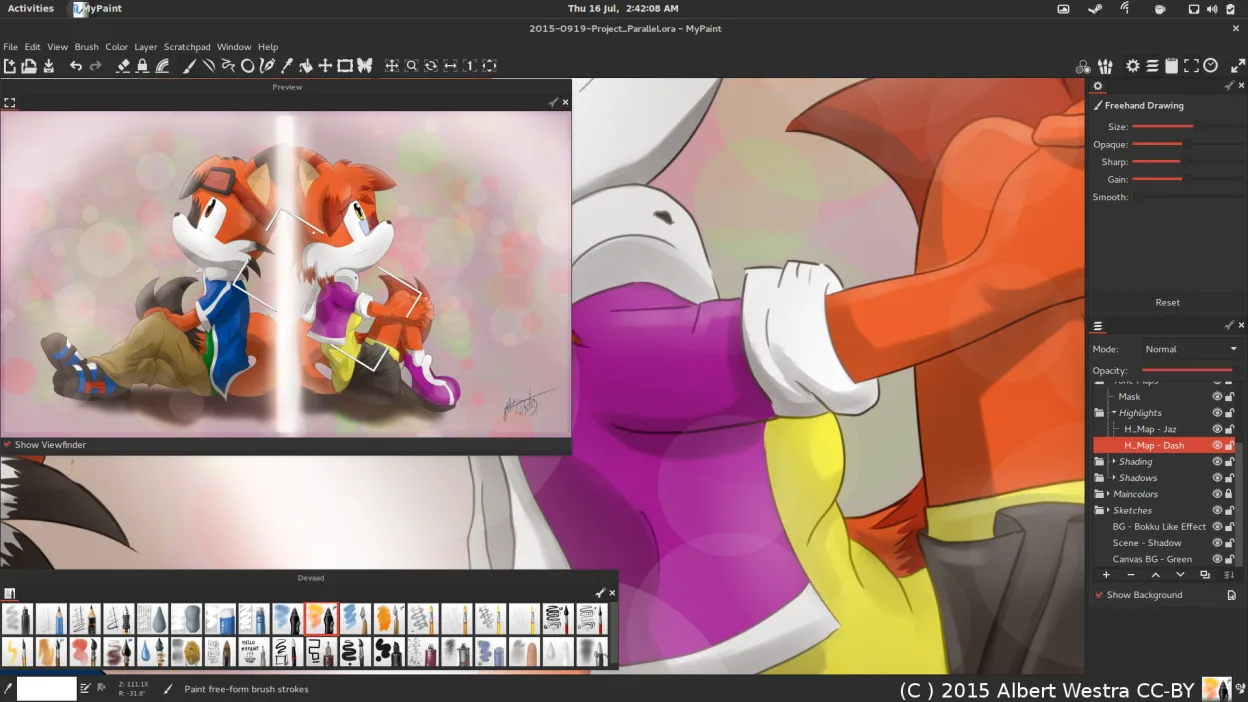
O que funciona igual
- Both are raster editors that allow drawing with a brush or pencil
- Both support basic shapes and text insertion
- Both can open and save common image formats like BMP, JPEG, PNG, GIF, and TIFF
- Both provide simple cropping and resizing tools
- Both run natively on Linux
O que muda
- MyPaint lacks a built‑in shape tool and advanced selection options; shapes must be drawn manually
- MyPaint does not support a two‑color mode or a simple color picker like MS Paint
- MyPaint’s interface is canvas‑only; it has no toolbar for quick access to tools, which can slow casual workflows
- MyPaint does not provide a built‑in image editor for simple pixel manipulation (e.g., pixel‑by‑pixel editing)
- MyPaint’s export options are limited to PNG, JPEG, OpenRaster, and a few others; it does not natively export to BMP or TIFF
Abrindo seus arquivos do MS Paint
MyPaint can open BMP, JPEG, GIF, PNG, and TIFF files via the standard image loader. Exporting to BMP or TIFF is not supported directly; you would need to export to PNG or JPEG and then convert with another tool. If you need to preserve MS Paint’s proprietary .BMP format, you can use GIMP or ImageMagick as an intermediate step.
Trocando o MS Paint pelo MyPaint, passo a passo
- 1. Install MyPaint from your distro’s package manager or Flathub.
- 2. Open your existing image with MyPaint by selecting File → Open and choosing the BMP, JPEG, GIF, PNG, or TIFF file.
- 3. If you need a two‑color mode, use the color picker to select two colors and manually paint; MyPaint does not have a dedicated mode.
- 4. Edit your image using the brush, pencil, or shape tools (draw shapes manually).
- 5. Add text with the Text tool and adjust font/size as needed.
- 6. Save or export the finished image via File → Export as PNG or JPEG; convert to other formats if required.
Principais recursos do MyPaint
- Mecanismo de pincel com centenas de parâmetros configuráveis
- Suporta sensibilidade à pressão e inclinação em tablets gráficos
- Interface simples e livre de distrações, focada apenas na tela
- Suporte a camadas com modos básicos de mesclagem
- Exportação para PNG, JPEG, OpenRaster e outros formatos comuns
- Extensível por meio de plugins em Python
- Pacotes de pincéis pré-instalados de artistas profissionais
- Histórico de desfazer/refazer com número ilimitado de passos
Como instalar o MyPaint no Linux
flatpak install flathub org.mypaint.MyPaintsudo apt install mypaintsudo apt install mypaintsudo dnf install mypaintsudo pacman -S mypaintsudo zypper install mypaintPerguntas frequentes
Does MyPaint support graphics tablets?
Yes, MyPaint is designed for tablet use and supports pressure sensitivity and tilt on most devices.
Can I use MyPaint to edit existing photos?
While you can open photos, MyPaint is primarily a painting program; it lacks advanced photo‑editing tools like layers, masks, or filters.
Is MyPaint suitable for beginners who only need basic drawing?
It can be used for basic drawing, but its canvas‑only interface and lack of quick‑access tools make it less convenient than MS Paint for casual users.
Outras 4 alternativas ao MS Paint
 GIMPGIMP é um editor de gráficos raster gratuito e de código aberto para edição de fotos, pintura digital e…Código abertoGrátisFlatpakGIMP vs MS Paint
 PintaPinta é um editor de bitmap gratuito e de código aberto que imita o Paint.NET com uma interface simples e…Código abertoGrátisFlatpakPinta vs MS Paint
 KolourPaintO KolourPaint é um editor de gráficos raster leve do KDE, ideal para desenhos rápidos e ajustes simples em…Código abertoGrátisFlatpakKolourPaint vs MS Paint
 KritaKrita é um programa de pintura digital e ilustração de código aberto com recursos completos.Código abertoGrátisFlatpakKrita vs MS Paint