
 SylpheedLinux
vs
ThunderbirdWindows
SylpheedLinux
vs
ThunderbirdWindows
Sylpheed como alternativa Linux ao Thunderbird
Atualizado em
Nossa avaliação
Sylpheed can replace Thunderbird for users who need a lightweight, fast mail client with basic calendar and contact features, but it lacks the rich calendar, chat, and RSS integration that Thunderbird offers. It is suitable for users who prefer a small footprint and simple configuration, such as developers or those on older hardware.
- Licença
- GPL-2.0-or-later
- Preço
- Grátis
- Versão mais recente
- 3.7.0
- Avaliação
- —
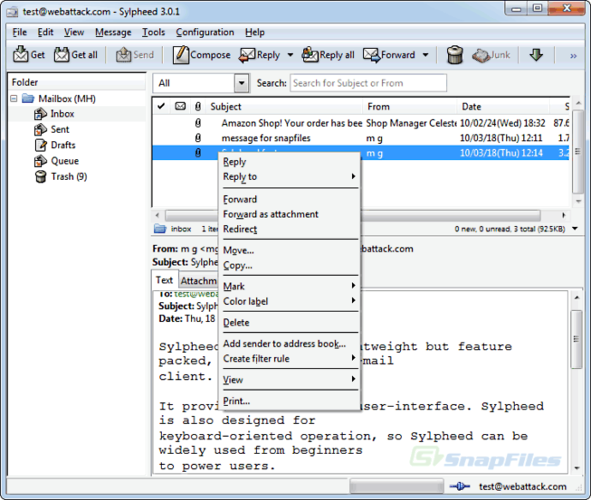
O que funciona igual
- Supports IMAP/POP3/SMTP for email
- Built‑in address book with LDAP lookup
- Rule‑based filtering
- Multiple account handling
- Spell checking via Enchant
O que muda
- No integrated calendar or contacts sync beyond address book
- No native RSS feed reader
- No chat (IRC/XMPP/Matrix) support
- No Usenet support beyond basic NNTP
- No advanced message threading or conversation view
Abrindo seus arquivos do Thunderbird
Sylpheed stores mail in the MH format, which is not compatible with Thunderbird’s mbox or Maildir. Direct import of Thunderbird profiles is not supported; users would need to export messages to a common format (e.g., mbox) and then use a conversion tool before importing into Sylpheed.
Trocando o Thunderbird pelo Sylpheed, passo a passo
- Export Thunderbird mail to mbox or Maildir using the Export feature.
- Export contacts to a CSV or vCard file from Thunderbird’s Address Book.
- Install Sylpheed from your distribution’s package manager (e.g., apt install sylpheed).
- Configure your email accounts in Sylpheed using the same server settings as Thunderbird.
- Import the exported mail files into Sylpheed’s MH mailbox directory or use a conversion script.
- Re‑import contacts into Sylpheed’s address book via the CSV/vCard import option.
Principais recursos do Sylpheed
- Armazenamento de e-mails no formato MH
- Interface gráfica com GTK+
- Suporte a SMTP, POP3, IMAP e NNTP
- Catálogo de endereços integrado com busca LDAP
- Filtros e processamento de e-mails baseado em regras
- Múltiplas contas e hierarquia de pastas
- Verificação ortográfica via Enchant
- Arquivos de configuração portáteis
Como instalar o Sylpheed no Linux
sudo apt install sylpheedsudo apt install sylpheedsudo dnf install sylpheedPerguntas frequentes
Does Sylpheed support the same email protocols as Thunderbird?
Yes, Sylpheed supports SMTP, POP3, IMAP, and NNTP, so it can handle the same email servers as Thunderbird.
Can I use Sylpheed on Windows?
Yes, Sylpheed is cross‑platform and runs on Windows, but it is primarily developed for Linux and uses the GTK+ toolkit.
Will my existing Thunderbird settings work automatically in Sylpheed?
No. Sylpheed does not read Thunderbird configuration files; you must manually re‑create account settings and import mail and contacts.
Outras 5 alternativas ao Thunderbird
 MailspringUm cliente de e‑mail desktop rápido e cheio de recursos para Linux com um motor de sincronização em C++ e…Código abertoGrátisFlatpakMailspring vs Thunderbird
 Claws MailClaws Mail é um cliente de e‑mail leve e rápido baseado em GTK para Linux.Código abertoGrátisFlatpakClaws Mail vs Thunderbird
 EvolutionO Evolution é um gerenciador de informações pessoais completo que combina e-mail, calendário, contatos e…Código abertoGrátisFlatpakEvolution vs Thunderbird
 KMailO KMail é o cliente de e-mail completo do KDE, parte da suíte Kontact, com suporte a IMAP, POP3 e caixas…Código abertoGrátisKMail vs Thunderbird
 GearyO Geary é um cliente de e-mail baseado no GNOME para Linux que permite enviar, receber e organizar e-mails em…Código abertoGrátisFlatpakGeary vs Thunderbird