
 ThunderbirdLinux
vs
Windows CalendarWindows
ThunderbirdLinux
vs
Windows CalendarWindows
Thunderbird como alternativa Linux ao Windows Calendar
Atualizado em
Nossa avaliação
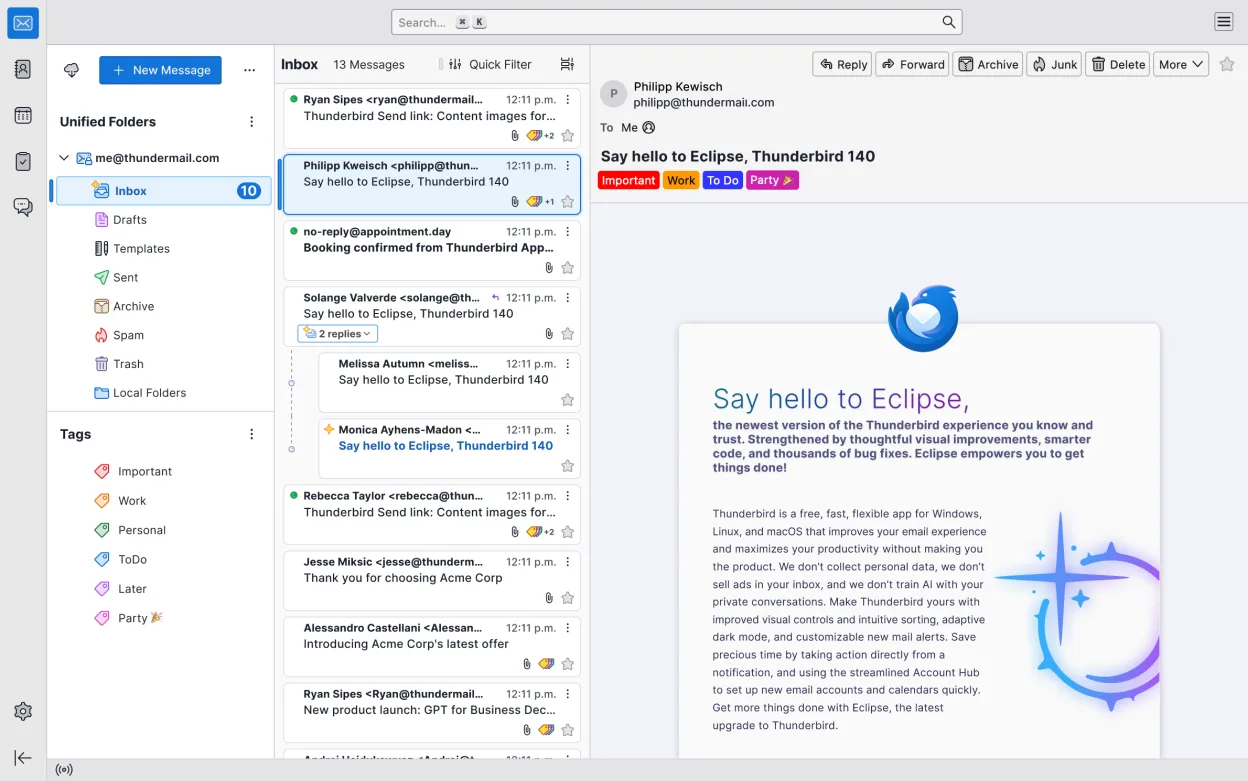
Thunderbird is a solid replacement for Windows Calendar if you also use email and want a unified inbox with calendar integration. It supports Google, Microsoft Exchange/Outlook.com, and iCloud calendars through add-ons or manual CalDAV setup. The monthly view, event creation, and reminders work well. However, it’s heavier than Windows Calendar and requires some setup for calendar syncing. It’s best for users who want email and calendar in one app and don’t mind a steeper learning curve.
- Licença
- MPL-2.0
- Preço
- Grátis
- Versão mais recente
- 159.0 (26 de outubro de 2026)
- Avaliação
- —
O que funciona igual
- Supports Google Calendar via CalDAV or provider-specific setup
- Syncs with Microsoft Exchange and Outlook.com using built-in or manual CalDAV
- Supports iCloud Calendar with manual CalDAV configuration
- Provides monthly calendar view with event creation and reminders
- Includes integrated contact management
O que muda
- Thunderbird is primarily an email client with calendar as a secondary feature, making it heavier than Windows Calendar
- Requires manual setup or add-ons for iCloud and some Exchange accounts
- Lacks deep OS-level integration like Windows Calendar has in Windows
- No native Windows .ics import/export automation from Windows Calendar
- More complex interface due to additional features like news feeds and chat
Abrindo seus arquivos do Windows Calendar
Thunderbird supports the standard iCalendar (.ics) format, which Windows Calendar also uses, so you can export events from Windows Calendar as .ics files and import them into Thunderbird. This works reliably for single events and calendars. However, recurring events or rich formatting may not always transfer perfectly. There is no direct import tool for Windows Calendar’s native files, but since both use open standards, manual .ics transfer is effective for most users.
Trocando o Windows Calendar pelo Thunderbird, passo a passo
- Export your Windows Calendar data as .ics files
- Install Thunderbird on Linux with the Lightning calendar add-on if not included
- Set up your Google, Exchange, or iCloud account using Thunderbird’s account wizard
- Manually add CalDAV accounts for iCloud if needed
- Import the .ics file into Thunderbird via the calendar view
- Enable reminders and adjust event notifications in Preferences
Principais recursos do Thunderbird
- Suporta IMAP, POP3, SMTP e Exchange via extensões
- Calendário integrado com agendamento e lembretes
- Cliente de chat e IRC integrado
- Leitor de feeds RSS/Atom
- Filtros avançados de mensagens e marcação
- Criptografia completa com OpenPGP
- Extensível por meio de complementos
- Fluxo de trabalho com foco em atalhos de teclado
Como instalar o Thunderbird no Linux
flatpak install flathub org.mozilla.thunderbirdsudo apt install thunderbirdsudo apt install thunderbirdsudo dnf install thunderbirdsudo pacman -S thunderbird-i18n-frsudo zypper install MozillaThunderbirdPerguntas frequentes
Can Thunderbird sync with Google Calendar?
Yes, Thunderbird can sync with Google Calendar using the built-in provider or CalDAV. You may need to enable CalDAV in Google Settings or use an add-on like Provider for Google Calendar.
Does Thunderbird support iCloud Calendar?
Yes, but not directly. You must manually add iCloud’s CalDAV server in Thunderbird’s calendar settings using your iCloud credentials and server URL.
Is Thunderbird lightweight like Windows Calendar?
No, Thunderbird is more resource-heavy because it combines email, calendar, contacts, and feeds. If you only need a calendar, consider a lighter tool like GNOME Calendar.
Outras 3 alternativas ao Windows Calendar
 EvolutionO Evolution é um gerenciador de informações pessoais completo que combina e-mail, calendário, contatos e…Código abertoGrátisFlatpakEvolution vs Windows Calendar