
 ThunderbirdLinux
vs
Windows MailWindows
ThunderbirdLinux
vs
Windows MailWindows
Thunderbird como alternativa Linux ao Windows Mail
Atualizado em
Nossa avaliação
Thunderbird is a solid replacement for Windows Mail, especially for users who want more control and features without bloat. It handles multiple IMAP, POP3, and SMTP accounts reliably, includes a full calendar with .ics support, and offers strong search and tagging. The UI is functional, though denser than Windows Mail’s. If you need dependable email and calendar tools that work across platforms and value open standards, Thunderbird is a good fit. It’s overkill only if you strictly want minimalism.
- Licença
- MPL-2.0
- Preço
- Grátis
- Versão mais recente
- 158.0.1 (20 de outubro de 2026)
- Avaliação
- —
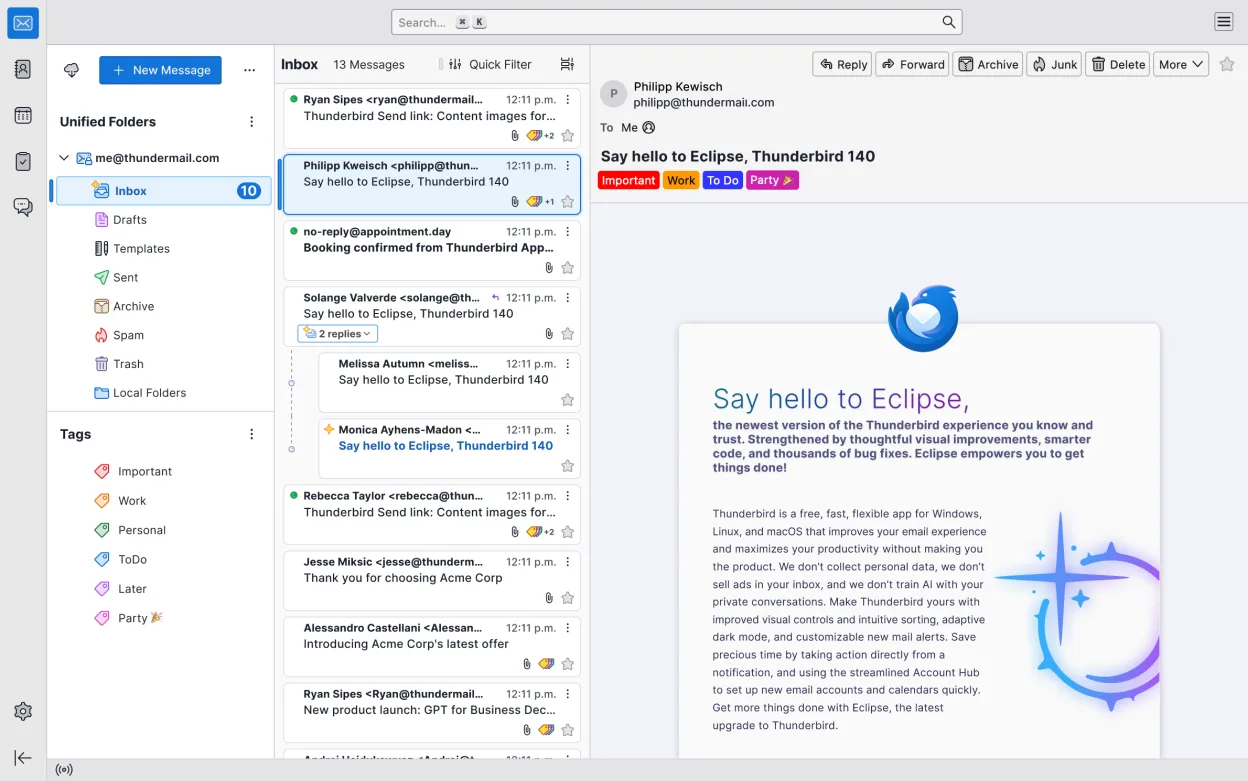
O que funciona igual
- Supports multiple email accounts via IMAP, POP3, and SMTP
- Includes built-in calendar with .ics import/export and scheduling
- Offers message search across folders and accounts
- Allows exporting and backing up mail data and settings
- Provides a straightforward, customizable interface
O que muda
- Thunderbird has a more complex UI with additional panes and tabs
- Includes integrated chat, RSS feeds, and add-ons—features Windows Mail lacks
- Calendar is fully featured with reminders and sharing, not just basic
- No native Exchange support without add-ons or configuration
- Lacks direct import from Windows Mail; requires manual migration
Abrindo seus arquivos do Windows Mail
Thunderbird doesn’t directly import Windows Mail files or mailstores. If you used Windows Mail on Windows 10/11, your data is likely stored in a proprietary format tied to the OS. To migrate, you’ll need to export emails via a mail client that can access that data, or set up accounts in Thunderbird manually and sync over IMAP. Calendar data in .ics format from Windows Mail can be imported directly into Thunderbird’s calendar.
Trocando o Windows Mail pelo Thunderbird, passo a passo
- Export calendar data from Windows Mail as .ics files if possible
- Set up your email accounts in Thunderbird using IMAP for sync
- Import .ics files into Thunderbird’s calendar via the Calendar tab
- Use an intermediate tool like Outlook or MailStore if direct export isn’t available
- Install Thunderbird add-ons like Provider for Google or Exchange if needed
- Back up Thunderbird profile regularly using Filelink or manual copy
Principais recursos do Thunderbird
- Suporta IMAP, POP3, SMTP e Exchange via extensões
- Calendário integrado com agendamento e lembretes
- Cliente de chat e IRC integrado
- Leitor de feeds RSS/Atom
- Filtros avançados de mensagens e marcação
- Criptografia completa com OpenPGP
- Extensível por meio de complementos
- Fluxo de trabalho com foco em atalhos de teclado
Como instalar o Thunderbird no Linux
flatpak install flathub org.mozilla.thunderbirdsudo apt install thunderbirdsudo apt install thunderbirdsudo dnf install thunderbirdsudo pacman -S thunderbird-i18n-frsudo zypper install MozillaThunderbirdPerguntas frequentes
Can Thunderbird replace Windows Mail completely?
Yes, for email and calendar use. It supports the same protocols and adds more features. The interface is more advanced, but it’s manageable once configured.
Does Thunderbird support Google or Microsoft 365 accounts?
Yes, both work well via IMAP/SMTP. Some Microsoft 365 features may require OAuth setup, which Thunderbird supports.
Is Thunderbird safe from data loss?
It stores data locally and allows full backups. Use profile backups or Filelink to avoid losing emails or settings.
Outras 4 alternativas ao Windows Mail
 EvolutionO Evolution é um gerenciador de informações pessoais completo que combina e-mail, calendário, contatos e…Código abertoGrátisFlatpakEvolution vs Windows Mail
 MailspringUm cliente de e‑mail desktop rápido e cheio de recursos para Linux com um motor de sincronização em C++ e…Código abertoGrátisFlatpakMailspring vs Windows Mail
 Claws MailClaws Mail é um cliente de e‑mail leve e rápido baseado em GTK para Linux.Código abertoGrátisFlatpakClaws Mail vs Windows Mail
 GearyO Geary é um cliente de e-mail baseado no GNOME para Linux que permite enviar, receber e organizar e-mails em…Código abertoGrátisFlatpakGeary vs Windows Mail