
 Xournal++Linux
vs
Microsoft Snip & SketchWindows
Xournal++ como alternativa Linux ao Microsoft Snip & Sketch
Atualizado em
Nossa avaliação
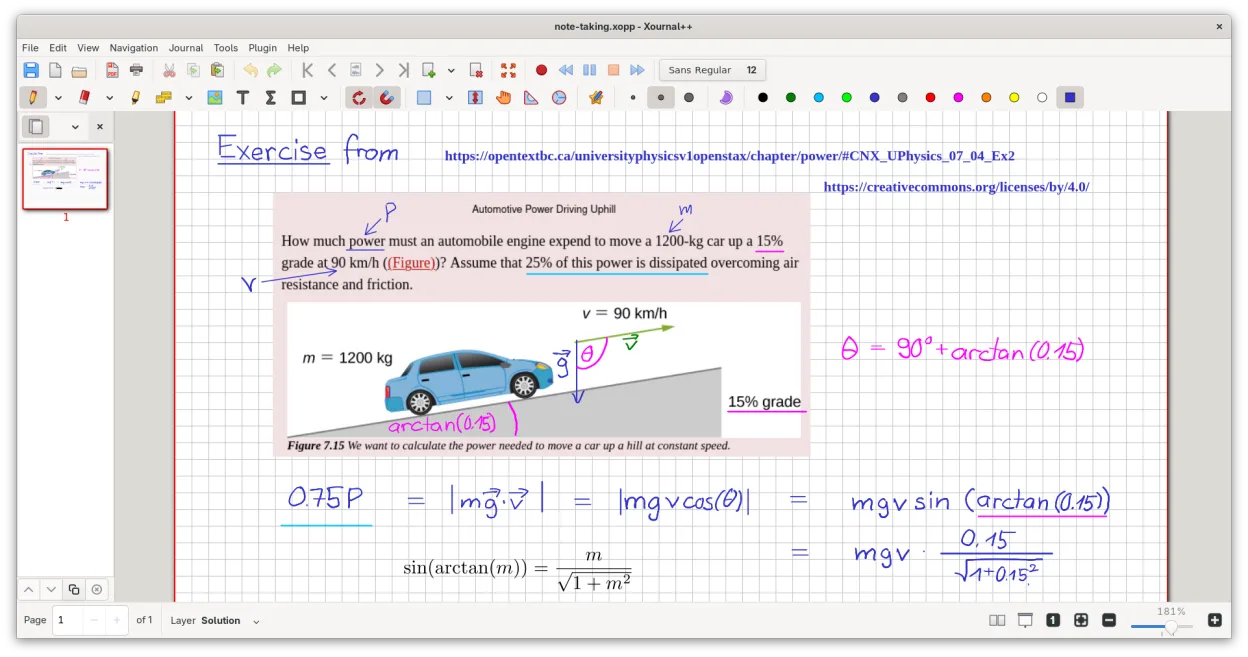
Xournal++ is a solid replacement for Microsoft Snip & Sketch if you prioritize annotation quality and stylus support over quick screenshot capture. It excels at marking up PDFs and freeform note-taking with excellent pen handling, but it doesn’t capture screenshots natively. You’ll need to import images manually or use it alongside a dedicated screenshot tool. For users who annotate documents regularly and use a tablet, it’s powerful. For casual snipping and quick sharing, it’s overkill.
- Licença
- GPL-2.0
- Preço
- Grátis
- Versão mais recente
- 1.3.8 (25 de setembro de 2026)
- Avaliação
- —
O que funciona igual
- Both support pen and highlighter tools for annotations
- Eraser tool available in both applications
- Support PNG export
- Can annotate over existing content (PDFs in Xournal++, screenshots in Snip & Sketch)
- Lightweight interface focused on quick input
O que muda
- Xournal++ does not have built-in screen capture — you must take screenshots separately
- No video recording feature in Xournal++
- Xournal++ lacks quick clipboard sharing workflow
- No native integration with messaging apps or cloud services for fast sharing
Abrindo seus arquivos do Microsoft Snip & Sketch
Xournal++ does not open Microsoft Snip & Sketch files (.imgAsset or clipboard formats) directly, as they are proprietary. However, if Snip & Sketch content is saved or exported as PNG, JPEG, or PDF, Xournal++ can import and annotate those files without issue. There's no automated conversion path for collections of Snips. Users must rely on exported image formats for interoperability.
Trocando o Microsoft Snip & Sketch pelo Xournal++, passo a passo
- Install a screenshot tool like
gnome-screenshot,flameshot, orksnip - Capture and save or copy screenshot
- Open Xournal++ and import the image or paste from clipboard
- Annotate using pen, highlighter, or text tools
- Export as PNG, JPEG, or PDF, or save directly to file system
Principais recursos do Xournal++
- Suporte a caneta sensível à pressão para tablets Wacom, Huion e XP-Pen
- Anotar, destacar e riscar texto em cima de arquivos PDF
- Exportar anotações para PDF, PNG e SVG pela interface ou linha de comando
- Ferramentas de desenho incluindo caneta, marcador, formas e suporte a LaTeX
- Estabilização de entrada para escrita mais suave
- Barra de ferramentas personalizável e mapeamento de ferramentas para botões da caneta
- Barra lateral com pré-visualizações de páginas, marcadores de PDF e gerenciamento de camadas
Como instalar o Xournal++ no Linux
flatpak install flathub com.github.xournalpp.xournalppsudo apt install xournalppsudo apt install xournalppsudo dnf install xournalppsudo pacman -S xournalppsudo zypper install xournalppPerguntas frequentes
Can Xournal++ capture a screenshot directly?
No. Xournal++ cannot capture screens. Use a separate tool like flameshot or gnome-screenshot, then import the image.
Can I use a graphics tablet with Xournal++ on Linux?
Yes. It supports Wacom, Huion, and XP-Pen tablets with full pressure sensitivity and stylus button mapping.
Is there a way to quickly launch Xournal++ for annotations?
Yes. You can assign a custom keyboard shortcut in your desktop environment to launch Xournal++ or open a new note instantly.
Outras 3 alternativas ao Microsoft Snip & Sketch
 FlameshotFlameshot é uma ferramenta leve para captura de tela com recursos integrados de anotação e upload.Código abertoGrátisFlatpakFlameshot vs Microsoft Snip & SketchGNOME ScreenshotGNOME Screenshot é uma ferramenta leve para capturar e salvar imagens da tela em sistemas Linux baseados no…Código abertoGrátisGNOME Screenshot vs Microsoft Snip & Sketch
 ShutterShutter é uma ferramenta de captura de tela poderosa e de código aberto para Linux, com edição integrada…Código abertoGrátisShutter vs Microsoft Snip & Sketch