
Windows · Sound & Video
Best Linux alternatives to CapCut
CapCut is a user‑friendly video editor for quick social‑media clips, available on mobile, desktop and web.
Updated
Quick answer
The best Linux alternative to CapCut is Kdenlive. Other strong options: Shotcut, OpenShot, Blender.
5 Linux alternatives to CapCut
-

Kdenlive is a free, feature‑rich non‑linear video editor built on the MLT framework.
Kdenlive is a solid replacement for CapCut if you're working on desktop Linux and need more advanced editing control. It handles all basic trimming, cutting, and multi-track editing CapCut users expect, plus offers professional features like color correction, keyframing, and motion tracking. While…
Feature parity85% -

Shotcut is a free, open-source video editor for Linux with support for a wide range of formats via FFmpeg.
Shotcut is a solid replacement for CapCut if you need a free, open-source tool for non-linear editing on Linux. It handles trimming, multi-track timelines, and MP4 export well. However, it lacks CapCut’s social-media-first workflow, such as one-click templates, auto-subtitles, and mobile sync. It…
Feature parity75% -

OpenShot is a free, open-source, non-linear video editor for Linux and other platforms, built with Python and MLT.
OpenShot is a solid replacement for CapCut if you need a free, open-source tool for basic video editing on Linux. It handles trimming, layers, transitions, and text overlays well, making it suitable for social media clips. However, it lacks CapCut’s mobile sync and some automated AI features. If…
Feature parity80% -

Blender is a free, open-source 3D suite for modeling, animation, rendering, and video editing.
Blender is a valid but heavy-handed replacement for CapCut. It handles trimming, layering, text, and exports, but it is a full 3D suite, not a quick social-media editor. For users who only need to cut clips and add subtitles, Blender’s learning curve is steep and its interface is cluttered. It…
Feature parity40% -
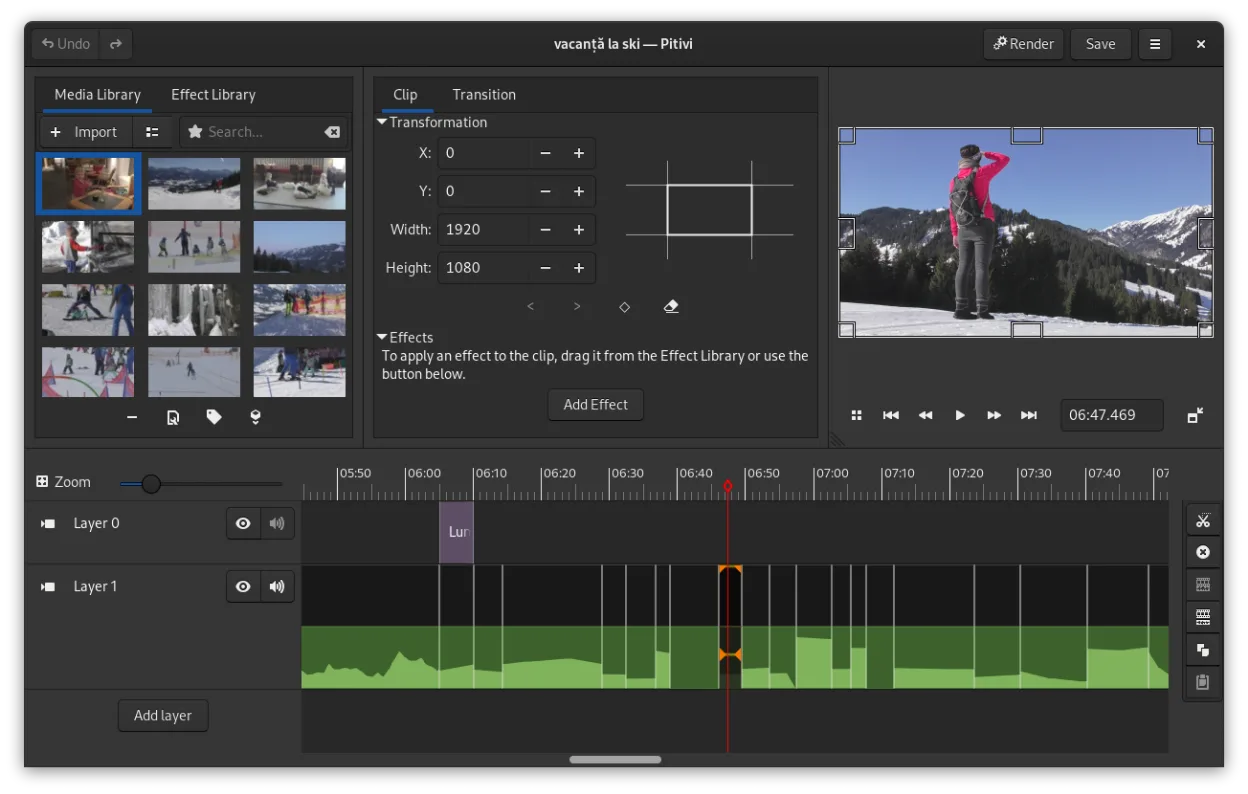
PiTiVi is a free, open-source, non-linear video editor for Linux built on GStreamer with a clean GNOME-integrated interface.
PiTiVi can replace CapCut for users who need basic trimming, layered tracks, transitions, text overlays, and export to MP4/H.264, especially if they prefer a native Linux GNOME app. It is suitable for hobbyists and small‑project creators who are comfortable with a slightly steeper learning curve…
Feature parity65%


What is CapCut?
CapCut is a video‑editing app aimed at creators who need fast cuts, effects and aspect‑ratio presets for platforms like TikTok and Instagram. It is offered as a free mobile app and a paid desktop/web version, with optional in‑app purchases for premium assets. Many users look for a Linux alternative because the official desktop client does not run natively on Linux, and they prefer open‑source tools that respect their workflow and privacy.
What a replacement for CapCut must do
- Basic trimming and cutting
- Layered video and audio tracks
- Built‑in transitions and visual effects
- Text overlays and subtitles
- Export to common social‑media formats (MP4, H.264)
- Support for multiple aspect ratios
- Ease of use for quick edits
Can you run CapCut on Linux?
CapCut does not provide a native Linux build. The web version can be accessed through a browser on Linux, but it may lack some desktop‑only features. Running the Windows desktop client via Wine, Proton or Bottles is possible but not guaranteed; performance varies and some effects may not work correctly.
Which alternative should you choose?
For a straightforward, timeline‑based workflow, Kdenlive or Shotcut are solid choices. OpenShot suits beginners who need a simple interface. Blender offers advanced compositing if you need 3D or complex effects. PiTiVi is lightweight for basic cuts and trims.
Moving your CapCut files and habits
CapCut projects are stored in its own proprietary format, so direct import is not possible. Export finished videos as MP4/H.264, then import those files into the Linux editor of choice. Most Linux tools can also import the raw source clips used in CapCut, preserving your original media.
Side-by-side comparison
CapCut: frequently asked questions
Can I run the CapCut desktop app on Linux?
Only via compatibility layers like Wine or Proton; there is no official Linux version.
Is the web version fully functional on Linux?
It works in a browser, but some desktop‑only features and offline editing may be missing.
Do the Linux alternatives support the same export presets for TikTok?
Kdenlive, Shotcut and OpenShot let you set custom resolution and bitrate, matching TikTok requirements.
Are there any costs associated with the Linux replacements?
All listed alternatives are free and open source; no mandatory fees.
How important is CapCut to you?
Know a better alternative? Suggest an alternative