
Windows · Sound & Video
Best Linux alternatives to Corel VideoStudio
Corel VideoStudio is a Windows-only video editor for basic to intermediate tasks, replaced on Linux by Kdenlive, Shotcut, and others.
Updated
Quick answer
The best Linux alternative to Corel VideoStudio is Kdenlive. Other strong options: Shotcut, OpenShot, Blender.
5 Linux alternatives to Corel VideoStudio
-

Kdenlive is a free, feature‑rich non‑linear video editor built on the MLT framework.
Kdenlive is a strong replacement for Corel VideoStudio, especially for users who need a free, open-source tool without subscription fees. It covers the core needs of timeline editing, codec support, and standard exports. While VideoStudio targets casual users with a simpler interface, Kdenlive…
Feature parity85% -

Shotcut is a free, open-source video editor for Linux with support for a wide range of formats via FFmpeg.
Shotcut can replace Corel VideoStudio for users who need a free, open‑source, cross‑platform editor that covers most everyday tasks: multi‑track editing, basic effects, and exporting to MP4. It is ideal for hobbyists and small‑business creators who don’t need the advanced features of VideoStudio’s…
Feature parity75% -

OpenShot is a free, open-source, non-linear video editor for Linux and other platforms, built with Python and MLT.
OpenShot is a solid replacement for Corel VideoStudio if you prioritize cost and open-source ethics over specific proprietary workflows. It handles the core tasks: timeline editing, H.264/H.265 support, audio mixing, and standard exports. The interface is arguably simpler than VideoStudio, which…
Feature parity85% -

Blender is a free, open-source 3D suite for modeling, animation, rendering, and video editing.
Blender can replace Corel VideoStudio for users who need a free, cross‑platform editor and are willing to learn a steeper interface. It covers basic timeline editing, codec support, audio mixing, title and transition effects, and MP4 export. It is best suited for hobbyists, students, or…
Feature parity70% -
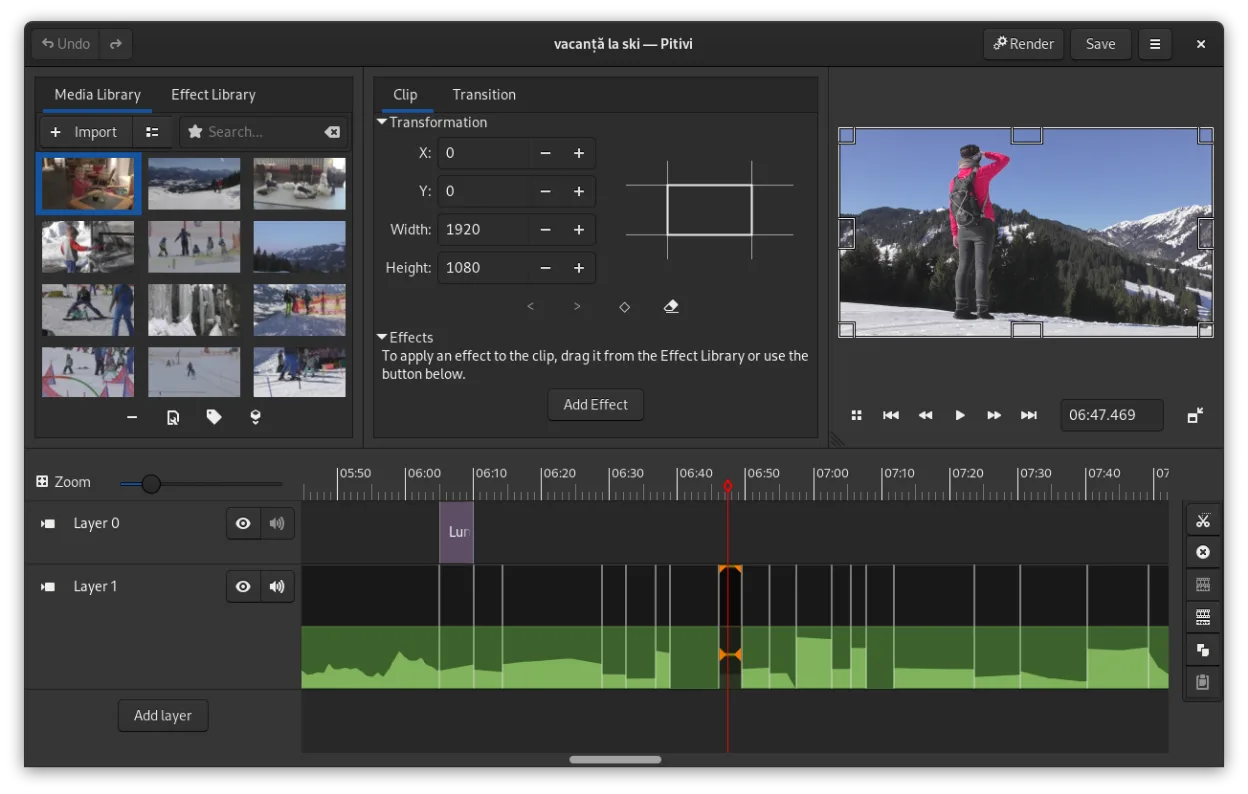
PiTiVi is a free, open-source, non-linear video editor for Linux built on GStreamer with a clean GNOME-integrated interface.
PiTiVi is a solid, native Linux replacement for Corel VideoStudio, particularly for users who prioritize a clean, non-modal workflow over advanced effects. It handles standard timeline editing, codec support via GStreamer, and basic audio mixing well. However, it lacks the extensive library of…
Feature parity75%


What is Corel VideoStudio?
Corel VideoStudio is a desktop video editing suite designed for hobbyists and casual creators. It handles standard editing tasks like trimming, adding transitions, and exporting clips for social media or personal archives. The interface is structured to be approachable for users who do not need professional-grade color grading or complex compositing.
The software operates on a commercial licensing model. Corel sells perpetual licenses for the standard and pro versions, often including a period of free updates. It is not open-source, meaning the code is closed and the software is proprietary. Users must purchase a license to use the full feature set legally.
People seek Linux alternatives primarily to avoid Windows licensing costs or because they use Linux as their primary operating system. Corel VideoStudio does not run natively on Linux, forcing users to rely on virtual machines or dual-booting. Native Linux editors provide a smoother workflow without the overhead of compatibility layers.
What a replacement for Corel VideoStudio must do
- Timeline-based video editing
- Support for common codecs (H.264, H.265)
- Basic audio mixing and syncing
- Export to MP4 and other standard formats
- Title and transition effects
- Stable performance on consumer hardware
Can you run Corel VideoStudio on Linux?
Corel VideoStudio has no native Linux version. It is a Windows-only application. Running it via Wine or Proton is possible but often unstable for complex video editing tasks due to hardware acceleration issues. Most users find that relying on compatibility layers introduces glitches or crashes that make professional or even casual editing frustrating. It is generally recommended to use a native Linux application instead.
Which alternative should you choose?
Kdenlive is the strongest choice for most users, offering a professional-grade timeline with multi-track editing and extensive codec support. Shotcut is a good alternative if you prefer a simpler, node-based interface or need a lightweight tool. OpenShot is best for absolute beginners who want a very simple drag-and-drop experience. Blender is overkill for standard editing but useful if you need to create 3D animations or visual effects within the same project. PiTiVi is another option for basic cuts, though it is less feature-rich than Kdenlive.
Moving your Corel VideoStudio files and habits
You cannot directly import Corel VideoStudio project files into Linux editors. The proprietary project format is not compatible. To migrate, you must export your final video and audio tracks from Corel VideoStudio as separate files (e.g., ProRes or DNxHD for video, WAV for audio) and then import those media assets into your new Linux editor. Rebuilding the timeline structure, effects, and transitions will require manual work.
Side-by-side comparison
Corel VideoStudio: frequently asked questions
Can I use Corel VideoStudio on Linux via Wine?
Technically yes, but it is not recommended. Video editing is resource-intensive, and Wine often fails to handle GPU acceleration correctly, leading to slow previews or crashes. Native Linux editors are more stable.
Which Linux editor is closest to Corel VideoStudio?
Kdenlive is the closest match in terms of features and interface complexity. It offers a similar timeline-based workflow and supports a wide range of effects and transitions.
Do these Linux editors support 4K video?
Yes, Kdenlive, Shotcut, and Blender all support 4K editing. Performance depends on your hardware, but they are capable of handling high-resolution footage.
Is there a free version of Corel VideoStudio?
Corel occasionally offers trial versions, but the full software is paid. The Linux alternatives listed are all free and open-source, with no license fees.
How important is Corel VideoStudio to you?
Know a better alternative? Suggest an alternative