
 digiKamLinux
vs
Adobe Lightroom MobileWindows
digiKamLinux
vs
Adobe Lightroom MobileWindows
digiKam als Linux-Alternative zu Adobe Lightroom Mobile
Aktualisiert am
Unser Fazit
digiKam is a solid replacement for Adobe Lightroom Mobile if you are moving to a desktop Linux environment. It handles non-destructive editing, RAW decoding via LibRaw, and complex tagging effectively. However, it is a desktop application, not a mobile app, so it lacks the on-the-go convenience of Lightroom Mobile. For desktop photographers who need robust organization and batch processing without subscription fees, digiKam covers most core needs. It is less suited for users who strictly require mobile-first workflows or cloud-synced libraries across devices, as its primary strength lies in local, comprehensive library management.
- Lizenz
- GPL-2.0+
- Preis
- Kostenlos
- Aktuelle Version
- 9.1.0 (7. Juni 2026)
- Bewertung
- —
Was gleich funktioniert
- Non-destructive editing workflow for RAW and JPEG files
- Support for RAW file formats using LibRaw
- Photo organization through albums, tags, and ratings
- Color correction and exposure adjustment tools
- Batch processing capabilities for metadata and exports
Was anders ist
- digiKam is a desktop application, whereas Lightroom Mobile is designed for smartphones and tablets
- Lightroom Mobile offers cloud synchronization across devices, which digiKam lacks natively
- Lightroom Mobile has a more streamlined, touch-optimized interface for quick edits
- digiKam provides deeper local file system integration and complex metadata searching
Ihre Adobe Lightroom Mobile-Dateien öffnen
digiKam can open standard RAW files (CR2, NEF, ARW, etc.) and JPEGs directly. It does not natively open Adobe Lightroom Mobile catalog files (.lrcat) or proprietary project files. However, since Lightroom Mobile typically works with standard image files and XMP sidecars, you can import the original images into digiKam. Metadata stored in XMP sidecars or embedded in files will generally be preserved and readable by digiKam, but specific Lightroom mobile adjustments might not translate perfectly if they rely on proprietary processing pipelines.
Von Adobe Lightroom Mobile zu digiKam wechseln – Schritt für Schritt
- Copy your photo library from your mobile device or cloud storage to your Linux machine
- Launch digiKam and create a new catalog or add existing folders to the database
- Import images into digiKam, ensuring XMP sidecar files are included if present
- Review and re-apply any non-destructive edits if they were not saved as XMP metadata
- Set up import rules for future transfers from cameras or SD cards
Wichtige Funktionen von digiKam
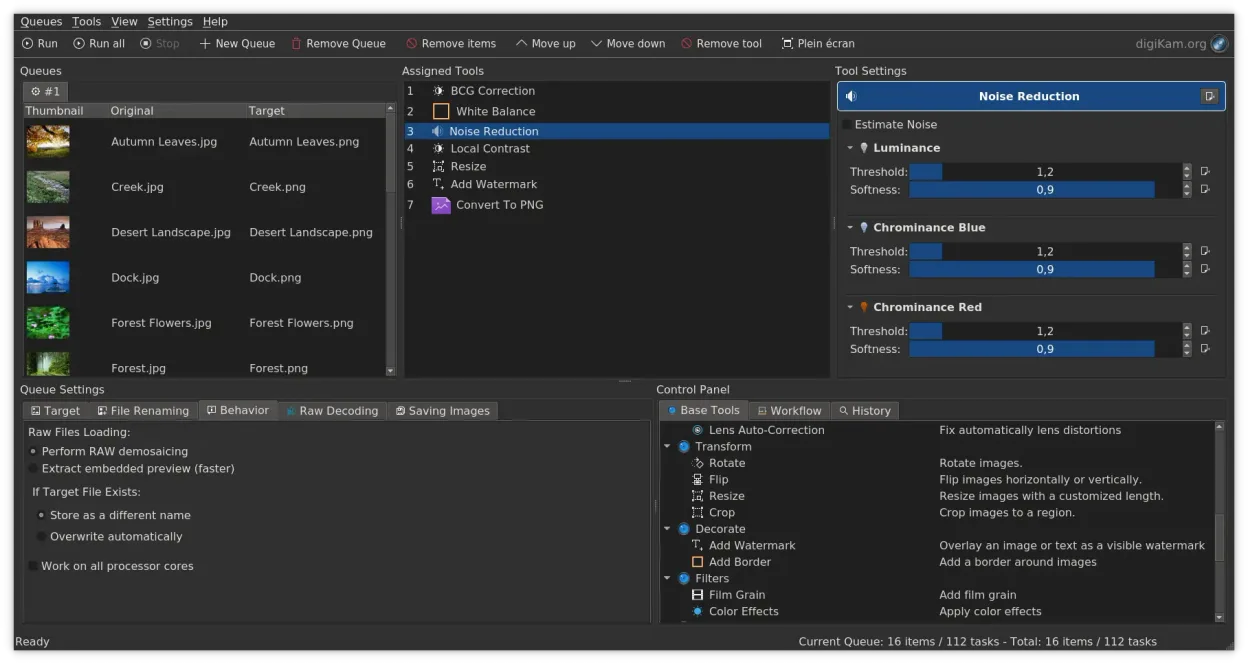
- Direkter Import von Kameras, SD-Karten und USB-Laufwerken mit konfigurierbaren Regeln
- Fortgeschrittenes Tagging, Bewertung und Label-System für komplexe Bibliotheksorganisation
- Leistungsstarker Such-Engine, die EXIF, IPTC und XMP-Metadatakriterien unterstützt
- Nicht-destruktive Bearbeitung mit Farbkorrekturen, Zuschneiden und Schärfen
- Native RAW-Unterstützung über LibRaw zum Dekodieren und Voransicht
- Videokatalogisierung und Metadatenerfassung mit FFmpeg-Backends
- Albumorganisation mit Drag-and-Drop-Oberfläche
- Plattformübergreifende Verfügbarkeit für Linux, Windows und macOS
digiKam unter Linux installieren
flatpak install flathub org.kde.digikamsudo apt install digikamsudo apt install digikamsudo dnf install digikamsudo pacman -S digikamsudo zypper install digikamHäufige Fragen
Can digiKam sync photos to the cloud like Lightroom Mobile?
No, digiKam does not have built-in cloud synchronization. You would need to use separate tools like Syncthing or manual uploads to sync files between devices.
Does digiKam support the same RAW formats as Lightroom?
Yes, digiKam uses LibRaw for RAW decoding, which supports a wide range of camera formats. Support is actively maintained, though very new camera models may take time to be fully supported.
Is digiKam free to use?
Yes, digiKam is open-source software licensed under GPL-2.0+. It is free to download and use without subscription fees.
4 weitere Alternativen zu Adobe Lightroom Mobile
 darktabledarktable ist ein kostenloser, quelloffener Bildbearbeitungsprogrammier, der Rohdateien verwaltet und einen…Open SourceKostenlosFlatpakdarktable vs. Adobe Lightroom Mobile
 RawTherapeeRawTherapee ist ein quelloffenes, plattformübergreifendes Programm zur Entwicklung von Raw-Fotos.Open SourceKostenlosFlatpakRawTherapee vs. Adobe Lightroom Mobile
 GIMPGIMP ist ein kostenloser, quelloffener Rastergrafik‑Editor für Fotobearbeitung, digitale Malerei und…Open SourceKostenlosFlatpakGIMP vs. Adobe Lightroom Mobile
 ShotwellShotwell ist ein GNOME-Fotoverwaltungstool zum Importieren, Organisieren und leichten Bearbeiten von Bildern.Open SourceKostenlosFlatpakShotwell vs. Adobe Lightroom Mobile