
 FreeCADLinux
vs
Adobe DimensionWindows
FreeCAD als Linux-Alternative zu Adobe Dimension
Aktualisiert am
Unser Fazit
FreeCAD is not a good replacement for Adobe Dimension for designers focused on photorealistic rendering and 3D-2D compositing. It excels in parametric CAD, engineering, and technical design but lacks real-time rendering, intuitive material/lighting tools, and image-based scene integration. If your work involves precise mechanical or architectural modeling with production drawings, FreeCAD is strong. For artistic 3D design, product visualization, or compositing 3D models into photos, it won’t meet expectations. Users needing design precision over visual polish may adapt, but most Adobe Dimension users will find it unsuitable.
- Lizenz
- LGPL-2.1
- Preis
- Kostenlos
- Aktuelle Version
- 1.1.4 (28. September 2026)
- Bewertung
- —
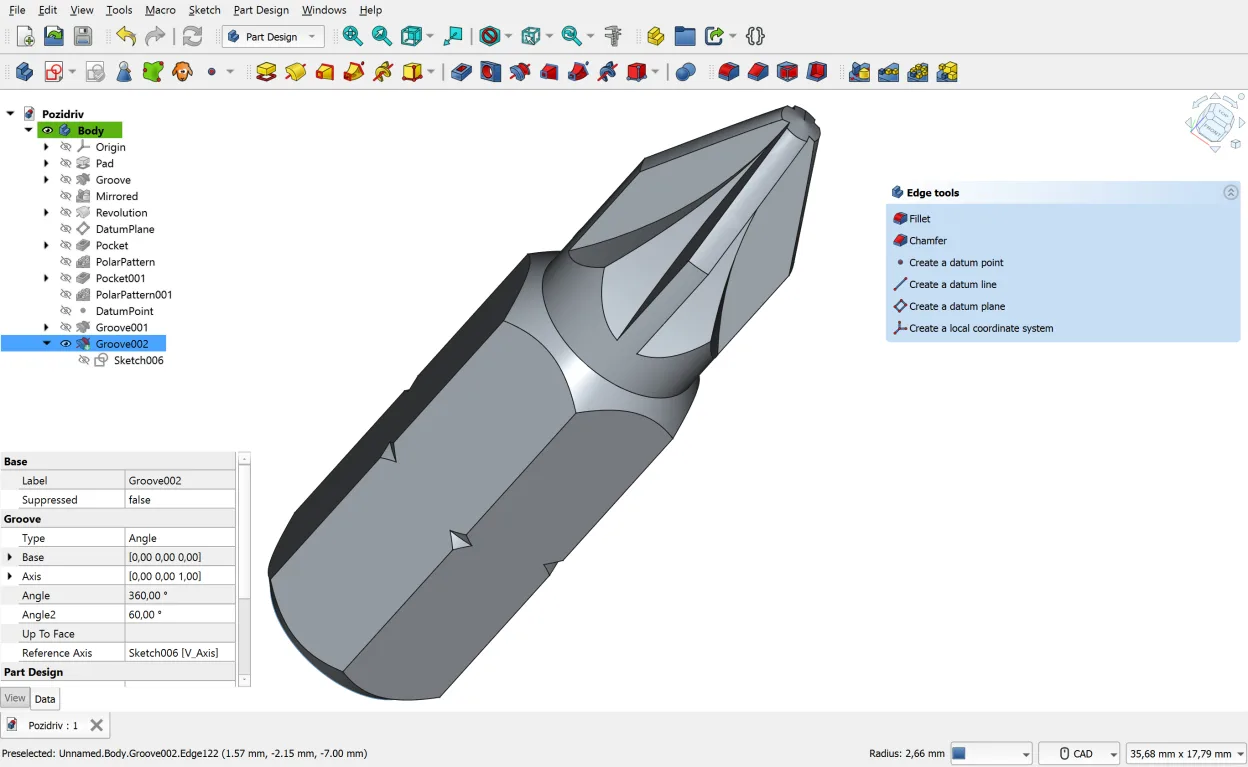
Was gleich funktioniert
- Both support 3D modeling and scene composition
- Can import and export common 3D formats like OBJ and STL
- Allow camera and perspective control in 3D space
- Support texture and material assignment to models
- Enable 2D sketching as part of the design process
Was anders ist
- FreeCAD focuses on parametric, constraint-based modeling; Adobe Dimension is freeform and visual
- Adobe Dimension offers real-time photorealistic rendering; FreeCAD does not
- Dimension integrates 3D models with 2D images seamlessly; FreeCAD lacks this feature
- FreeCAD has no built-in tools for image-based lighting or environment maps
- Dimension has an intuitive, designer-friendly UI; FreeCAD’s interface is technical and CAD-oriented
Ihre Adobe Dimension-Dateien öffnen
FreeCAD does not support Adobe Dimension's native file formats, and there is no known direct import or export path between the two. While FreeCAD can handle formats like OBJ, STL, and FBX (via add-ons), these are limited to geometry and basic materials. Textures, lighting setups, camera settings, and 3D-2D composite data from Dimension projects will not transfer. Users must recreate scenes manually. If Dimension files are exported to neutral formats like OBJ or glTF, FreeCAD may import the mesh data, but scene context is lost.
Von Adobe Dimension zu FreeCAD wechseln – Schritt für Schritt
- Export 3D models from Adobe Dimension to OBJ or FBX if possible
- Import geometry into FreeCAD using the Mesh or Import workbench
- Rebuild models parametrically using sketches and constraints
- Use the TechDraw workbench for technical documentation
- Install rendering add-ons like Raytracing or use external tools for basic visuals
Wichtige Funktionen von FreeCAD
- Parametrisches Modellieren mit Historienbaum
- Unterstützung für STEP, IGES, STL, DXF, OBJ, IFC, SVG
- Integrierter 2D‑Sketcher mit Einschränkungen
- Python‑Scripting für Automatisierung
- Arbeitsbänke für FEA, BIM, CAM, Robotersimulation
- Add‑Ons und Makros aus der Community
- Cross‑Platform‑Installation über Flatpak, AUR, Debian, OpenSUSE
FreeCAD unter Linux installieren
flatpak install flathub org.freecad.FreeCADsudo apt install freecadsudo pacman -S freecadsudo zypper install FreeCADHäufige Fragen
Can FreeCAD render photorealistic images like Adobe Dimension?
No, FreeCAD does not have built-in photorealistic rendering. It can export to formats usable in external renderers, or use basic raytracing tools, but it doesn’t match Dimension’s real-time, high-quality output.
Can I composite 3D models over photos in FreeCAD?
No, FreeCAD lacks image-based compositing. It’s not designed to overlay 3D models on 2D images with matching lighting and perspective like Adobe Dimension.
Is FreeCAD suitable for product design visualization?
Only for technical or mechanical design. For marketing visuals or artistic presentation, FreeCAD falls short due to limited materials, lighting, and rendering capabilities.
2 weitere Alternativen zu Adobe Dimension
 BlenderBlender ist eine kostenlose, quelloffene 3D-Suite für Modellierung, Animation, Rendering und Videobearbeitung.Open SourceKostenlosFlatpakBlender vs. Adobe Dimension
 MeshLabKostenloses, quelloffenes Tool zum Verarbeiten, Reinigen und Bearbeiten von 3D‑dreieckigen Netzen, ideal für…Open SourceKostenlosFlatpakMeshLab vs. Adobe Dimension