
 MyPaintLinux
vs
PaintWindows
MyPaintLinux
vs
PaintWindows
MyPaint als Linux-Alternative zu Paint
Aktualisiert am
Unser Fazit
MyPaint is a good replacement for Paint if you're moving beyond basic edits into drawing or digital art, especially with a tablet. It excels for artists who want expressive brushes and a clean workspace. However, for users who only need to crop, resize, or annotate simple images, MyPaint is overkill. Its interface hides tools by default, which can confuse beginners. If your goal is casual sketching or painting with rich brush dynamics, it's a strong step up. For quick edits, stick with simpler tools.
- Lizenz
- GPL-2.0+
- Preis
- Kostenlos
- Aktuelle Version
- 2.0.1 (29. Mai 2020)
- Bewertung
- —
Was gleich funktioniert
- Both are raster graphics editors
- Support freehand drawing with a mouse or stylus
- Allow creating and saving image files
- Offer basic layer support
- Export to PNG and JPEG
Was anders ist
- MyPaint focuses on brush customization; Paint offers only basic tools
- MyPaint assumes tablet use; Paint is designed for mouse
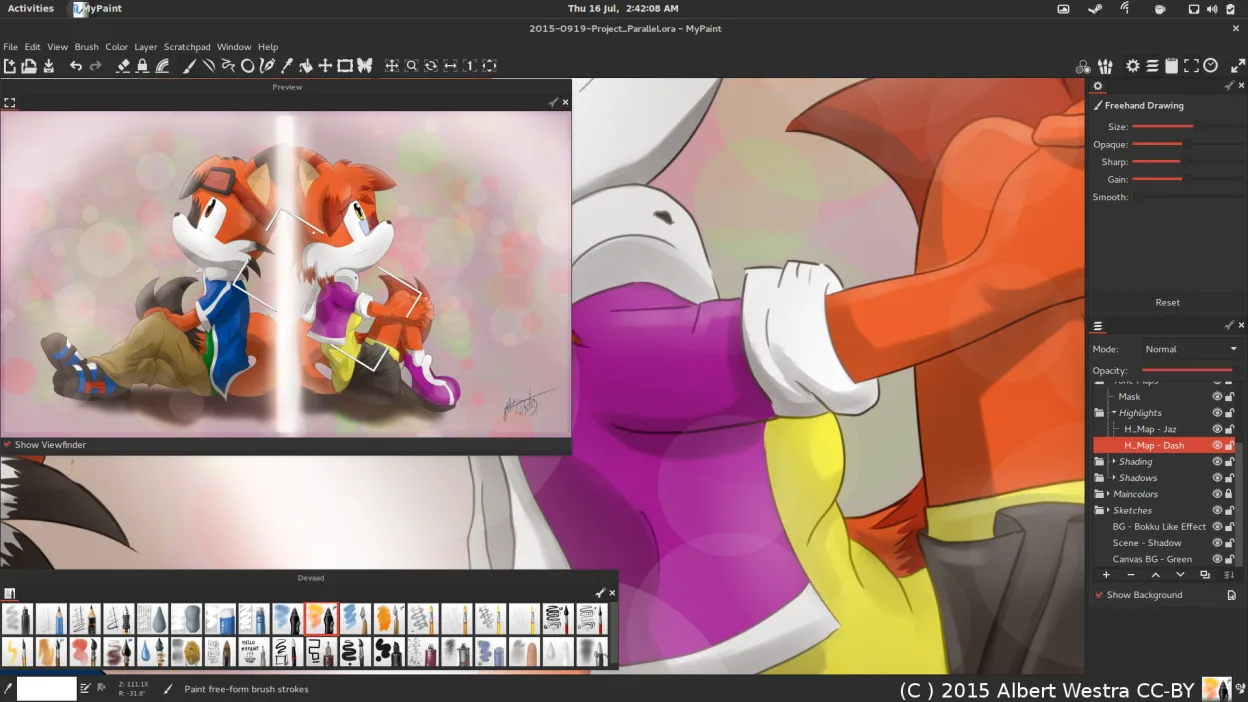
- MyPaint has a minimal, canvas-first UI; Paint shows all tools upfront
- MyPaint supports pressure sensitivity; Paint does not
- Paint allows simple text and shapes; MyPaint lacks built-in text tools
Ihre Paint-Dateien öffnen
MyPaint can open and export PNG and JPEG files, which are common formats used by Paint, so basic image exchange works. It also supports OpenRaster (.ora), which Paint cannot read. BMP files, often associated with Paint, are not explicitly listed as supported in MyPaint—conversion may be needed. If you're sharing simple drawings or screenshots saved as PNG, compatibility is solid. For BMP or complex Paint files with text or shapes, expect manual rework.
Von Paint zu MyPaint wechseln – Schritt für Schritt
- Install MyPaint via your distro’s package manager or Flatpak
- Connect and calibrate your graphics tablet if using one
- Open a new canvas and explore the default brushes
- Use Ctrl+Z and Shift+Ctrl+Z for unlimited undo/redo
- Export your work as PNG or JPEG for sharing
Wichtige Funktionen von MyPaint
- Pinsel-Engine mit hunderten konfigurierbaren Parametern
- Unterstützung für Drucksensorik und Neigung auf Grafiktabletts
- Einfache, ablenkungsfreie Oberfläche nur mit Leinwand
- Ebenenunterstützung mit grundlegenden Mischmodi
- Export in PNG, JPEG, OpenRaster und andere gängige Formate
- Erweiterbar über Python-Plugins
- Vorinstallierte Pinselpakete von professionellen Künstlern
- Rückgängig/Wiederherstellen-Verlauf mit unbegrenzten Schritten
MyPaint unter Linux installieren
flatpak install flathub org.mypaint.MyPaintsudo apt install mypaintsudo apt install mypaintsudo dnf install mypaintsudo pacman -S mypaintsudo zypper install mypaintHäufige Fragen
Can I use MyPaint with a mouse instead of a tablet?
Yes, but it's designed for pressure-sensitive tablets. With a mouse, you lose brush dynamics like pressure control, limiting its strengths.
Does MyPaint have a text tool?
No, MyPaint does not include a text tool. You’ll need to add text in another program or use an external editor.
Is MyPaint suitable for editing screenshots?
Not ideal. It lacks cropping, arrow tools, and text—basic screenshot-editing features. Use GIMP or Pinta instead.
4 weitere Alternativen zu Paint
 PintaPinta ist ein kostenloser, quelloffener Bitmap‑Editor, der Paint.NET mit einer einfachen Oberfläche und…Open SourceKostenlosFlatpakPinta vs. Paint
 GIMPGIMP ist ein kostenloser, quelloffener Rastergrafik‑Editor für Fotobearbeitung, digitale Malerei und…Open SourceKostenlosFlatpakGIMP vs. Paint
 KolourPaintKolourPaint ist ein schlanker KDE-Rastergrafik-Editor für schnelles Zeichnen und einfache Bildkorrekturen.Open SourceKostenlosFlatpakKolourPaint vs. Paint
 DrawpileDrawpile ist eine Anwendung für kollaboratives Zeichnen, die mehreren Benutzern gleichzeitig ermöglicht, in…Open SourceKostenlosFlatpakDrawpile vs. Paint