
 Standard NotesLinux
vs
Notion Desktop AppWindows
Standard Notes als Linux-Alternative zu Notion Desktop App
Aktualisiert am
Unser Fazit
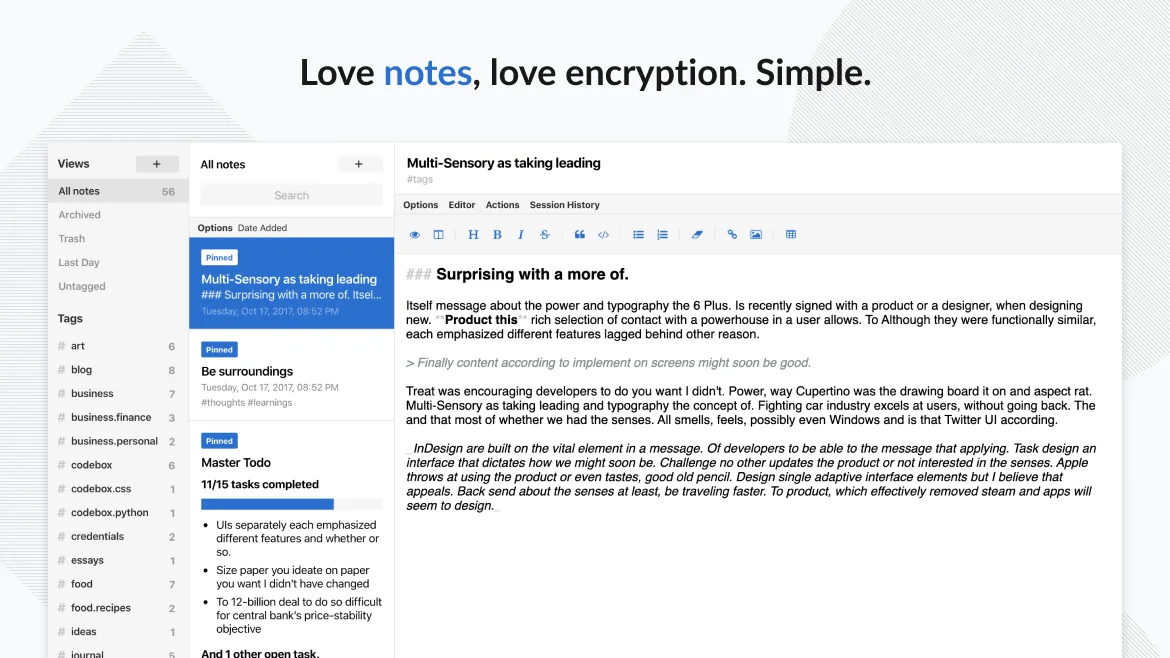
Standard Notes is a good replacement for Notion Desktop App if your priority is secure, private note-taking and basic task tracking across devices. It handles rich text, tagging, and offline access well, but lacks Notion’s database features, relations, and project management tools. It suits individuals who value encryption and simplicity over advanced organization or team collaboration. If you rely heavily on tables, linked databases, or real-time team editing, Standard Notes won’t meet those needs. However, for personal use with a focus on privacy and cross-platform sync, it’s a solid, reliable option.
- Lizenz
- AGPL-3.0-only
- Preis
- Kostenlos
- Aktuelle Version
- 3.203.0 (2. November 2026)
- Bewertung
- —
Was gleich funktioniert
- Both support rich text formatting and Markdown in notes
- Offer offline access and sync across multiple devices
- Allow tagging and organizing notes for quick retrieval
- Support task lists and basic to-do management
- Available on Linux, Windows, macOS, mobile, and web
Was anders ist
- Standard Notes lacks database views, relations, and table-based organization
- No real-time collaboration or shared workspaces
- No web clipper in the free tier; requires paid extension
- No built-in import from Notion or direct file compatibility
- No page embedding, templates, or advanced layout blocks
Ihre Notion Desktop App-Dateien öffnen
Standard Notes does not directly open or import Notion files (.ndoc or web exports). You can manually copy content from Notion by exporting pages as Markdown or plain text and pasting them into Standard Notes. HTML or PDF exports from Notion can also be referenced alongside, but formatting like embedded databases or toggle lists won’t carry over. There is no automated migration tool provided by Standard Notes for Notion imports.
Von Notion Desktop App zu Standard Notes wechseln – Schritt für Schritt
- Export your Notion pages as Markdown or plain text
- Organize exported files into folders by topic or workspace
- Install Standard Notes on Linux via Flathub or official site
- Import text files manually as new notes, applying tags for organization
- Use the desktop app to pin frequently accessed notes
Wichtige Funktionen von Standard Notes
- Ende-zu-Ende-verschlüsselte Synchronisierung auf allen Geräten
- Unbegrenzte Anzahl an Notizen und Geräten
- Offline-Zugriff
- Tagging und Anheften
- Passcode- und Fingerabdruck-Sperre
- Open-Source-Code
- Kostenloses Basispaket mit optionalen kostenpflichtigen Erweiterungen
Standard Notes unter Linux installieren
flatpak install flathub org.standardnotes.standardnotesHäufige Fragen
Can I use Standard Notes for team projects like in Notion?
No, Standard Notes does not support shared workspaces or real-time collaboration. It’s designed for individual use with a focus on privacy and encryption.
Does Standard Notes support Markdown and code blocks?
Yes, Standard Notes supports Markdown formatting and includes a code editor extension for syntax highlighting in code blocks.
Is there a web clipper for saving articles?
Yes, but the web clipper is part of the paid 'Enhanced' plan and not available in the free tier.
3 weitere Alternativen zu Notion Desktop App
 JoplinJoplin ist eine quelloffene, plattformübergreifende Notiz- und To-do-App, die Daten in Markdown speichert.Open SourceKostenlosFlatpakJoplin vs. Notion Desktop App
 LogseqLogseq ist ein lokal ausgerichtetes, nichtlineares Wissensbasis-Tool, das Notizen als reine Markdown- oder…Open SourceKostenlosFlatpakLogseq vs. Notion Desktop App
 ObsidianObsidian ist eine auf Markdown basierende Wissensdatenbank-App, die Notizen als reine Textdateien in einem…FlatpakObsidian vs. Notion Desktop App