
 ZulipLinux
vs
Microsoft Teams (preview)Windows
Zulip als Linux-Alternative zu Microsoft Teams (preview)
Aktualisiert am
Unser Fazit
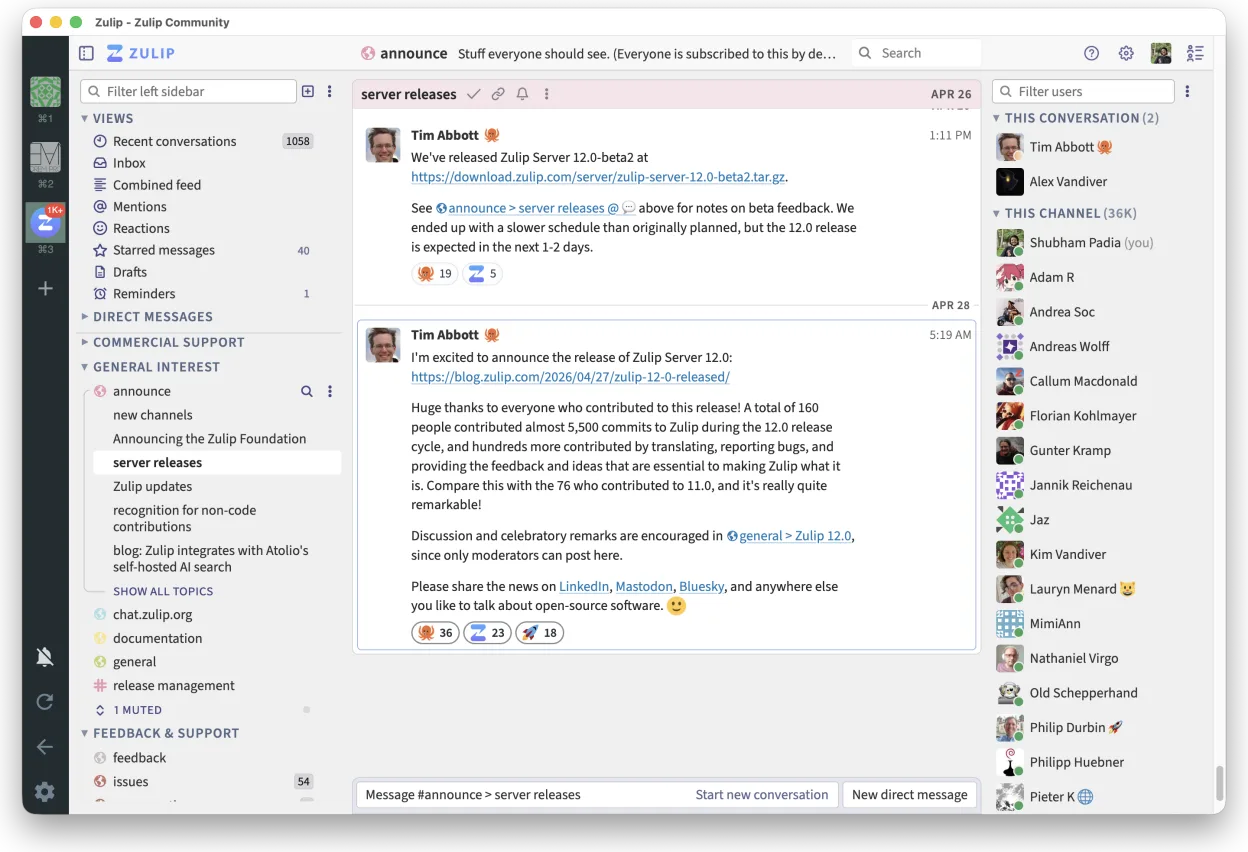
Zulip can serve as a practical alternative for teams that need threaded chat, strong search, and a native Linux client. It lacks built‑in video conferencing, deep Office 365 integration, and the polished meeting experience of Teams. For developers, open‑source projects, or organizations that prefer self‑hosting and can handle separate video tools, Zulip is a solid fit.
- Lizenz
- Apache-2.0
- Preis
- Kostenlos
- Aktuelle Version
- 5.14.2 (30. Oktober 2026)
- Bewertung
- —
Was gleich funktioniert
- Native Linux desktop client
- Channel‑based team chat
- Cross‑platform availability
- Threaded conversation structure
- Robust search across history
Was anders ist
- No native video/audio conferencing
- No native file‑sharing integration with Office 365
- Missing meeting scheduling and calendar sync
- No built‑in bots from Microsoft ecosystem
- Limited direct integration with other Microsoft productivity tools
Ihre Microsoft Teams (preview)-Dateien öffnen
Zulip does not natively open or export Microsoft Teams (preview) files. Teams uses proprietary formats for chat logs and files; to migrate, you would need to export Teams data (e.g., via Graph API or manual copy) and then import or re‑post into Zulip. The process is manual and not automated.
Von Microsoft Teams (preview) zu Zulip wechseln – Schritt für Schritt
- Export Teams chat history via Graph API or manual copy.
- Export shared files from Teams to a shared storage location.
- Set up a Zulip organization and create matching streams (channels).
- Re‑post exported chat messages into the appropriate Zulip streams, preserving thread context where possible.
- Upload shared files to Zulip and add links in the relevant messages.
- Notify team members of the new Zulip address and provide basic training on threaded conversation usage.
Wichtige Funktionen von Zulip
- Diskussionsbasierte Gespräche für strukturierte Diskussionen
- Open Source und für das Selbst-Hosting geeignet
- Erhältlich als nativer Linux-Desktop-Client
- Unterstützt große Gruppen und hohes Nachrichtenaufkommen
- Plattformübergreifende Kompatibilität
- Leistungsstarke Suchfunktion im gesamten Nachrichtenverlauf
Zulip unter Linux installieren
flatpak install flathub org.zulip.ZulipHäufige Fragen
Does Zulip support video calls?
No, Zulip does not include native video conferencing. You would need to integrate a separate tool like Zoom, Jitsi, or Microsoft Teams itself for video meetings.
Can I self‑host Zulip?
Yes, Zulip is open source and can be self‑hosted on your own servers, giving you full control over data and integrations.
Is there a way to integrate Zulip with Microsoft Office 365?
There is no official deep integration. You can use generic webhooks or third‑party connectors, but native Office 365 features like calendar sync or file co‑editing are not available.
5 weitere Alternativen zu Microsoft Teams (preview)
 SlackSlack ist eine proprietäre Team-Kommunikations-App für Linux, die Gespräche, Tools und Arbeitsabläufe für die…FlatpakSlack vs. Microsoft Teams (preview)
 MattermostMattermost ist eine Open-Source, selbst gehostete Kollaborationsplattform für Entwicklerteams, die eine…Open SourceKostenlosFlatpakMattermost vs. Microsoft Teams (preview)
 Rocket.ChatOpen-Source-Plattform für Teamkommunikation mit Chat, Video und Kollaboration, häufig als Alternative zu…Open SourceKostenlosFlatpakRocket.Chat vs. Microsoft Teams (preview)
 ElementElement ist ein Open‑Source, matrixbasierter Chat- und Videokonferenz-Client für Linux.Open SourceKostenlosFlatpakElement vs. Microsoft Teams (preview)
 Jitsi MeetJitsi Meet is an open‑source video‑conferencing app that runs in the browser and as a native Linux client.Open SourceKostenlosFlatpakJitsi Meet vs. Microsoft Teams (preview)