
 digiKamLinux
vs
Lightroom MobileWindows
digiKam como alternativa Linux a Lightroom Mobile
Actualizado el
Nuestra opinión
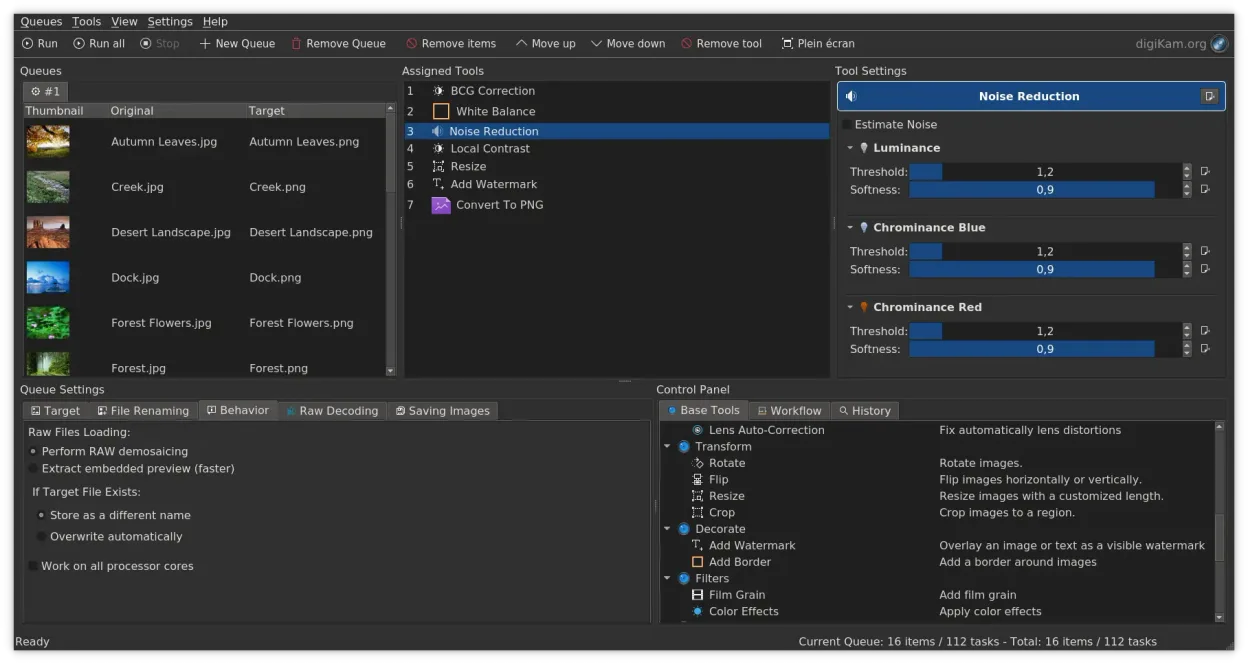
digiKam can replace Lightroom Mobile for users who need a desktop‑centric workflow and prefer local storage over cloud syncing. It handles RAW import, non‑destructive editing, tagging, and batch export, but it lacks built‑in cloud sync and the mobile‑friendly UI of Lightroom Mobile. It is best suited for photographers who already use a Linux desktop and want a powerful cataloging tool.
- Licencia
- GPL-2.0+
- Precio
- Gratis
- Última versión
- 9.1.0 (7 de junio de 2026)
- Valoración
- —
Lo que funciona igual
- Both support RAW import and non‑destructive editing
- Both allow metadata tagging and rating
- Both offer batch export of edited images
- Both provide a catalog of photos organized in albums
Lo que cambia
- digiKam is a desktop application, Lightroom Mobile is mobile‑first
- digiKam has no native cloud sync, Lightroom Mobile syncs via Adobe Cloud
- digiKam’s UI is KDE‑centric, Lightroom Mobile has a touch‑optimized interface
- digiKam does not include Lightroom Mobile’s preset library out of the box
- digiKam lacks the same level of cross‑platform mobile sync
Abrir tus archivos de Lightroom Mobile
digiKam can open RAW files that Lightroom Mobile edits, but it cannot read Lightroom Mobile’s proprietary .lrproj or .xmp preset files directly. Exporting from digiKam to common formats (JPEG, TIFF) works, but migrating edits back to Lightroom Mobile would require re‑applying adjustments manually.
Pasar de Lightroom Mobile a digiKam, paso a paso
- 1. Export edited images from Lightroom Mobile as JPEG or TIFF.
- 2. Import those files into digiKam via the import wizard.
- 3. Reapply any missing metadata tags or ratings in digiKam.
- 4. Use digiKam’s preset or batch export to create a new library if needed.
- 5. (Optional) If you need to keep Lightroom Mobile edits, export the original RAW files and import them into digiKam for further work.
Funciones clave de digiKam
- Importación directa desde cámaras, tarjetas SD y unidades USB con reglas configurables
- Sistemas avanzados de etiquetado, calificación y etiquetas para la organización de bibliotecas complejas
- Potente motor de búsqueda que soporta criterios de metadatos EXIF, IPTC y XMP
- Edición no destructiva con ajustes de color, recorte y nitidez
- Soporte nativo para archivos RAW mediante LibRaw para decodificación y vista previa
- Catalogación de video y extracción de metadatos usando backends de FFmpeg
- Organización de álbumes con interfaz de arrastrar y soltar
- Disponibilidad multiplataforma para Linux, Windows y macOS
Cómo instalar digiKam en Linux
flatpak install flathub org.kde.digikamsudo apt install digikamsudo apt install digikamsudo dnf install digikamsudo pacman -S digikamsudo zypper install digikamPreguntas frecuentes
Does digiKam support Lightroom Mobile presets?
No, digiKam does not natively import Lightroom Mobile presets. You would need to recreate the adjustments manually or use a generic preset format if available.
Can I sync digiKam libraries with Lightroom Mobile?
There is no direct sync. You would need to export images from digiKam and import them into Lightroom Mobile, or use a shared cloud folder and manually manage edits.
Is digiKam free?
Yes, digiKam is released under GPL‑2.0+ and is available for free on Linux, Windows, and macOS.
Otras 4 alternativas a Lightroom Mobile
 darktabledarktable es un editor de fotos gratuito y de código abierto que gestiona archivos raw y ofrece un flujo de…Código abiertoGratisFlatpakdarktable vs Lightroom Mobile
 RawTherapeeRawTherapee es un programa de desarrollo fotográfico raw de código abierto y multiplataforma.Código abiertoGratisFlatpakRawTherapee vs Lightroom Mobile
 GIMPGIMP es un editor de gráficos rasterizados gratuito y de código abierto para edición fotográfica, pintura…Código abiertoGratisFlatpakGIMP vs Lightroom Mobile
 ShotwellShotwell es un gestor de fotos de GNOME para importar, organizar y editar ligeramente imágenes.Código abiertoGratisFlatpakShotwell vs Lightroom Mobile