
 MyPaintLinux
vs
Procreate (iPad/Tablet)Windows
MyPaint como alternativa Linux a Procreate (iPad/Tablet)
Actualizado el
Nuestra opinión
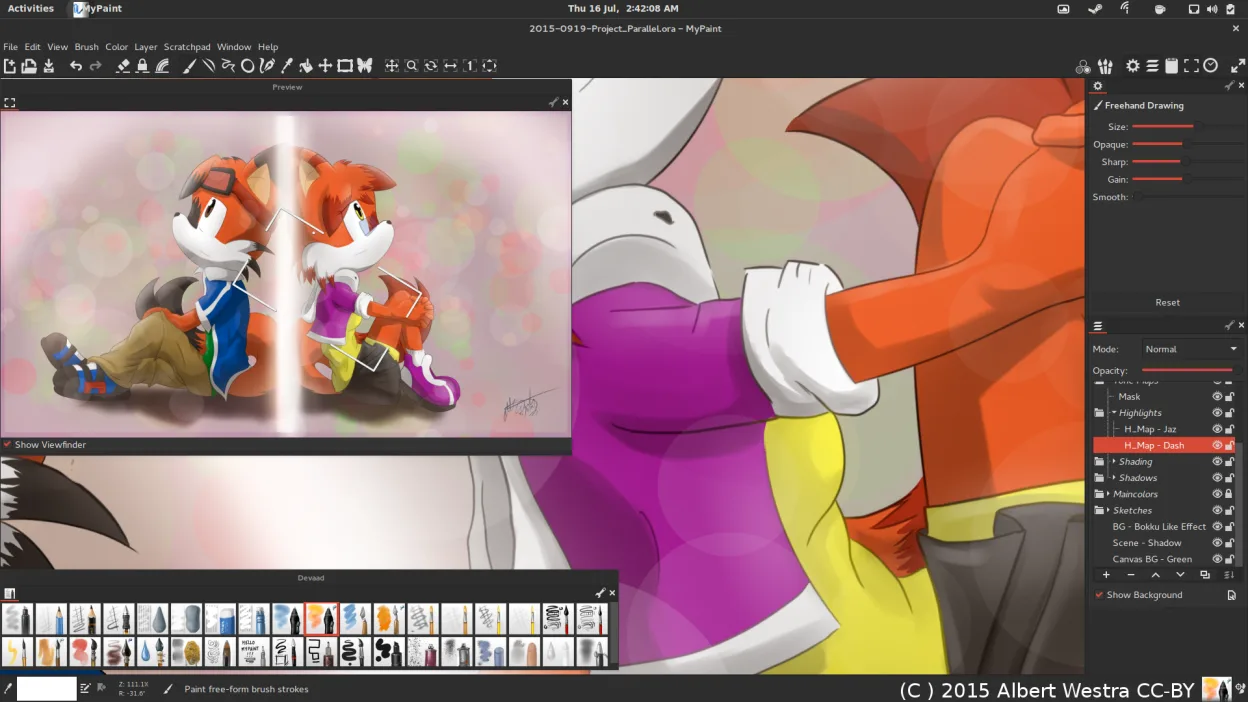
MyPaint is a strong, free alternative for Linux users who prioritize brush dynamics and tablet integration over a full-featured UI. It handles pressure and tilt well, offering a distraction-free canvas similar to Procreate’s focus. However, it lacks Procreate’s polished layer management and extensive blending modes. If you need professional-grade compositing or specific Apple ecosystem features, MyPaint may feel limiting. For pure painting with a Wacom tablet, it is a capable, honest tool that avoids subscription costs, though you will miss some advanced workflow conveniences found in the iPad app.
- Licencia
- GPL-2.0+
- Precio
- Gratis
- Última versión
- 2.0.1 (29 de mayo de 2020)
- Valoración
- —
Lo que funciona igual
- Pressure and tilt sensitivity support for graphics tablets
- Highly configurable brush engine with natural media simulations
- Undo/redo history with multiple steps
- Canvas-focused interface that minimizes UI clutter
- Export to common raster formats like PNG and JPEG
Lo que cambia
- MyPaint lacks PSD export, which Procreate supports for cross-platform editing
- Layer blending modes in MyPaint are more basic than Procreate’s extensive set
- No native support for Procreate’s specific file format (.procreate)
- MyPaint interface is less polished and lacks Procreate’s gesture-based controls
- Custom brush creation is possible but less intuitive than Procreate’s brush studio
Abrir tus archivos de Procreate (iPad/Tablet)
MyPaint cannot natively open Procreate (.procreate) files. You must export your work from Procreate as a flattened PNG or TIFF, or as a PSD if you have access to a compatible viewer, though MyPaint’s PSD import support is limited. For best results, export layers individually or as a high-resolution PNG before importing into MyPaint. Note that complex layer effects may not translate perfectly.
Pasar de Procreate (iPad/Tablet) a MyPaint, paso a paso
- Export your Procreate artwork as a high-resolution PNG or TIFF file.
- Install MyPaint via your Linux package manager or Flathub.
- Connect your Wacom or other graphics tablet and configure pressure settings.
- Open the exported image in MyPaint and add new layers for further work.
- Adjust brush settings to match your preferred Procreate brush feel.
- Save your project in OpenRaster format to preserve layers for future editing.
Funciones clave de MyPaint
- Motor de pinceles con cientos de parámetros configurables
- Soporta sensibilidad a la presión e inclinación en tabletas gráficas
- Interfaz simple y sin distracciones, solo lienzo
- Soporte de capas con modos de mezcla básicos
- Exporta a PNG, JPEG, OpenRaster y otros formatos comunes
- Extensible mediante plugins de Python
- Paquetes de pinceles preinstalados de artistas profesionales
- Historial de deshacer/rehacer con pasos ilimitados
Cómo instalar MyPaint en Linux
flatpak install flathub org.mypaint.MyPaintsudo apt install mypaintsudo apt install mypaintsudo dnf install mypaintsudo pacman -S mypaintsudo zypper install mypaintPreguntas frecuentes
Can I use MyPaint with a Wacom tablet?
Yes, MyPaint is designed with tablet users in mind and supports pressure and tilt sensitivity out of the box.
Does MyPaint support layers?
Yes, it supports multiple layers with basic blending modes, but the layer management interface is simpler than Procreate’s.
Is MyPaint free?
Yes, MyPaint is free and open-source under the GPL-2.0+ license, with no subscription or one-time purchase required.
Otras 4 alternativas a Procreate (iPad/Tablet)
 KritaKrita es un programa de pintura digital e ilustración de código abierto con todas las funciones.Código abiertoGratisFlatpakKrita vs Procreate (iPad/Tablet)
 GIMPGIMP es un editor de gráficos rasterizados gratuito y de código abierto para edición fotográfica, pintura…Código abiertoGratisFlatpakGIMP vs Procreate (iPad/Tablet)
 InkscapeInkscape es un editor de gráficos vectoriales gratuito y de código abierto que rivaliza con Adobe Illustrator…Código abiertoGratisFlatpakInkscape vs Procreate (iPad/Tablet)
 BlenderBlender es una suite 3D gratuita y de código abierto para modelado, animación, renderizado y edición de video.Código abiertoGratisFlatpakBlender vs Procreate (iPad/Tablet)