
 Nextcloud Desktop ClientLinux
vs
Microsoft OneDrive (personal)Windows
Nextcloud Desktop Client como alternativa Linux a Microsoft OneDrive (personal)
Actualizado el
Nuestra opinión
Nextcloud Desktop Client is a strong replacement for OneDrive if you are willing to self-host or pay for a Nextcloud server. It handles two-way sync, versioning, and sharing effectively on Linux. However, it is not a drop-in replacement for the free, managed personal cloud experience. You need to set up the server side yourself or subscribe to a provider. For users who value data sovereignty and control over their infrastructure, it is an excellent choice. For those who just want simple, free, managed storage without server administration, the transition effort may be too high.
- Licencia
- GPL-2.0+
- Precio
- Gratis
- Última versión
- 35.0.3 (5 de noviembre de 2026)
- Valoración
- —
Lo que funciona igual
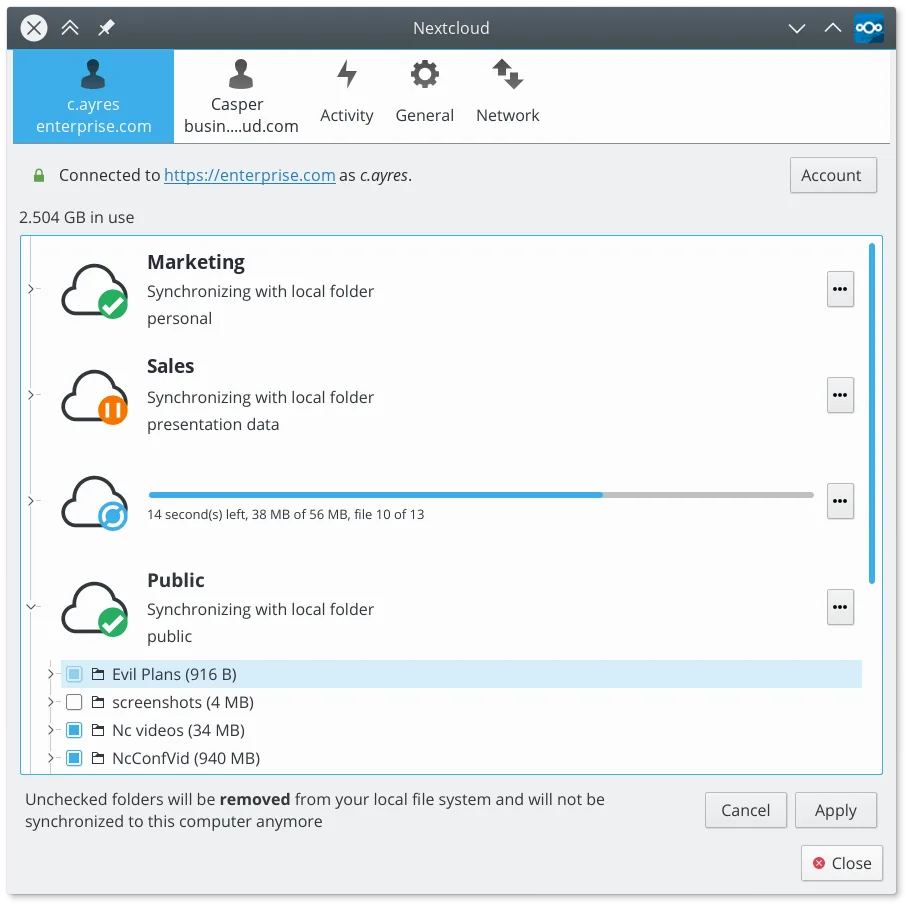
- Two-way automatic synchronization between local folders and cloud storage
- Web interface for accessing and managing files from any device
- File versioning and recovery of deleted items
- Desktop client integration with system tray and background operation
- Support for sharing files and folders with others
Lo que cambia
- Requires a separate Nextcloud server (self-hosted or paid service) whereas OneDrive is fully managed by Microsoft
- No built-in free personal storage tier; you must provide the backend infrastructure
- Different ecosystem integrations; lacks direct Office 365 integration like OneDrive has with Microsoft apps
- Setup complexity is higher due to server configuration and domain management
Abrir tus archivos de Microsoft OneDrive (personal)
Nextcloud Desktop Client does not store files in a proprietary format. It syncs standard file types (documents, photos, videos, archives) exactly as they are on your disk. You can open these files with any compatible Linux application. If you have files currently stored in OneDrive, you can download them to your local machine and then sync them to your Nextcloud server. There is no special conversion needed for standard file formats.
Pasar de Microsoft OneDrive (personal) a Nextcloud Desktop Client, paso a paso
- Set up a Nextcloud server instance (self-hosted or via a provider)
- Install the Nextcloud Desktop Client on your Linux machine
- Log in to the client using your Nextcloud server credentials
- Download existing files from OneDrive to a local folder
- Move or copy these files into the Nextcloud sync folder
- Verify that files are syncing correctly to the server
Funciones clave de Nextcloud Desktop Client
- Sincronización bidireccional entre carpetas locales y el servidor
- Soporte para versionado de archivos y recuperación de archivos eliminados
- Integración con el servidor Nextcloud para compartir y colaborar
- Disponible como Flatpak y paquetes nativos para las principales distribuciones
- Funciona con cualquier backend compatible con Nextcloud, incluyendo instancias autohospedadas
- Operación en segundo plano con uso mínimo de recursos
- Soporte para archivos grandes y operaciones de sincronización con alto volumen
Cómo instalar Nextcloud Desktop Client en Linux
flatpak install flathub com.nextcloud.desktopclient.nextcloudsudo apt install nextcloud-desktopsudo apt install nextcloud-desktopsudo dnf install nextcloud-clientsudo pacman -S nextcloud-clientsudo zypper install nextcloud-desktopPreguntas frecuentes
Do I need to pay for Nextcloud?
The client is free and open source. However, you need a server. You can self-host it for free on your own hardware, or pay a provider for managed Nextcloud service.
Can I sync with my phone?
Yes, Nextcloud has official mobile apps for Android and iOS that connect to the same server, allowing cross-device synchronization similar to OneDrive.
Is my data encrypted?
Data is encrypted in transit (HTTPS) and at rest depending on your server configuration. Nextcloud supports end-to-end encryption for files and folders if enabled on the server side.