
 ZulipLinux
vs
Microsoft Teams for EducationWindows
ZulipLinux
vs
Microsoft Teams for EducationWindows
Zulip como alternativa Linux a Microsoft Teams for Education
Actualizado el
Nuestra opinión
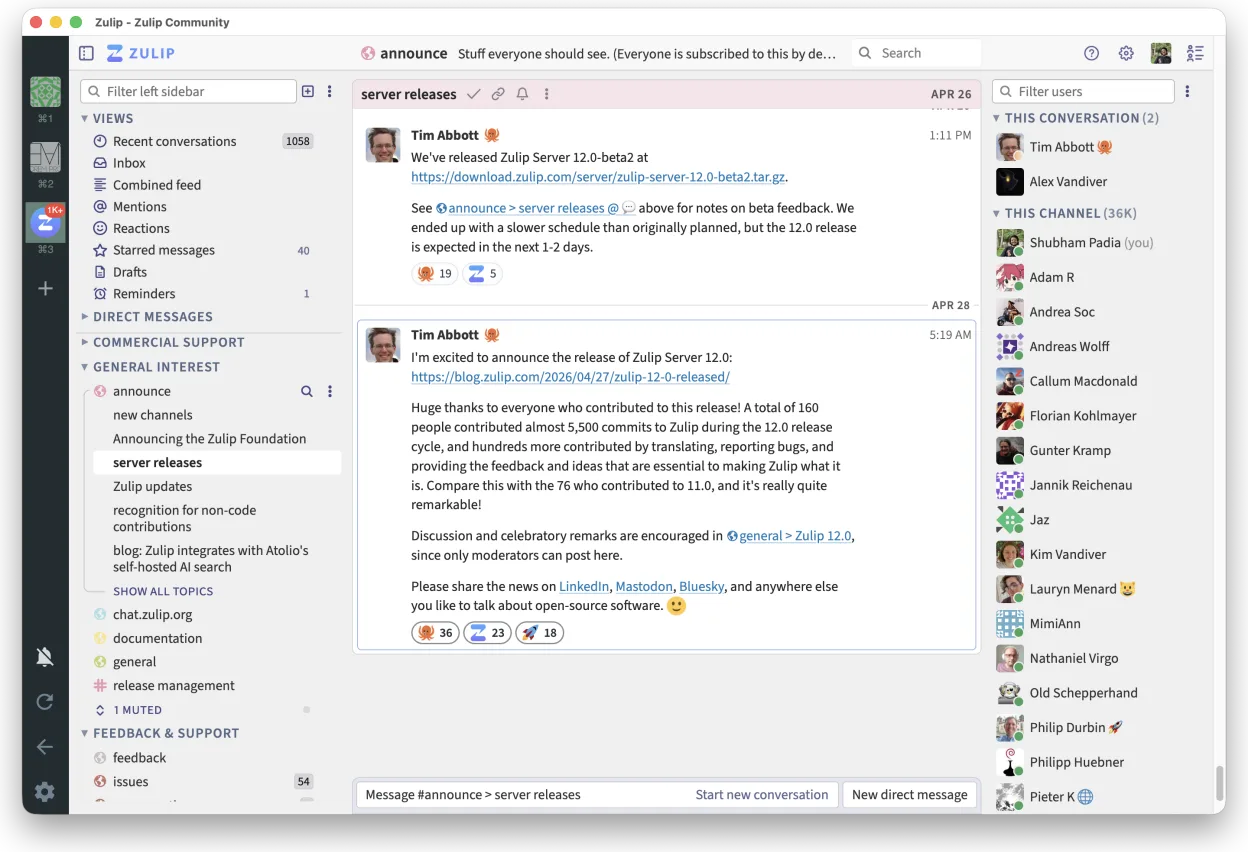
Zulip can replace Microsoft Teams for Education for schools that need real‑time chat with threaded discussions and a self‑hosted solution. It works well for teachers and students who use Linux and want a free, open‑source platform. However, it lacks built‑in classroom tools like attendance, assignment tracking, and tight LMS integration that Teams offers. For institutions prioritising those features, Teams remains preferable.
- Licencia
- Apache-2.0
- Precio
- Gratis
- Última versión
- 5.13.2 (21 de septiembre de 2026)
- Valoración
- —
Lo que funciona igual
- Real‑time chat with instant notifications
- Threaded conversation view for organized discussions
- Cross‑platform support (Linux, Windows, macOS, mobile)
- Strong search across message history
- Open‑source and self‑hostable
Lo que cambia
- No native classroom management tools (attendance, assignments)
- No direct integration with common LMS platforms
- No built‑in video conferencing with screen sharing
- No native file editing collaboration (no Office‑style co‑editing)
- Limited native mobile app support compared to Teams
Abrir tus archivos de Microsoft Teams for Education
Microsoft Teams for Education stores documents in SharePoint/OneDrive. Zulip can attach files, but it cannot open or edit Office documents natively. Users must download files from Teams, then open them in LibreOffice or other editors. Exporting Teams messages to Zulip is not supported; only manual copy or third‑party export tools can transfer chat history.
Pasar de Microsoft Teams for Education a Zulip, paso a paso
- Export Teams chat history to CSV or JSON using Microsoft Graph API or third‑party tools.
- Export assignments and attendance data from the LMS or Teams to CSV.
- Install Zulip Desktop Client from Flathub or package manager.
- Create a Zulip organization and set up streams for each class or project.
- Import chat history into Zulip using the Zulip API or by pasting messages manually.
- Upload assignment files and share links in Zulip streams.
Funciones clave de Zulip
- Conversaciones en hilos para discusiones organizadas
- Código abierto y autoalojable
- Disponible como cliente de escritorio nativo para Linux
- Soporta grupos grandes y altos volúmenes de mensajes
- Compatibilidad multiplataforma
- Fuerte funcionalidad de búsqueda en el historial
Cómo instalar Zulip en Linux
flatpak install flathub org.zulip.ZulipOtras 3 alternativas a Microsoft Teams for Education
 Jitsi MeetJitsi Meet es un cliente de videoconferencias de código abierto que se conecta a cualquier servidor Jitsi…Código abiertoGratisFlatpakJitsi Meet vs Microsoft Teams for Education
 ElementElement es un cliente de chat y videoconferencia basado en matrices, de código abierto, para Linux.Código abiertoGratisFlatpakElement vs Microsoft Teams for Education
 MattermostMattermost es una plataforma de colaboración de código abierto y autoalojada para equipos de desarrolladores…Código abiertoGratisFlatpakMattermost vs Microsoft Teams for Education