
 Claws MailLinux
vs
Mozilla ThunderbirdWindows
Claws Mail, alternative Linux à Mozilla Thunderbird
Mis à jour le
Notre avis
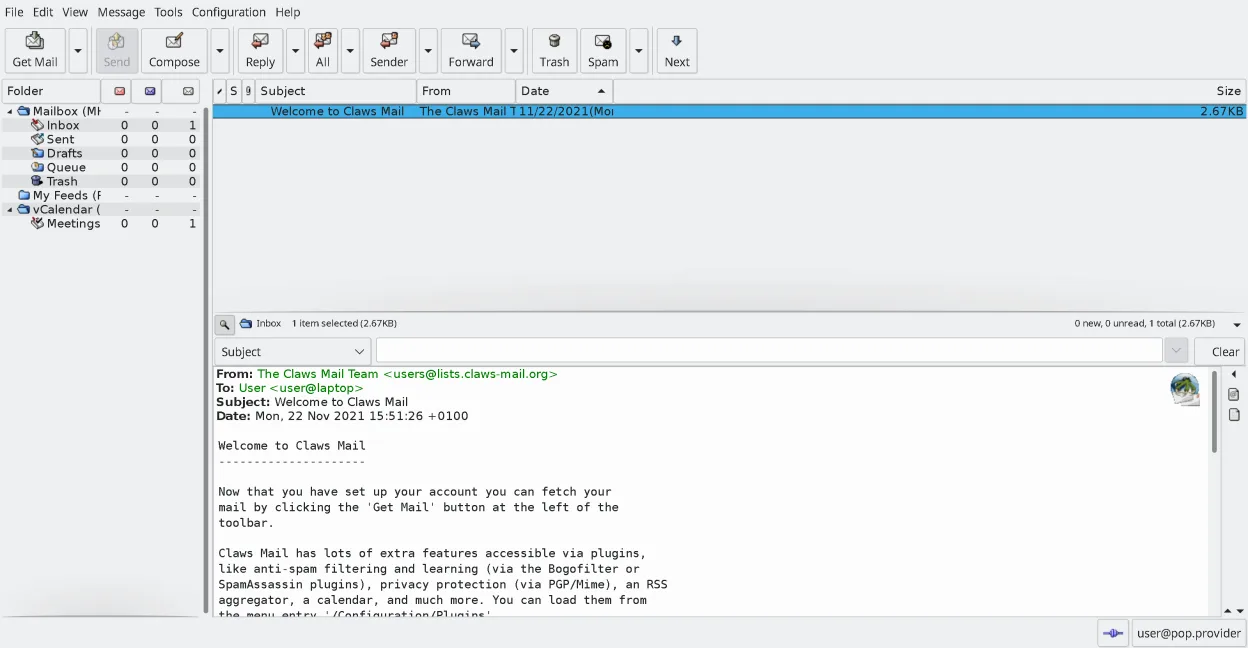
Claws Mail can replace Thunderbird for users who need a lightweight, keyboard‑centric client that handles multiple accounts, IMAP/POP, and local storage efficiently. It lacks a native calendar and contact integration, and composing HTML mail requires plugins. It suits power users and those who prefer a fast, scriptable interface, but may feel limited for people who rely on Thunderbird’s built‑in calendar, address book, and rich add‑on ecosystem.
- Licence
- GPL-3.0-only
- Prix
- Gratuit
- Dernière version
- 4.4.0 (9 mars 2026)
- Note
- —
Ce qui fonctionne pareil
- Both support multiple email accounts and IMAP/POP
- Both use plugins/extensions to add functionality
- Both provide powerful search and filtering
- Both store messages locally
- Both can read RSS feeds via plugins
Ce qui change
- Claws Mail uses MH mailbox format, not MBOX like Thunderbird
- No built‑in calendar or address book in Claws Mail
- HTML composition requires plugins, Thunderbird handles it natively
- Claws Mail is keyboard‑centric; Thunderbird is more mouse‑friendly
- Claws Mail lacks native support for calendar events and contact sync
Ouvrir vos fichiers Mozilla Thunderbird
Thunderbird stores mail in MBOX files and its configuration in SQLite databases. Claws Mail can import MBOX and MH formats, but it does not read Thunderbird’s internal database directly. Exporting from Thunderbird to Claws requires converting mail to MBOX and moving configuration manually.
Passer de Mozilla Thunderbird à Claws Mail, étape par étape
- Export Thunderbird mail to MBOX using the Export feature or by copying the profile folder
- Install Claws Mail via your distribution’s package manager
- Launch Claws and use the Import wizard to load the MBOX files into MH folders
- Configure IMAP/POP accounts in Claws using the Account Settings dialog
- Install needed plugins (e.g., calendar, RSS) via the Plugin Manager
- Verify message threading and search work as expected
Fonctionnalités clés de Claws Mail
- Stockage des boîtes aux lettres au format MH pour un accès rapide
- Exploitation centrée sur le clavier avec prise en charge complète des raccourcis
- Système de plugins pour RSS, calendrier et protocoles supplémentaires
- Comptes multiples et arborescences de dossiers
- Filtrage anti-spam intégré (intégration SpamAssassin)
- Filotage des messages et recherche puissante
- Prise en charge d'éditeurs externes pour la composition d'e-mail en mode simple
- Importation/Exportation depuis la plupart des autres clients de messagerie
Installer Claws Mail sous Linux
flatpak install flathub org.claws_mail.Claws-Mailsudo apt install claws-mailsudo apt install claws-mailsudo dnf install claws-mailsudo pacman -S claws-mailsudo zypper install claws-mailQuestions fréquentes
Can I use Claws Mail to read my Thunderbird calendar?
No. Claws Mail has no native calendar integration; you would need a separate calendar app.
Will Claws Mail display my Thunderbird contacts?
No. Claws Mail does not import Thunderbird’s address book; you must use another address book application.
Does Claws Mail support HTML emails?
Claws can display HTML emails with the HTML plugin, but composing HTML requires installing the appropriate plugin.
5 autres alternatives à Mozilla Thunderbird
 EvolutionEvolution est un gestionnaire d’informations personnelles complet qui combine courriel, agenda, contacts et…Open sourceGratuitFlatpakEvolution ou Mozilla Thunderbird
 KMailKMail est le client de messagerie complet de KDE, faisant partie de la suite Kontact, prenant en charge IMAP…Open sourceGratuitKMail ou Mozilla Thunderbird
 GearyGeary est un client de messagerie basé sur GNOME pour Linux qui vous permet d'envoyer, de recevoir et…Open sourceGratuitFlatpakGeary ou Mozilla Thunderbird
 MailspringUn client de messagerie de bureau rapide et complet pour Linux, doté d'un moteur de synchronisation C++ et…Open sourceGratuitFlatpakMailspring ou Mozilla Thunderbird
 Proton MailProton Mail est un client de messagerie gratuit, chiffré de bout en bout pour Linux, disponible sous forme…Open sourceGratuitFlatpakProton Mail ou Mozilla Thunderbird