
 Evolution MailLinux
vs
Evolution MailLinux
vs
 EudoraWindows
Evolution Mail, alternative Linux à Eudora
Mis à jour le
Notre avis
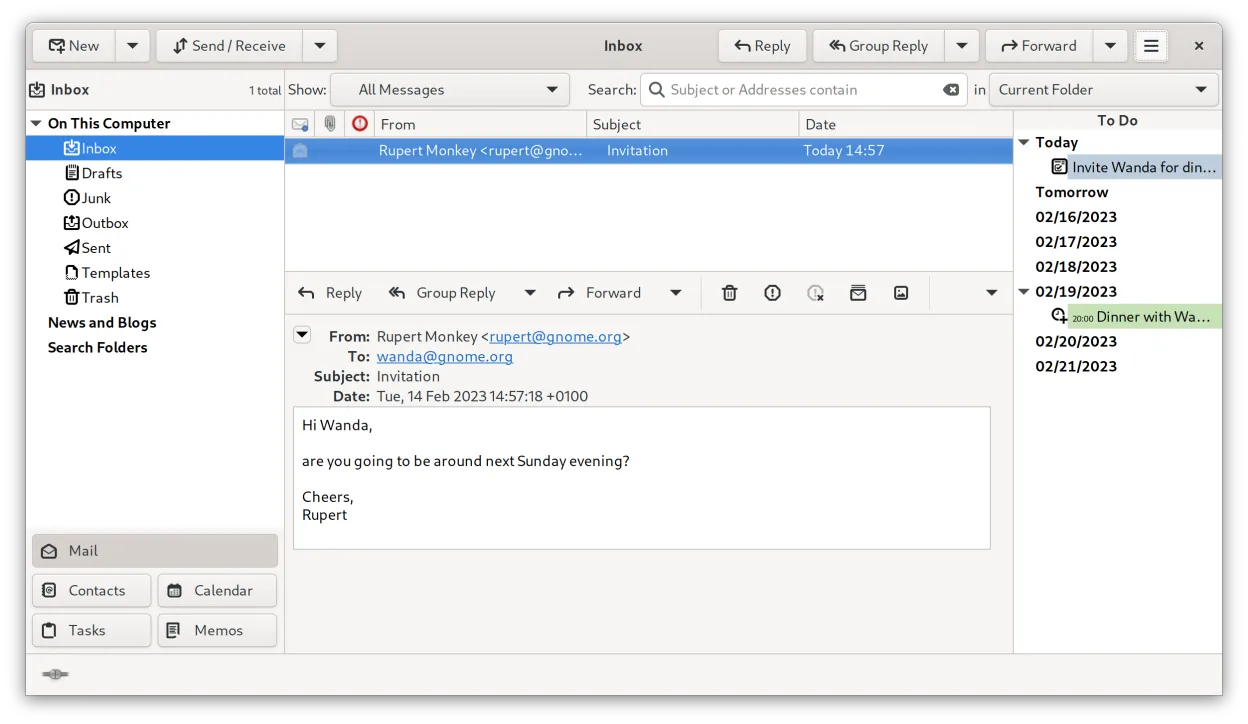
Evolution Mail is a solid replacement for Eudora if you need a full-featured desktop email client on Linux. It handles IMAP, POP3, and SMTP reliably, stores mail locally in Maildir or mbox, and supports message filtering, search, threading, and address book integration. Basic HTML rendering works well enough for most messages. While it’s heavier than Eudora and not as minimalist, it’s suitable for users who want an integrated email, calendar, and contacts suite. Best for those already in the GNOME ecosystem or needing Exchange compatibility.
- Licence
- GPL-2.0+ and GFDL-1.3
- Prix
- Gratuit
- Dernière version
- 3.62.1 (9 octobre 2026)
- Note
- —
Ce qui fonctionne pareil
- Supports IMAP, POP3, and SMTP for standard email operations
- Local mail storage using mbox or Maildir formats
- Message filtering and rule-based processing
- Integrated address book with contact management
- Search and message threading support
Ce qui change
- Evolution includes a built-in calendar, task manager, and notes — features Eudora lacked
- No native Eudora configuration import; manual setup required
- Heavier resource usage and more complex interface than Eudora
- Eudora had a more customizable, lightweight feel; Evolution is more Outlook-like
- Eudora’s ‘Tear-off’ messages and quirky UI extensions are not replicated
Ouvrir vos fichiers Eudora
Evolution does not directly import Eudora’s mailbox files or settings. If Eudora stored mail in mbox format, those files can often be manually imported by copying them into Evolution’s local folder structure or using tools like imapsync or Thunderbird as an intermediary. Address books and filters must be recreated manually. There is no official migration tool from Eudora to Evolution, so migration requires some technical effort.
Passer de Eudora à Evolution Mail, étape par étape
- Export Eudora contacts to CSV or LDIF if possible
- Back up Eudora mail folders, ideally in mbox format
- Set up Evolution with your IMAP or POP3 accounts
- Manually re-create message filters and rules in Evolution
- Import contacts via Evolution’s address book import function
Fonctionnalités clés de Evolution Mail
- Prise en charge de la messagerie IMAP, POP3 et SMTP
- Intégration Microsoft Exchange via EWS
- Calendrier intégré avec prise en charge de iCal et CalDAV
- Annuaire avec synchronisation LDAP et CardDAV
- Gestion des tâches et des notes
- Chiffrement PGP/GPG et signature S/MIME
- Recherche dans la messagerie, les contacts et les événements
- Extensible via des plugins
Installer Evolution Mail sous Linux
flatpak install flathub org.gnome.EvolutionQuestions fréquentes
Can Evolution import Eudora settings directly?
No, Evolution does not support direct import of Eudora profiles or settings. You’ll need to manually reconfigure accounts and rules.
Does Evolution support offline mail like Eudora?
Yes, Evolution downloads and stores mail locally using Maildir or mbox, so full offline access is supported.
Is Evolution as lightweight as Eudora was?
No, Evolution is more resource-intensive and feature-rich, resembling Outlook more than the minimalist Eudora.
4 autres alternatives à Eudora
 Claws MailClaws Mail est un client de messagerie GTK léger et rapide pour Linux.Open sourceGratuitFlatpakClaws Mail ou Eudora
 KMailKMail est le client de messagerie complet de KDE, faisant partie de la suite Kontact, prenant en charge IMAP…Open sourceGratuitKMail ou Eudora
 SylpheedSylpheed est un client de messagerie et de nouvelles léger, basé sur GTK, conçu pour Linux, Windows et macOS.Open sourceGratuitSylpheed ou Eudora
 Mozilla ThunderbirdMozilla Thunderbird est un client de messagerie, agenda et flux d'actualités gratuit et open‑source pour…Open sourceGratuitMozilla Thunderbird ou Eudora