
 Evolution MailLinux
vs
Evolution MailLinux
vs
 Forte AgentWindows
Evolution Mail, alternative Linux à Forte Agent
Mis à jour le
Notre avis
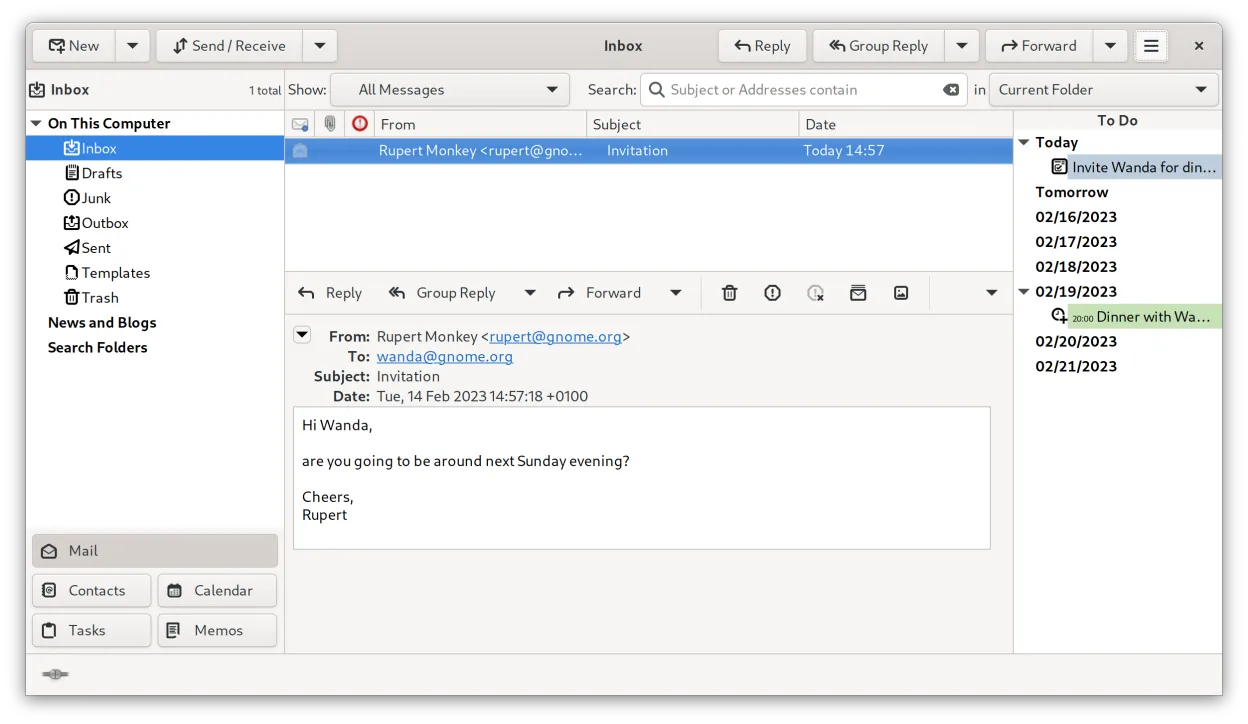
Evolution Mail is a solid replacement for Forte Agent for users who need POP/SMTP support, offline caching, message filtering, and a full address book. It also adds calendar, tasks, and strong encryption. Users who rely on NNTP will find Evolution missing native Usenet support, so they may need a separate client. Overall, Evolution covers most everyday email and contact needs for Linux users.
- Licence
- GPL-2.0+ and GFDL-1.3
- Prix
- Gratuit
- Dernière version
- 3.62.1 (9 octobre 2026)
- Note
- —
Ce qui fonctionne pareil
- Both support POP3 and SMTP for email retrieval and sending
- Both provide offline message caching
- Both include address book functionality
- Both allow message filtering and rule creation
- Both offer searchable message archives
Ce qui change
- Evolution lacks native NNTP (Usenet) support, whereas Forte Agent has it
- Evolution does not provide a dedicated newsreader interface
- Evolution integrates a calendar and task manager, which Forte Agent does not
- Evolution uses a unified UI with email, contacts, calendar, and notes, unlike Forte Agent’s separate modules
- Evolution supports Exchange via EWS, not present in Forte Agent
Ouvrir vos fichiers Forte Agent
Forte Agent’s proprietary data files are not directly readable by Evolution. Users would need to export emails to standard formats such as EML or MBOX from Forte Agent before importing them into Evolution. Address book data may be exported as vCard. No native import tool exists.
Passer de Forte Agent à Evolution Mail, étape par étape
- Export all emails from Forte Agent to MBOX or EML format
- Export address book entries to vCard (.vcf) files
- Install Evolution from your distribution’s package manager or Flathub
- Import the MBOX/EML files into Evolution’s mailbox via File → Import
- Import the vCard file into Evolution’s address book via File → Import
Fonctionnalités clés de Evolution Mail
- Prise en charge de la messagerie IMAP, POP3 et SMTP
- Intégration Microsoft Exchange via EWS
- Calendrier intégré avec prise en charge de iCal et CalDAV
- Annuaire avec synchronisation LDAP et CardDAV
- Gestion des tâches et des notes
- Chiffrement PGP/GPG et signature S/MIME
- Recherche dans la messagerie, les contacts et les événements
- Extensible via des plugins
Installer Evolution Mail sous Linux
flatpak install flathub org.gnome.EvolutionQuestions fréquentes
Does Evolution support NNTP?
No, Evolution does not include NNTP support. Users who need Usenet must use a separate client such as newsboat or pan.
Can I use Evolution with Microsoft Exchange?
Yes, Evolution can connect to Exchange servers via the EWS extension, allowing mail, calendar, and contacts sync.
Is Evolution free?
Evolution is free software licensed under GPL-2.0+ and GFDL-1.3, and is available in most Linux distributions and Flathub.
3 autres alternatives à Forte Agent
 KMailKMail est le client de messagerie complet de KDE, faisant partie de la suite Kontact, prenant en charge IMAP…Open sourceGratuitKMail ou Forte Agent
 SylpheedSylpheed est un client de messagerie et de nouvelles léger, basé sur GTK, conçu pour Linux, Windows et macOS.Open sourceGratuitSylpheed ou Forte Agent
 Mozilla ThunderbirdMozilla Thunderbird est un client de messagerie, agenda et flux d'actualités gratuit et open‑source pour…Open sourceGratuitMozilla Thunderbird ou Forte Agent