
 Evolution MailLinux
vs
Evolution MailLinux
vs
 Microsoft OutlookWindows
Evolution Mail, alternative Linux à Microsoft Outlook
Mis à jour le
Notre avis
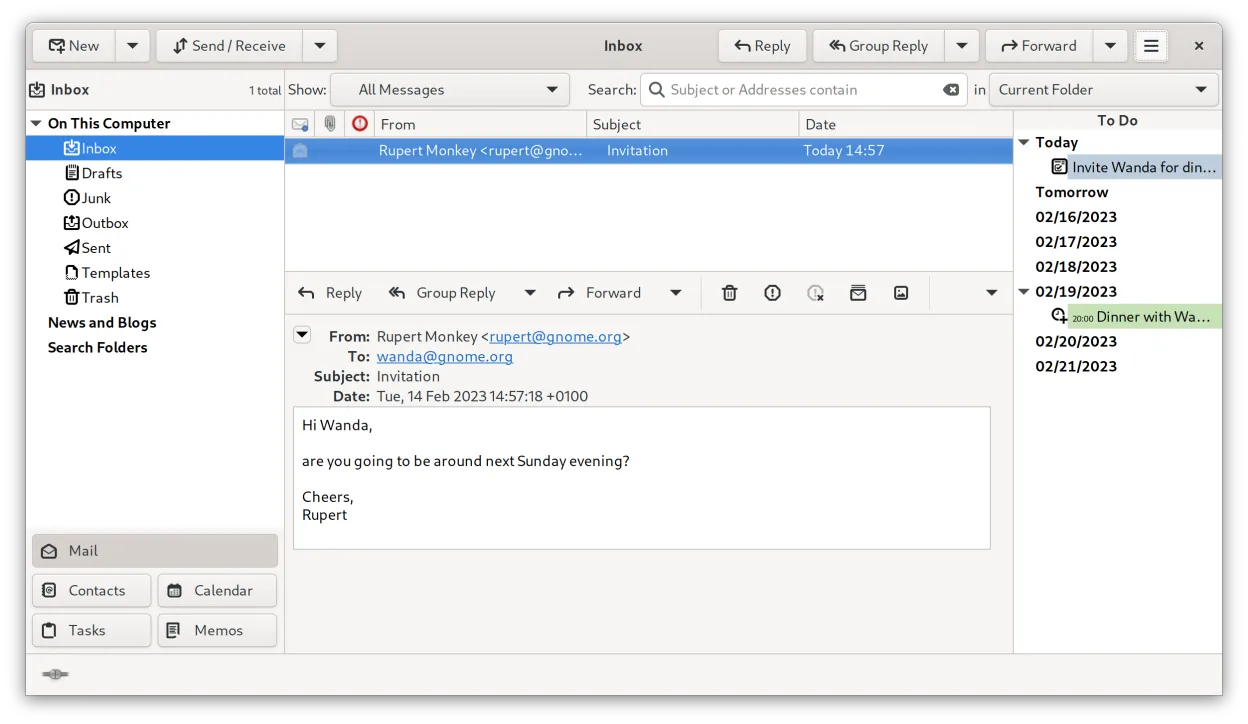
Evolution is a solid replacement for Outlook if you need a free, native Linux client that handles email, calendar, contacts, and tasks. It works well for users who rely on IMAP/POP/SMTP, Exchange via EWS, and standard calendar protocols. Those who depend on deep MAPI/ActiveSync integration, PST import, or advanced Outlook features like Teams or Planner may find gaps.
- Licence
- GPL-2.0+ and GFDL-1.3
- Prix
- Gratuit
- Dernière version
- 3.62.1 (9 octobre 2026)
- Note
- —
Ce qui fonctionne pareil
- Integrated mail, calendar, contacts, and task views
- Support for IMAP, POP3, SMTP, iCal, CalDAV, LDAP, CardDAV
- PGP/GPG and S/MIME encryption
- Search across all data types
- Plugin extensibility
Ce qui change
- No native MAPI/ActiveSync support
- PST file import/export is limited or requires external tools
- Lacks Outlook‑specific features such as Teams, Planner, or Office 365 add‑ins
- UI is GNOME‑centric, not Windows‑style
- No built‑in document editing or spreadsheet integration
Ouvrir vos fichiers Microsoft Outlook
Evolution can open EML files directly. Importing PST files requires a separate tool like pst-utils or using the Evolution import wizard, which may not support all Outlook data. Exporting to PST is not supported; you can export to MBOX or EML instead.
Passer de Microsoft Outlook à Evolution Mail, étape par étape
- Export Outlook contacts to CSV or vCard
- Export calendar events to .ics
- Export emails to EML or MBOX
- Configure Evolution with your email account (IMAP/POP/SMTP or Exchange via EWS)
- Import CSV/vCard into Evolution contacts
- Import .ics into Evolution calendar
- Move MBOX/EML files into Evolution mail folders
Fonctionnalités clés de Evolution Mail
- Prise en charge de la messagerie IMAP, POP3 et SMTP
- Intégration Microsoft Exchange via EWS
- Calendrier intégré avec prise en charge de iCal et CalDAV
- Annuaire avec synchronisation LDAP et CardDAV
- Gestion des tâches et des notes
- Chiffrement PGP/GPG et signature S/MIME
- Recherche dans la messagerie, les contacts et les événements
- Extensible via des plugins
Installer Evolution Mail sous Linux
flatpak install flathub org.gnome.EvolutionQuestions fréquentes
Does Evolution support Exchange?
Yes, via the Exchange Web Services (EWS) extension. It works with most modern Exchange servers but may need manual configuration.
Can I use Outlook PST files in Evolution?
Not directly. You need a PST conversion tool to export to MBOX or EML first.
Is Evolution free?
Yes, it is open source under GPL‑2.0+ and GFDL‑1.3.
3 autres alternatives à Microsoft Outlook
 SylpheedSylpheed est un client de messagerie et de nouvelles léger, basé sur GTK, conçu pour Linux, Windows et macOS.Open sourceGratuitSylpheed ou Microsoft Outlook
 Mozilla ThunderbirdMozilla Thunderbird est un client de messagerie, agenda et flux d'actualités gratuit et open‑source pour…Open sourceGratuitMozilla Thunderbird ou Microsoft Outlook
 KMailKMail est le client de messagerie complet de KDE, faisant partie de la suite Kontact, prenant en charge IMAP…Open sourceGratuitKMail ou Microsoft Outlook