
 GIMPLinux
vs
Creative CloudWindows
GIMP, alternative Linux à Creative Cloud
Mis à jour le
Notre avis
GIMP is a solid replacement for Adobe Creative Cloud if you rely mainly on Photoshop for photo editing, retouching, and raster graphics work. It handles layers, masks, blending modes, and scripting well, and supports PSD files. Artists and hobbyists will find it capable and free. However, professionals needing precise color workflows, advanced typography, or integration with other Adobe tools (like Lightroom or Illustrator) will face gaps. GIMP lacks non-destructive editing by default and has a steeper learning curve. It’s best for those willing to adapt workflows.
- Licence
- GPL-3.0+ AND LGPL-3.0+
- Prix
- Gratuit
- Dernière version
- 3.2.8 (2 novembre 2026)
- Note
- —
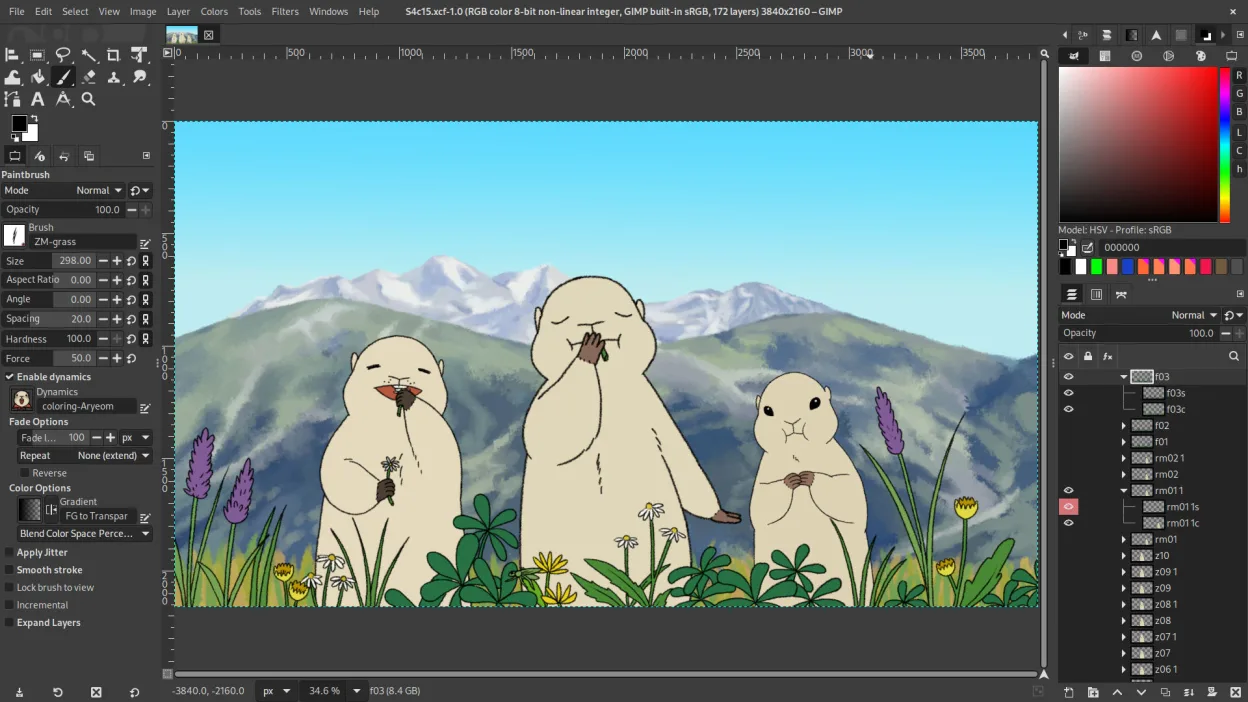
Ce qui fonctionne pareil
- Layer-based editing with masks, transparency, and blending modes
- Support for Photoshop-compatible plugins via compatibility layers
- Advanced brush engine for digital painting and retouching
- Batch processing and scripting with Python, Script-Fu, and GEGL
- Extensive file format support including PSD, PNG, JPEG, and TIFF
Ce qui change
- No built-in non-destructive editing (requires G'MIC or other plug-ins)
- Weaker typography and vector tools compared to Photoshop
- No native integration with Adobe ecosystem (e.g., Lightroom, Illustrator)
- Interface customization is limited compared to Photoshop’s workspace flexibility
- Color management support exists but is less refined for print workflows
Ouvrir vos fichiers Creative Cloud
GIMP can open and edit Photoshop (PSD) files, preserving layers, masks, and basic blending modes. However, complex PSDs with advanced features like smart objects, layer effects, or nested groups may not translate perfectly. Text layers with special formatting can lose fidelity. Exporting to PSD is possible but not always reliable for round-tripping into Photoshop. For basic to intermediate use, compatibility is acceptable, but heavy PSD users should test workflows carefully.
Passer de Creative Cloud à GIMP, étape par étape
- Install GIMP via your distribution’s package manager or Flathub
- Import brushes, gradients, and custom scripts from old setup if available
- Install G'MIC for enhanced filters and non-destructive editing options
- Use the PSD import feature to open existing Creative Cloud projects
- Customize the interface with dockable panels and keyboard shortcuts to match your workflow
Fonctionnalités clés de GIMP
- Édition par calques avec masques, modes de fusion et transparence
- Moteur de pinceau avancé pour la peinture numérique et la retouche
- Prise en charge des plug-ins compatibles Photoshop (via des couches de compatibilité)
- Traitement par lots et scriptage avec Script-Fu, Python ou GEGL
- Édition non destructive possible grâce à des plug-ins comme G'MIC
- Prise en charge étendue des formats : PNG, JPEG, TIFF, PSD, WebP et plus
- Interface personnalisable avec panneaux ancrables et thèmes
- Gestion des couleurs avec prise en charge des profils ICC
Installer GIMP sous Linux
flatpak install flathub org.gimp.GIMPsudo apt install gimpsudo apt install gimpsudo dnf install gimpsudo pacman -S gimpsudo zypper install gimpQuestions fréquentes
Can GIMP replace Photoshop completely?
For most photo editing, retouching, and raster work, yes. But it lacks smart objects, advanced typography, and some non-destructive tools. Professionals relying on those will need workarounds.
Is GIMP really free?
Yes. GIMP is free and open-source under GPL-3.0+ and LGPL-3.0+. No subscription, no ads, no paywalls.
How well does GIMP handle tablets and digital painting?
GIMP supports pressure-sensitive tablets via Wacom and others. The brush engine is capable, though less refined than Photoshop’s. Artists find it usable but may miss advanced brush dynamics.
3 autres alternatives à Creative Cloud
 InkscapeInkscape est un éditeur de graphiques vectoriels gratuit et open source qui rivalise avec Adobe Illustrator…Open sourceGratuitFlatpakInkscape ou Creative Cloud
 KritaKrita est un programme de peinture numérique et d'illustration open‑source complet.Open sourceGratuitFlatpakKrita ou Creative Cloud
 darktabledarktable est un éditeur photo gratuit et open‑source qui gère les fichiers RAW et propose un flux de travail…Open sourceGratuitFlatpakdarktable ou Creative Cloud