
 GIMPLinux
vs
Nik CollectionWindows
GIMP, alternative Linux à Nik Collection
Mis à jour le
Notre avis
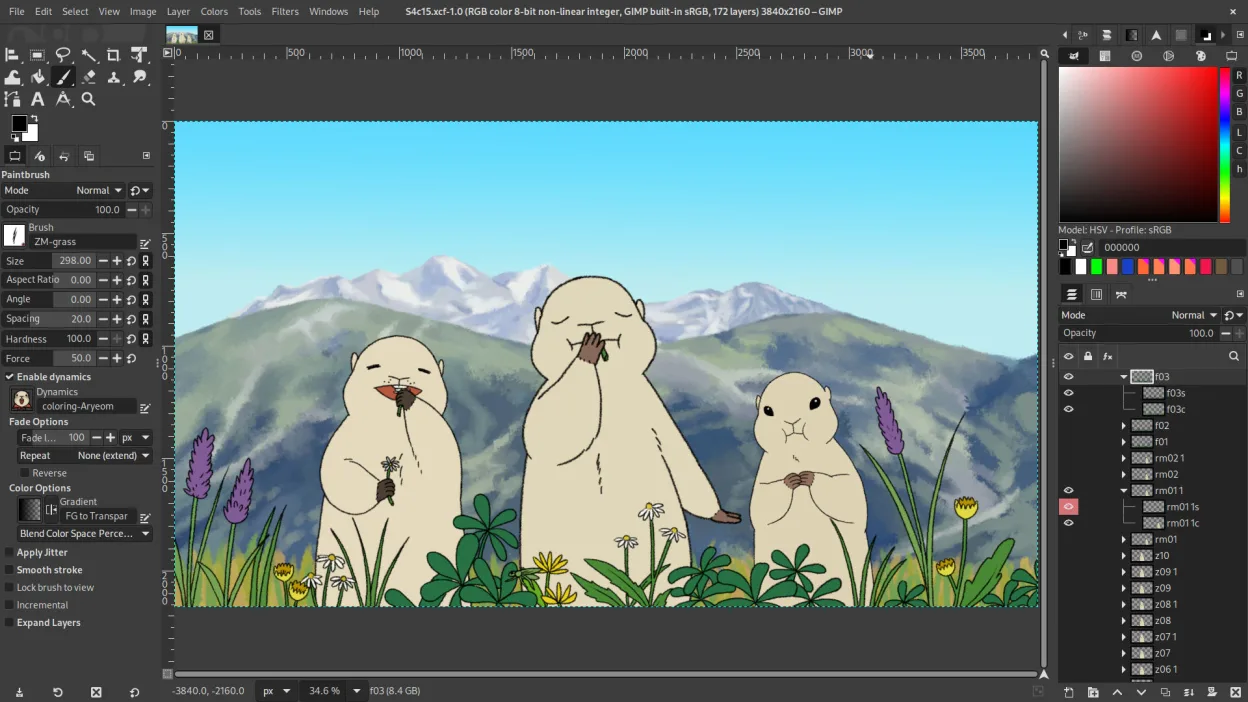
GIMP is a capable free alternative, but it is not a direct drop-in replacement for Nik Collection. Nik is a suite of specialized plugins that run inside host editors like Lightroom or Photoshop, offering specific, polished tools for black-and-white conversion, noise reduction, and creative effects. GIMP is a standalone raster editor. While it can perform similar tasks using its built-in tools or plugins like G'MIC, the workflow is different. It suits users willing to learn a new interface and who do not rely on the specific Nik algorithms or plugin-based workflow. It is less ideal for photographers who need seamless integration with their existing Lightroom or Photoshop pipelines.
- Licence
- GPL-3.0+ AND LGPL-3.0+
- Prix
- Gratuit
- Dernière version
- 3.2.8 (2 novembre 2026)
- Note
- —
Ce qui fonctionne pareil
- Both support advanced color grading and manual adjustment of curves, levels, and color balance.
- Both offer tools for noise reduction and image sharpening, though GIMP's are often plugin-dependent.
- Both allow for non-destructive editing workflows using layers, masks, and adjustment layers.
- Both support batch processing for applying edits to multiple images at once.
Ce qui change
- Nik Collection operates as plugins within host applications, whereas GIMP is a standalone application.
- Nik provides specific, optimized algorithms for tasks like black-and-white conversion (Silver Efex) that are distinct from GIMP's general-purpose tools.
- GIMP lacks native, seamless integration with Adobe Lightroom or Photoshop, requiring file export/import for hybrid workflows.
- Nik's interface is designed for quick, targeted adjustments, while GIMP requires more manual setup for similar results.
Ouvrir vos fichiers Nik Collection
Nik Collection does not save its own proprietary file format; it edits images within the host application's format (e.g., XMP sidecars for Lightroom, PSD/PSB for Photoshop). GIMP can open and export PSD and PSB files, preserving layers and masks, making it compatible with files edited in Photoshop. For Lightroom users, GIMP cannot read XMP sidecars directly for editing, so you would need to export the image from Lightroom to a format like TIFF or PSD before opening it in GIMP. GIMP also supports standard formats like JPEG, PNG, and TIFF, which are universally compatible.
Passer de Nik Collection à GIMP, étape par étape
- Install GIMP via your distribution's package manager or Flathub.
- Install the G'MIC plugin for access to advanced filters and effects similar to Nik's creative tools.
- Export your images from Lightroom or Photoshop to PSD or TIFF format to preserve layers.
- Open the exported files in GIMP and use the Curves, Color Balance, and Desaturate tools for basic grading.
- Use G'MIC's 'Black and White' or 'Noise Reduction' filters for specific tasks.
- Save your work as XCF (GIMP native) for editing, or export to PSD/TIFF if you need to return to your host editor.
Fonctionnalités clés de GIMP
- Édition par calques avec masques, modes de fusion et transparence
- Moteur de pinceau avancé pour la peinture numérique et la retouche
- Prise en charge des plug-ins compatibles Photoshop (via des couches de compatibilité)
- Traitement par lots et scriptage avec Script-Fu, Python ou GEGL
- Édition non destructive possible grâce à des plug-ins comme G'MIC
- Prise en charge étendue des formats : PNG, JPEG, TIFF, PSD, WebP et plus
- Interface personnalisable avec panneaux ancrables et thèmes
- Gestion des couleurs avec prise en charge des profils ICC
Installer GIMP sous Linux
flatpak install flathub org.gimp.GIMPsudo apt install gimpsudo apt install gimpsudo dnf install gimpsudo pacman -S gimpsudo zypper install gimpQuestions fréquentes
Can I use GIMP plugins in Photoshop?
No, GIMP plugins are not compatible with Photoshop. You must use GIMP as a standalone editor or export files between the two applications.
Is GIMP's noise reduction as good as Nik's Dfine?
GIMP's built-in noise reduction is basic. The G'MIC plugin offers more advanced options, but it may not match the specific quality or ease of use of Nik's Dfine for high-ISO photos.
Does GIMP support ICC color profiles?
Yes, GIMP has built-in support for ICC color profiles, allowing for accurate color management across different devices and output media.
4 autres alternatives à Nik Collection
 darktabledarktable est un éditeur photo gratuit et open‑source qui gère les fichiers RAW et propose un flux de travail…Open sourceGratuitFlatpakdarktable ou Nik Collection
 RawTherapeeRawTherapee est un programme de développement de photos raw open‑source et multiplateforme.Open sourceGratuitFlatpakRawTherapee ou Nik Collection
 digiKamdigiKam est un gestionnaire de photos KDE complet pour organiser, étiqueter et retoucher des photos…Open sourceGratuitFlatpakdigiKam ou Nik Collection
 LightZoneLightZone est un éditeur de photos RAW gratuit et open source, doté d'un flux de travail non destructif basé…Open sourceGratuitFlatpakLightZone ou Nik Collection