
 MyPaintLinux
vs
Procreate (iPad/Tablet)Windows
MyPaint, alternative Linux à Procreate (iPad/Tablet)
Mis à jour le
Notre avis
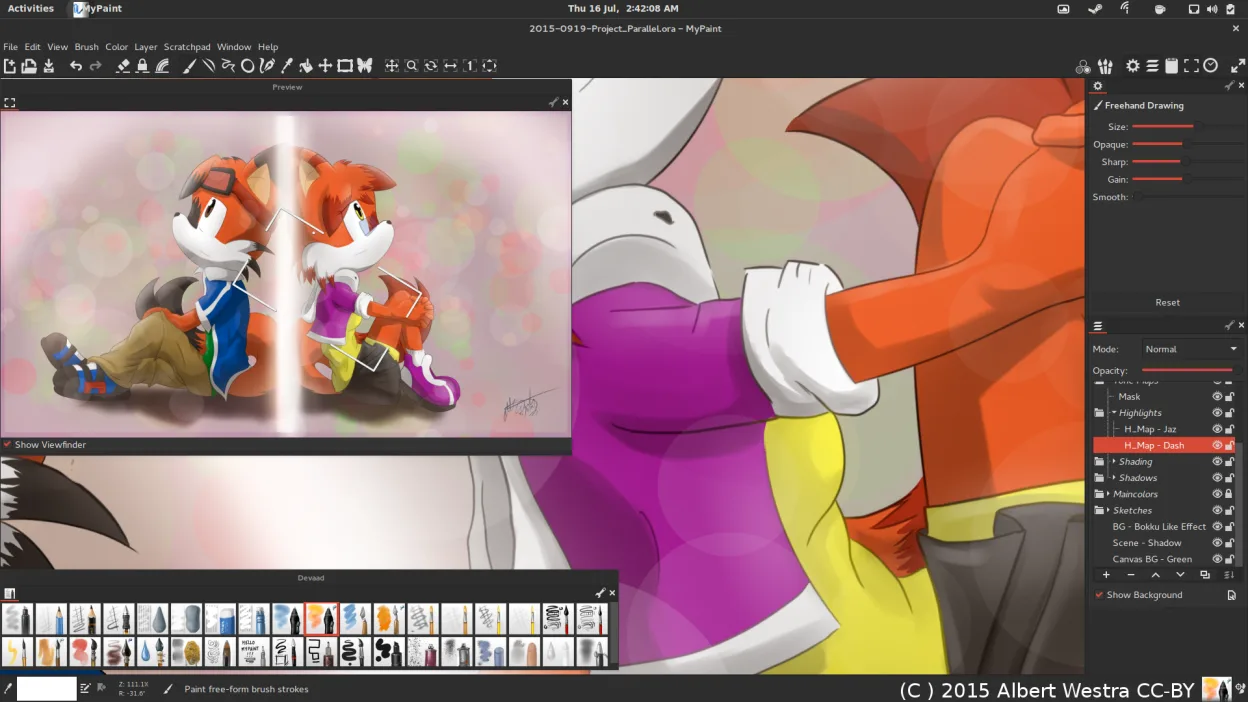
MyPaint is a strong, free alternative for Linux users who prioritize brush dynamics and tablet integration over a full-featured UI. It handles pressure and tilt well, offering a distraction-free canvas similar to Procreate’s focus. However, it lacks Procreate’s polished layer management and extensive blending modes. If you need professional-grade compositing or specific Apple ecosystem features, MyPaint may feel limiting. For pure painting with a Wacom tablet, it is a capable, honest tool that avoids subscription costs, though you will miss some advanced workflow conveniences found in the iPad app.
- Licence
- GPL-2.0+
- Prix
- Gratuit
- Dernière version
- 2.0.1 (29 mai 2020)
- Note
- —
Ce qui fonctionne pareil
- Pressure and tilt sensitivity support for graphics tablets
- Highly configurable brush engine with natural media simulations
- Undo/redo history with multiple steps
- Canvas-focused interface that minimizes UI clutter
- Export to common raster formats like PNG and JPEG
Ce qui change
- MyPaint lacks PSD export, which Procreate supports for cross-platform editing
- Layer blending modes in MyPaint are more basic than Procreate’s extensive set
- No native support for Procreate’s specific file format (.procreate)
- MyPaint interface is less polished and lacks Procreate’s gesture-based controls
- Custom brush creation is possible but less intuitive than Procreate’s brush studio
Ouvrir vos fichiers Procreate (iPad/Tablet)
MyPaint cannot natively open Procreate (.procreate) files. You must export your work from Procreate as a flattened PNG or TIFF, or as a PSD if you have access to a compatible viewer, though MyPaint’s PSD import support is limited. For best results, export layers individually or as a high-resolution PNG before importing into MyPaint. Note that complex layer effects may not translate perfectly.
Passer de Procreate (iPad/Tablet) à MyPaint, étape par étape
- Export your Procreate artwork as a high-resolution PNG or TIFF file.
- Install MyPaint via your Linux package manager or Flathub.
- Connect your Wacom or other graphics tablet and configure pressure settings.
- Open the exported image in MyPaint and add new layers for further work.
- Adjust brush settings to match your preferred Procreate brush feel.
- Save your project in OpenRaster format to preserve layers for future editing.
Fonctionnalités clés de MyPaint
- Moteur de pinceaux avec des centaines de paramètres configurables
- Prise en charge de la sensibilité à la pression et de l’inclinaison sur les tablettes graphiques
- Interface simple, sans distraction, centrée sur la toile
- Support des calques avec des modes de fusion basiques
- Exportation vers PNG, JPEG, OpenRaster et d’autres formats courants
- Extensible via des plugins Python
- Packs de pinceaux pré‑installés fournis par des artistes professionnels
- Historique d’annulation/rétablissement avec un nombre illimité d’étapes
Installer MyPaint sous Linux
flatpak install flathub org.mypaint.MyPaintsudo apt install mypaintsudo apt install mypaintsudo dnf install mypaintsudo pacman -S mypaintsudo zypper install mypaintQuestions fréquentes
Can I use MyPaint with a Wacom tablet?
Yes, MyPaint is designed with tablet users in mind and supports pressure and tilt sensitivity out of the box.
Does MyPaint support layers?
Yes, it supports multiple layers with basic blending modes, but the layer management interface is simpler than Procreate’s.
Is MyPaint free?
Yes, MyPaint is free and open-source under the GPL-2.0+ license, with no subscription or one-time purchase required.
4 autres alternatives à Procreate (iPad/Tablet)
 KritaKrita est un programme de peinture numérique et d'illustration open‑source complet.Open sourceGratuitFlatpakKrita ou Procreate (iPad/Tablet)
 GIMPGIMP est un éditeur de graphiques raster gratuit et open source, conçu pour la retouche photo, la peinture…Open sourceGratuitFlatpakGIMP ou Procreate (iPad/Tablet)
 InkscapeInkscape est un éditeur de graphiques vectoriels gratuit et open source qui rivalise avec Adobe Illustrator…Open sourceGratuitFlatpakInkscape ou Procreate (iPad/Tablet)
 BlenderBlender est une suite 3D libre et open-source pour la modélisation, l’animation, le rendu et le montage vidéo.Open sourceGratuitFlatpakBlender ou Procreate (iPad/Tablet)