
 Standard NotesLinux
vs
ObsidianWindows
Standard NotesLinux
vs
ObsidianWindows
Standard Notes, alternative Linux à Obsidian
Mis à jour le
Notre avis
Standard Notes is a decent replacement for Obsidian if your priority is secure, cross-platform note sync and basic organization, but it's not ideal for heavy knowledge management. It lacks bidirectional linking and a visual graph view, which are core to Obsidian's workflow. If you value encryption, offline access, and simplicity over advanced linking and networked thought features, Standard Notes works well. It suits users who want a private, reliable place for notes across devices without relying on cloud providers, but those building a dense web of interconnected notes will miss Obsidian’s power tools.
- Licence
- AGPL-3.0-only
- Prix
- Gratuit
- Dernière version
- 3.202.10 (17 octobre 2026)
- Note
- —
Ce qui fonctionne pareil
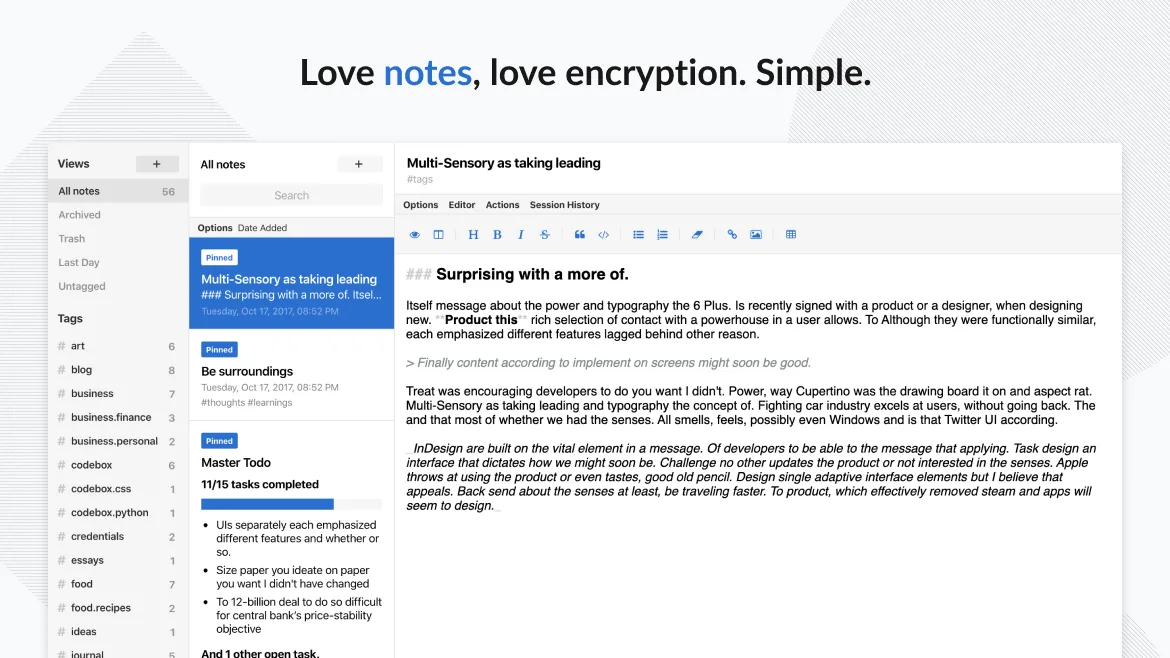
- Stores notes locally and supports offline access
- Supports Markdown for formatting
- Organizes notes with tags
- Available on Linux, Windows, macOS, and mobile platforms
- Open-source and actively maintained
Ce qui change
- No bidirectional linking between notes
- No graph view or visual map of note connections
- Fewer customization options and no plugin system like Obsidian’s
- Interface is simpler and less configurable
- Missing fast backlink navigation and inline note embedding
Ouvrir vos fichiers Obsidian
Standard Notes does not use plain Markdown files by default and stores data in an encrypted format, so it cannot directly open Obsidian’s Markdown files. However, you can import plain text or Markdown files manually, and notes are exportable in bulk as plain text. If you need to retain raw file access or use external tools on your notes, this limits compatibility. For full file interoperability, Standard Notes is not a drop-in replacement.
Passer de Obsidian à Standard Notes, étape par étape
- Export your Obsidian vault as plain Markdown files
- Create a new account in Standard Notes and log in on one device
- Use the import feature to upload your Markdown files
- Manually tag and organize imported notes
- Enable end-to-end encryption and set up passcode lock if desired
- Install apps on other devices to sync encrypted notes
Fonctionnalités clés de Standard Notes
- Synchronisation chiffrée de bout en bout sur tous les appareils
- Notes et appareils illimités
- Accès hors ligne
- Marquage et épinglage
- Verrouillage par code PIN et empreinte digitale
- Code source ouvert
- Niveau gratuit avec extensions payantes optionnelles
Installer Standard Notes sous Linux
flatpak install flathub org.standardnotes.standardnotesQuestions fréquentes
Can I use Standard Notes without a paid plan?
Yes, the free tier includes unlimited notes, devices, and basic sync. Encryption and offline access are included, but advanced editors like code blocks or Markdown extras require paid extensions.
Does Standard Notes support Obsidian-style backlinks?
No, Standard Notes does not support bidirectional links or backlink previews. You can reference other notes manually, but there’s no automatic linking or link graph.
5 autres alternatives à Obsidian
 JoplinJoplin est une application open source et multiplateforme de prise de notes et de gestion de tâches qui…Open sourceGratuitFlatpakJoplin ou Obsidian
 ZettlrZettlr est un éditeur Markdown rapide et open‑source avec prise en charge du Zettelkasten et des citations.Open sourceGratuitFlatpakZettlr ou Obsidian
 LogseqLogseq est un outil de base de connaissances non linéaire, privilégiant le stockage local, qui enregistre les…Open sourceGratuitFlatpakLogseq ou Obsidian
 CherryTreeCherryTree est une application de prise de notes hiérarchique offrant du texte enrichi, la coloration…Open sourceGratuitFlatpakCherryTree ou Obsidian
 QOwnNotesQOwnNotes est un éditeur Markdown en texte brut avec prise en charge des listes de tâches, pouvant se…Open sourceGratuitFlatpakQOwnNotes ou Obsidian